



Ever wondered how many keys you press in a day, how often you click your mouse buttons or even the distance your mouse has covered?
If so, you’re gonna love Habits.
It’s a new Linux app created by Spanish Linux blog Atareao, designed for stat-obsessives and the inimitably curious.
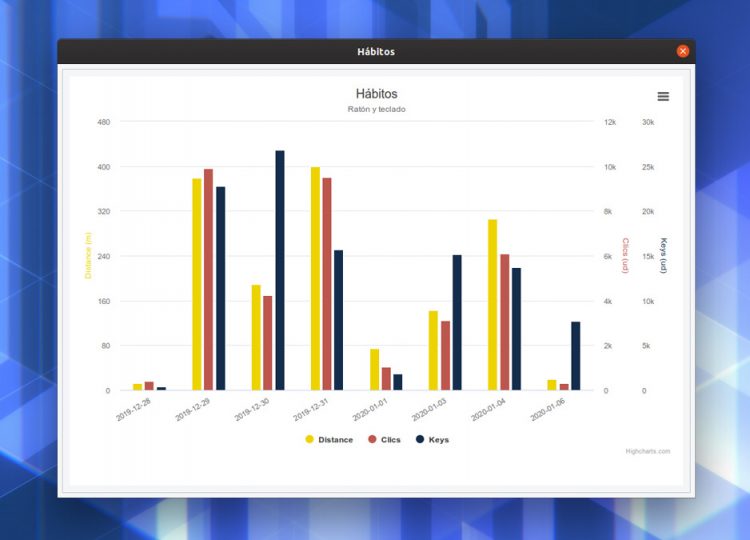
Habits reports:
- Distance travelled by mouse (in meters)
- Number of key presses on your keyboard
- Number of clicks on a mouse/touchpad
It groups data by day (e.g., the distance travelled by your mouse pointer per day) and the graphs that make it such a geek-delight to gawp at can be tweaked to use the colours of your choice:

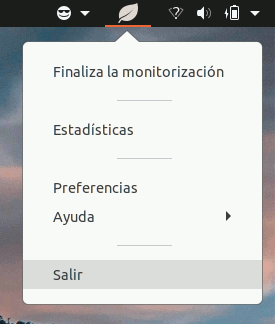
Naturally, Habits will only track key presses and mouse movement when it’s running. To avoid gaps in stats, you may want to make the app auto-start on login, which you can do via Ubuntu’s Startup Applications or, helpfully, via this app itself.
Additionally, the app lets you configure other behaviour. You can set it to only monitor when you open a specific app, which is handy if, for example, you want to track mouse movement during graphic design or key presses in a text editor.
Is the data actually useful?
Despite the geek-appeal of being able to glean information I, ordinarily, wouldn’t have access to, I’m less sold on the practical use of that data. Unless you’re actively trying to move your mouse less or caricature how many calories you burn typing, it’s all a bit “…And?”.
That said, it is definitely a novelty. The mouse distance data alone proves is surprising. While it’s a given all those little wiggles and movements add up, it’s crazy how much they add up to!
Gamification could be a way for this app to give you a reason to keep coming back, like unlockable achievements and badges: “You moved your mouse 1km”, “Key king: you hit 10,000 key presses”. Just an idea.
Installing Habits on Ubuntu
Installing ANY app that monitors what you type should not be done without due care. Habits does not monitor which keys you press, only if you press. No data is sent off of your system.
Habits is free open source software written in Python. You can find the source code on GitHub.
You can install Habits on Ubuntu 18.04 LTS through 20.04 LTS (only), but you will first need to add the Atareao PPA. Open your terminal and run this command:
sudo add-apt-repository ppa:atareao/atareao
Then, go ahead and install Habits by running this command:
sudo apt install habits
Finally, launch Habits from your app launcher or app menu of choice.
You can uninstall Habits through the command-line too:
sudo apt remove habits
Although not strictly needed, you should remove the PPA after uninstalling the app since PPAs have root access to your system so could, potentially, package something with the same name as something installed, which then gets installed.
Hero image: Shannon Black