



Procrastination attacks us all, especially when there is work to be done.
Whether your vice is being glued to your e-mail inbox, YouTube or something worse – such as holding the crown for ‘Frantic Facebook Refresher of the year’ – there is a nuclear option available in Ubuntu that aims to obliterate your addiction to internet loitering.
Self Control
Based on the OS X application of the same name, Self Control allows you to ‘block access to incoming and/or outgoing mail servers and websites’ for a specified amount of time.
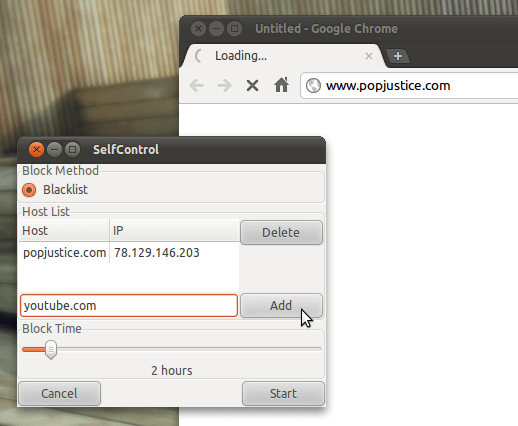
For any Smart Alec’s out there thinking “Cool, but I’d turn it off if I got bored.” then listen up: Once Self Control has been started it can not be stopped*.
Quitting the application won’t work, deleting the application won’t work and restarting your computer won’t work: you must wait for the timer to run out.
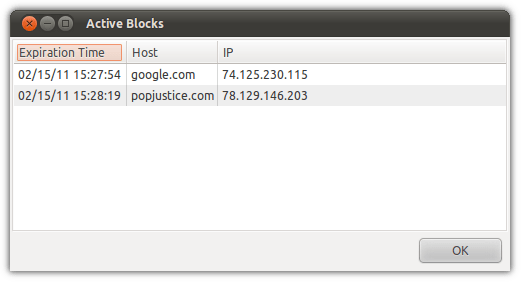
It’s easy to see which (if any) blocks are currently running. Head to the ‘View’ menu and select ‘ Active blocks’.
But as noted above you won’t be able to stop any active blocks once in progress.
Download
Self Control can be downloaded in pre-packaged .deb format for Ubuntu using the link below.
Bookmark project home page @ svn.jklmnop.net/projects/SelfControl for further information.
*Ok, so it can be stopped