



More widgets are coming to Firefox’s New Tab page, including an interactive crossword puzzle powered by the AI news reader Particle.
The mini crossword game is updated daily, with puzzles based around recent content Particle‘s AI has ingested and summarised that day, and links to articles you can read to help deduce crossword answers.
You click on a square to activate the row or column (clicking on it again switches between “Across” and “Down”). You read the clue at the bottom, and then you type in your answer. Use the hint button if you get stuck.

If you just want to try the crossword, you access it in any browser via a direct link.
While it may look like Mozilla is trying to capitalise on the Wordle craze several years too late, it’s part of its strategy to make the Firefox new tab page a discover destination in itself, not just a springboard for new searches.
The ‘Daily Grind’ crossword widget (name subject to change) is just one of several widgets Firefox has (or will get). You’ll also find a to-do list, timer, stock checker, world clock, picture of the day, privacy report and new-look weather widget (bigger than the existing one).
During the World Cup 2026, Firefox offered real-time match scores and fixture information too.
All of the widgets offer configuration options and can be resized and repositioned. Plus, they aren’t mandatory. You can disable the ones you don’t want to use, or, if you don’t want any at all, turn them all off to hide the widget area itself.
A button to ‘show fewer widgets’ frees up room to allow other distractions (sponsored stories) on the new tab page to show.
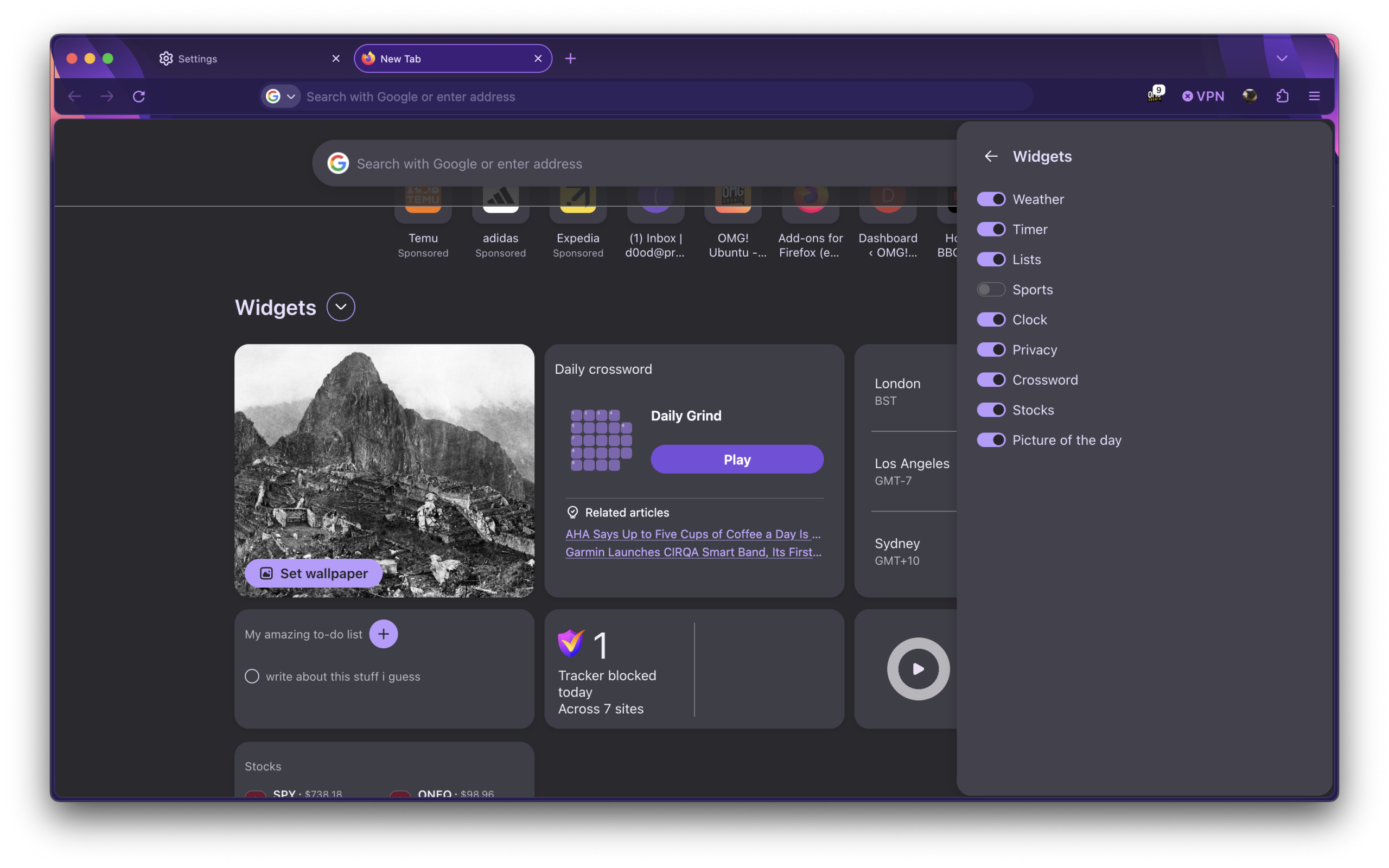
When can you try them? Well, you may already have some or all of them as they’re rolling out to users in certain region and locales already. Plus, Mozilla routinely tests new features with a small set of users before they hit stable builds (i.e., the “Allow Firefox to run feature studies” setting).
If you don’t have widgets in your Firefox build, but you want them, you can manually enable them in Firefox 153 and later from the about:config page. Search for the following master switch and set it to true to enable the widget area:
browser.newtabpage.activity-stream.widgets.system.enabled
Then, enable the widgets you want to use by searching:
activity-stream.widgets.*.enabled
However, the usual caveats about “trying things not enabled by default” still apply.
Mozilla hasn’t set a firm rollout date, though the feature is already documented on its support site. With fortnightly Firefox releases about to start, and a big Nova redesign, chances are we’ll all be puzzling over these widgets sooner rather than later.
Will a daily crossword actually have you opening a new tab on purpose, or is this more bloat the browser doesn’t need?