




Elementary OS 8.1 has landed, and it’s a much bigger deal than a point release suggests.
The update brings Wayland by default, fresh apps, visual polish, and more than a thousand fixes aimed at making the distro smoother, faster and more ‘inclusive’.
Building on the Ubuntu 24.04.3 LTS base and running Linux 6.14 kernel, elementary OS 8.1 ‘Circe’ delivers big improvements to the Pantheon desktop environment, the distro’s core apps, and the way third-party apps run and are handled
Danielle Fore, the elementary team lead, say the release follows through on the team’s release goals for OS 8, improves support for devices and inclusivity, and addresses feedback from its users – “with over 1,100 issue reports fixed”, she says.
November 2024 saw the release of elementary OS 8.0, with several smaller point updates following throughout 2025. Now comes a bigger refresh; elementary OS 8.1 is said to provide “everything you love, made even better”.
Read on for a highlight of the notable new features in elementary OS 8.1, and to access a link to download the ISO to try this new version out firsthand. If you already run 8.0.x and are wondering if you can upgrade, you can!
elementary OS 8.1 Highlights
Wayland session by default
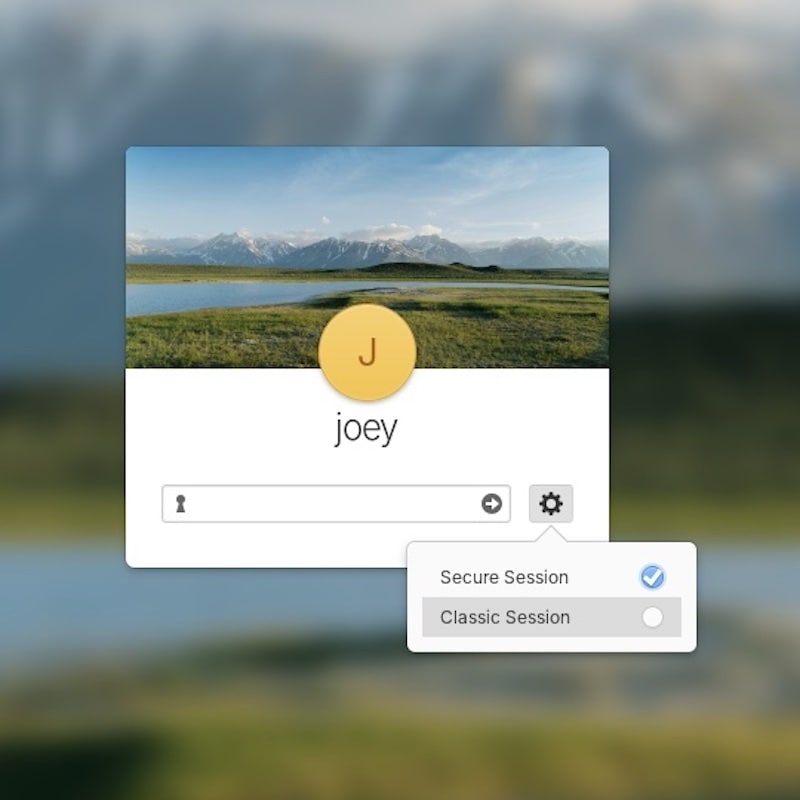
Elementary OS 8.1 defaults to its Wayland-based Secure Session.
Added in OS 8.0 as an optional session, the team now feel it “provides a much better experience for most people and supports a broader range of modern hardware features.”
Pantheon’s Wayland session now supports fractional scaling which was a bit of “gotcha” for some users who’d tried to switch away from X11 in earlier 8.0.x releases.
Also of note in Secure Session, authentication dialogs take focus (as on GNOME, Cinnamon, etc) by dimming whatever is behind them. This ensures sensitive information gets entered where it’s intended: in the auth dialog itself.
Users who find the elementary OS Wayland experience less than exceptional needn’t fret. Instead, log out and select the X11-based Classic Session at the login screen, then login as usual to find everything as it ever was.
Visual Changes

A further set of animated flourishes have been added throughout the desktop, like a noticeable shake when you click an already-focused window in the Dock as shown in the video above.
Background blur is now used on the Dock (which also re-gains a few much-missed features from the elementary OS 7 Plank era, like multiple running dots for apps with more than one window open; pressure reveal; and cycling through open windows during drag and drop).
Elementary also equips its desktop Dock with a dedicated Workspace switcher at the end of the dock to make it easier to switch between workspaces, see what’s open on each and add a new one, without needing to enter the multitasking view.
Icons for background apps now appear in Dock thanks to the addition of Background Portal support. This makes it possible to manage (i.e., quit/close) them, or bring them to the foreground to interact with.
Two smaller quality-of-life improvements that power users will find make an outsized difference: the dock now appears when entering the Multitasking View, and a toggle enables assigned hot corners to trigger when working fullscreen.
You might also notice elementary OS 8.1 has redesigned folder icons. These don’t veer too far from the elementary design users know and love (elementary began life as an icon theme), but are proportionally nicer, a little softer and better marry to the Files app icon itself.
If you pair with a lot of Bluetooth you’ll appreciate that the revamped Settings > Bluetooth panel. It more clearly separates unpaired nearby devices and those already/previously paired. Keyboard navigation and screen reader use is also boosted.
Two New Apps
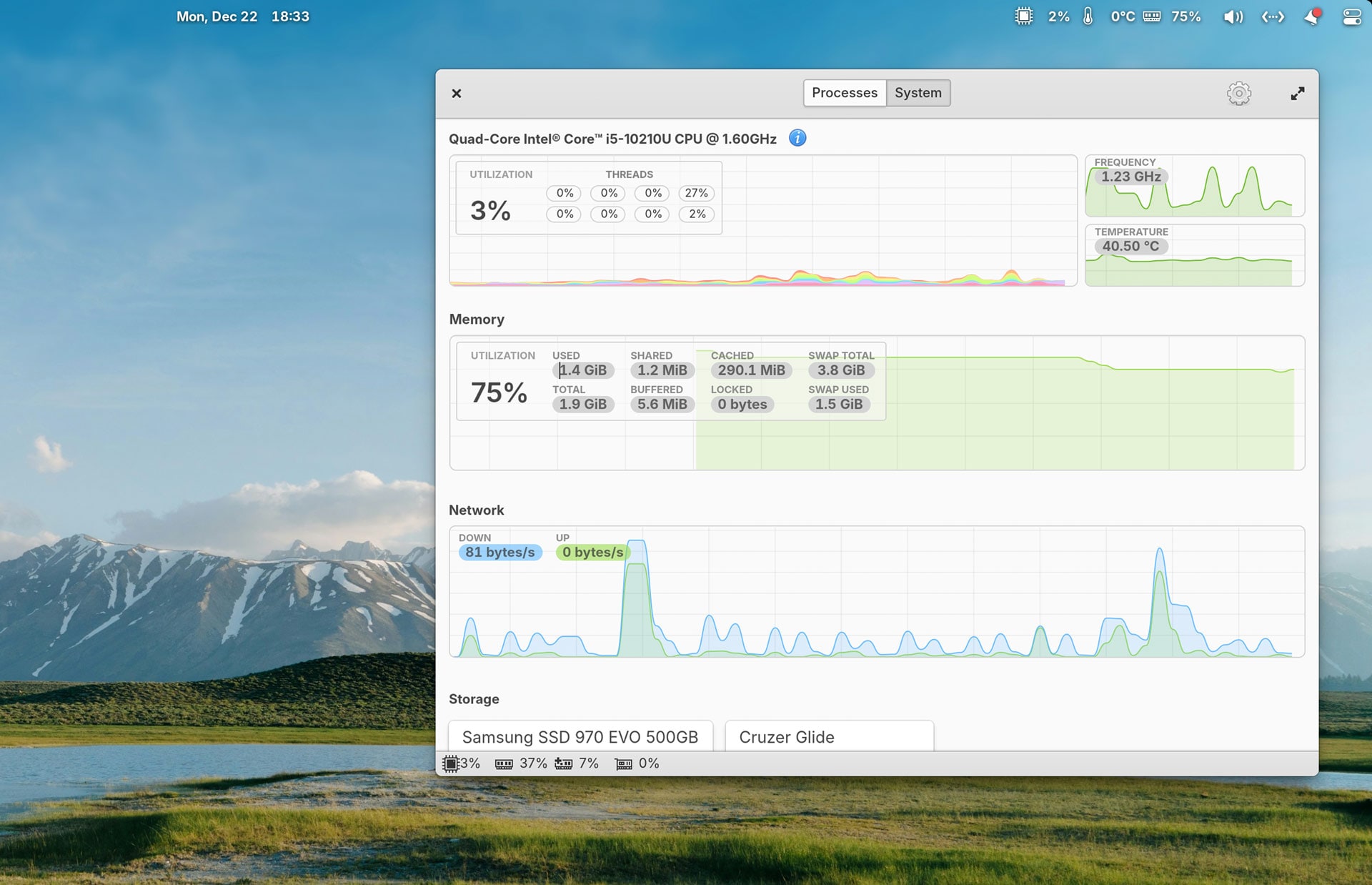
The 8.1 update adds two new desktop apps: Maps and Monitor.
Monitor is a simple system resource and process management utility that delivers all the options one would expect, including plenty of live graphs. Neatly, it also has an option to embed system monitor stats in the top panel for passive checking.
Maps is a simple desktop mapping tool powered by OpenStreet Map. It offers location exploration, transit maps, location search, and geo:// link support (which can integrate with Calendar for event locations, which is handy).
Other App Updates
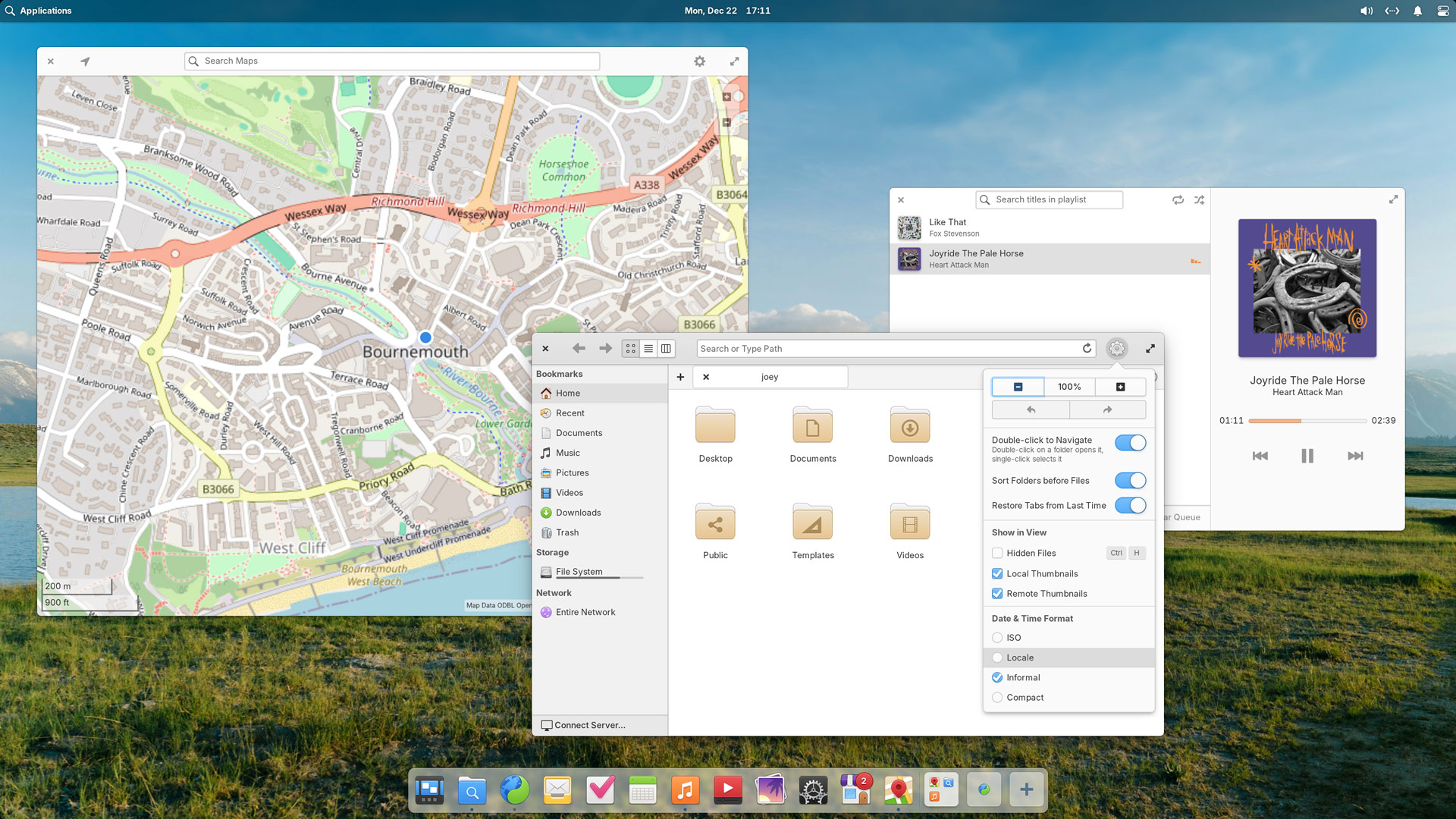
Elementary’s homegrown selection of first-party apps pick up various improvements.
Music (among other tweaks) restores your play queue between sessions; resumes playback of the last-played track upon reopening; lets you remove tracks in the the queue using the right-click context menu; and shows album artwork in the panel’s sound applet.
Files gains admin:// protocol support for administrator access, fine-grained editing of file date/time in file/folder Properties dialogs, and lists Date & Time format options in main menu (cog icon).
Developers will find plenty of welcome buffs in the native tools.
Code expands its Git options with easier repository cloning, remote git branch switching, and notices on uncommitted changes when changing branch; Terminal has a new tab bar widget (option to hide with single tab), better paste protection, and improved multi-line command detections.
AppCenter, elementary’s default software manager, sees ample changes, including:
- Percentage-based app ratings for Flathub listings
- Elementary-specific screenshots shown (where available)
- Game listings indicate controller support
- Two-column search results layout (when space permits)
- Free apps renamed from “Free” to “Install” (since you can)
- In-app purchase details shown next to action buttons
- Installed apps are now sorted by release date
- Support for application add-ons
- Redesigned changelog/release notes
More general app-related/adjacent changes include:
- Better icon handling for non-Flatpak sideloaded apps
- Screenshot notifications open Image Viewer when clicked
- Improved Calendar screen reader labels
- Custom keyboard shortcuts for installed apps and actions
Download elementary OS 8.1
You can download elementary 8.1 from the official website’s downloads page.
The distro operates a ‘pay-what-you-want’ model to access downloads, but you don’t need to pay anything.
To try before you ‘buy’, click ‘custom’ and type in a big fat ‘0’ to snag the ISO for gratis. If you love what you find, use it as your daily driver and benefit from the effort which goes into making it, the notion is you pop back to contribute.