



If you use Linux on a laptop you’ll know the only battery stat that matters is the one that tells you how long it’ll be before you’ve diving at a power socket, which is why I always enable battery percentage in the top bar. Job done.
It’s practical, it’s prominent, and in day-to-day use it’s all you need to known.
Sometimes, though, you want to find out more about your battery itself: it’s capacity and current health, number of charge cycles, voltage support and how much is coming in from your charger, manufacturer and model number (if planning to replace), etc.
On Ubuntu, finding that information is easy. The distro preinstalls GNOME Power Manager (the Power Statistics utility) or, if you know the right commands to view battery info on Linux , you can use a terminal app instead.
Not all Linux distros or flavours include a GUI app, and there are a few things it doesn’t show — which is why Wattage is a welcome alternative.
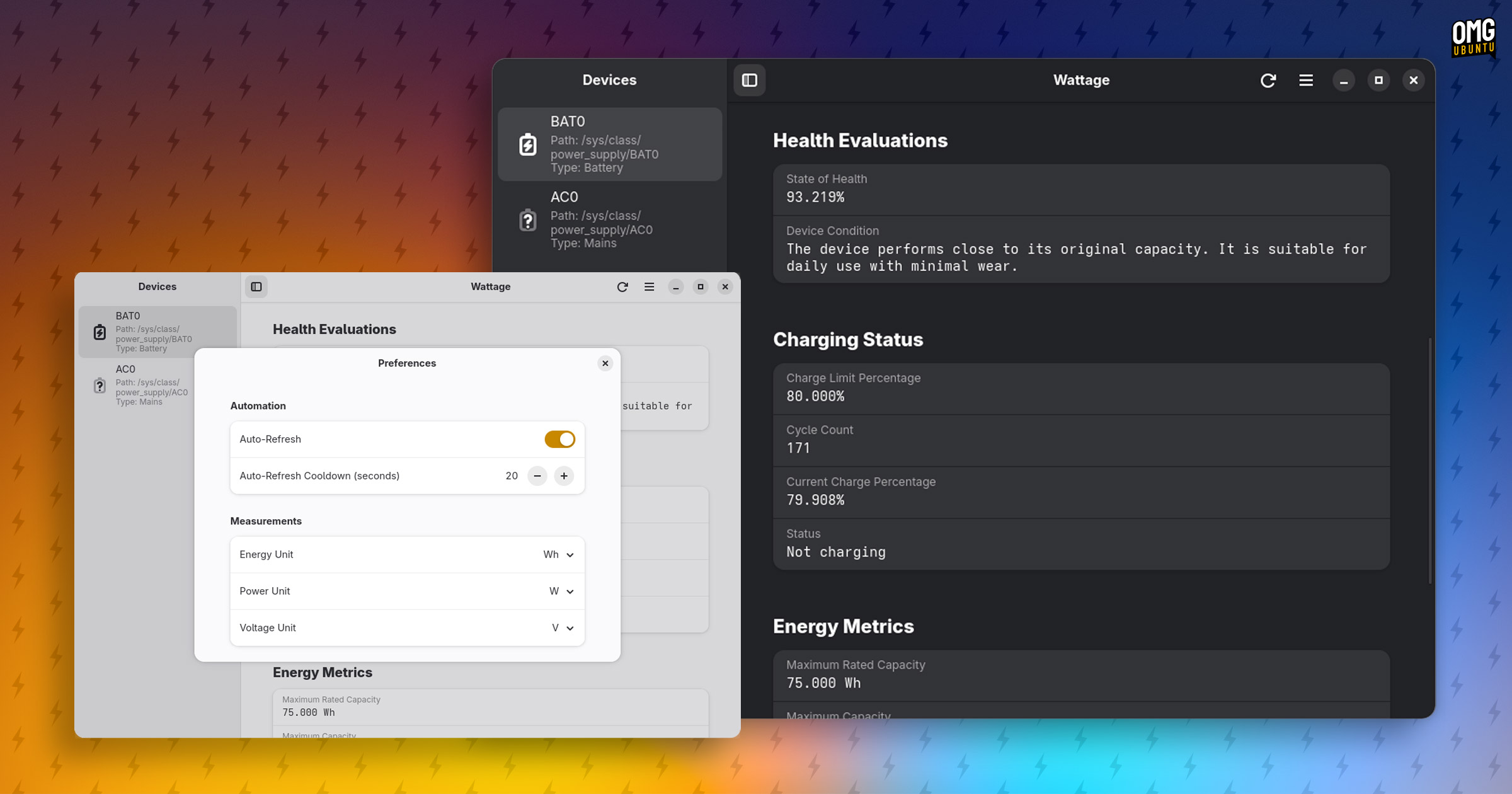
Wattage is a relatively new GTK4/libadwaita app written in Vala. It displays a range of battery and power information in a single windowed app. That’s it; it doesn’t over-engineer or over-complicated its purpose, just show data to those who want to see it.
Battery information is pulled from /sys/class/power_supply. This means if you use a Linux distribution or a device that, for whatever reason, doesn’t use a sysfs path to report power-related stats then Wattage can’t show it.
Or to put it another way, not all information this app can show, does show for everyone. This is due to the way different distros, devices and kernel modules are configured.
What you might see includes:
- Battery statistics (cycle count, capacity, voltage data)
- Health evaluation (based on original capacity to current capacity)
- Energy metrics (values can be configured)
- Manufacturer info (including model and serial number, if available)
- Supports multiple batteries and/or power sources
Much of this information falls into the ‘nice to know’ category in that it’s nice to be able to access, but you likely won’t have need to – when you do, it becomes ‘important to know’.
For example, if you notice your laptop battery needs charging more often than it used to, it might need replacing or it could be a software issue. Checking capacity degradation issue, manufacturer and model etc is useful when planning to buy a replacement battery.
Anyway, that’s Wattage – want to try it?
You can install Wattage from Flathub — refer to our guide showing you how to setup Flatpak and Flathub on Ubuntu, if you need it — on all major Linux distributions, Ubuntu included. You can find the source code on Github.