


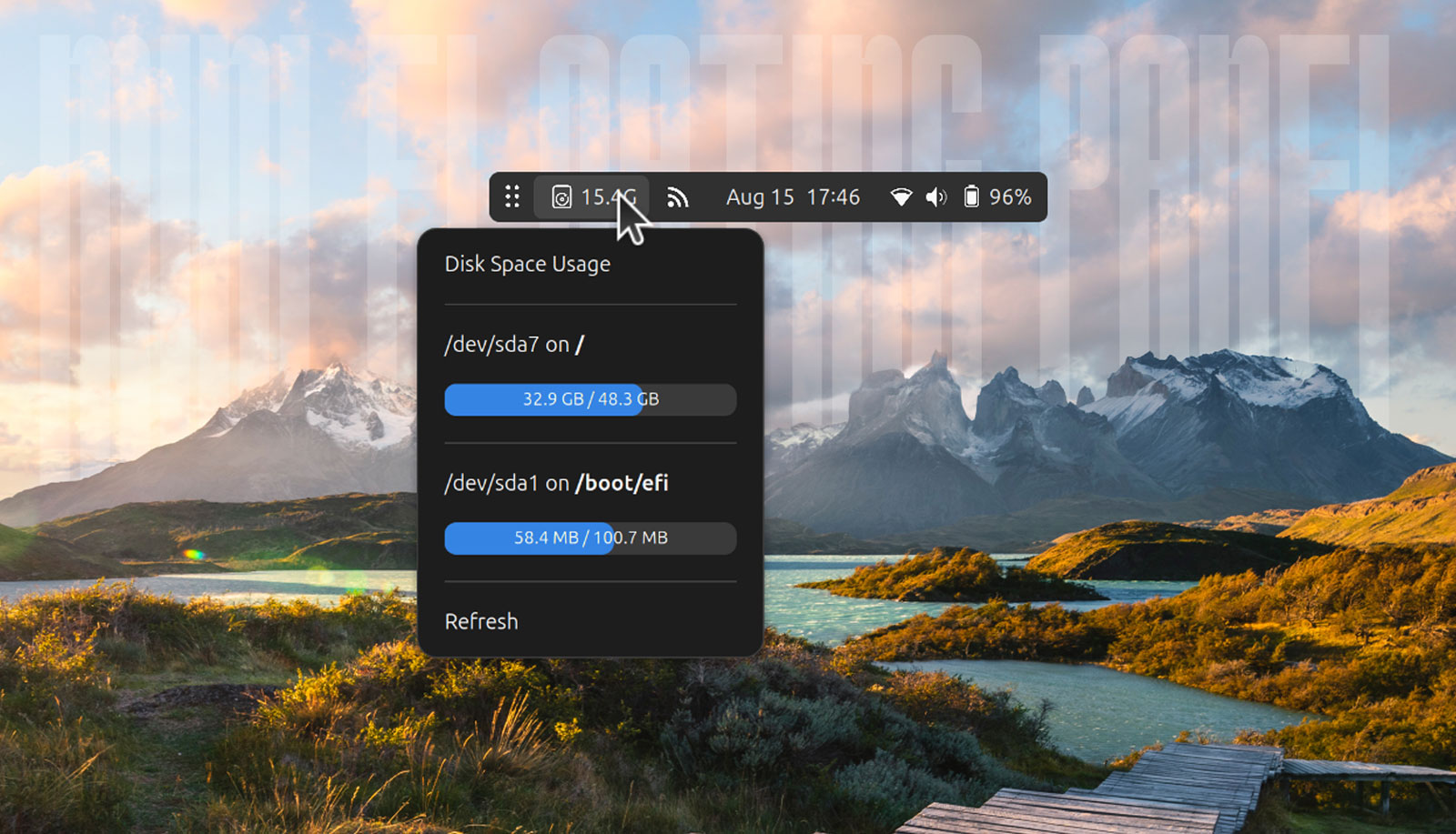


The Floating Mini Panel GNOME Shell extension has been updated, adding nifty new ‘auto placement’ feature to save you the (not much of a) hassle positioning the panel by dragging it.
For those unfamiliar, Floating Mini Panel is able to turn GNOME’s Top Bar into a condensed, moveable ‘widget’ (triggering automatically or manually) It floats on top of other windows, can be temporarily hidden with a middle-click, and shows only essential items.
In its August update, Floating Mini Panel added a “drawer” feature in which the panel extension icons/applets can live, out of view until needed, and a ‘shelf’ area where items from said drawer can be moved to (using middle-click) to stay visible at all times – very useful.
In its latest update, the extension has undergone code refactoring, added support for GNOME 46 — ergo, it now works on Ubuntu 24.04 LTS — and improved its appearance with some styling tweaks and dynamic border corners.
The big new feature is support for auto-positioning.
When in mini-mode, you are able to hold shift or ctrl and click (left, right or middle) to move the applet to a different part of the screen, flush against the edge. There’s also a new menu (revealed with a long right-click on the handle/app overview button) with those options:
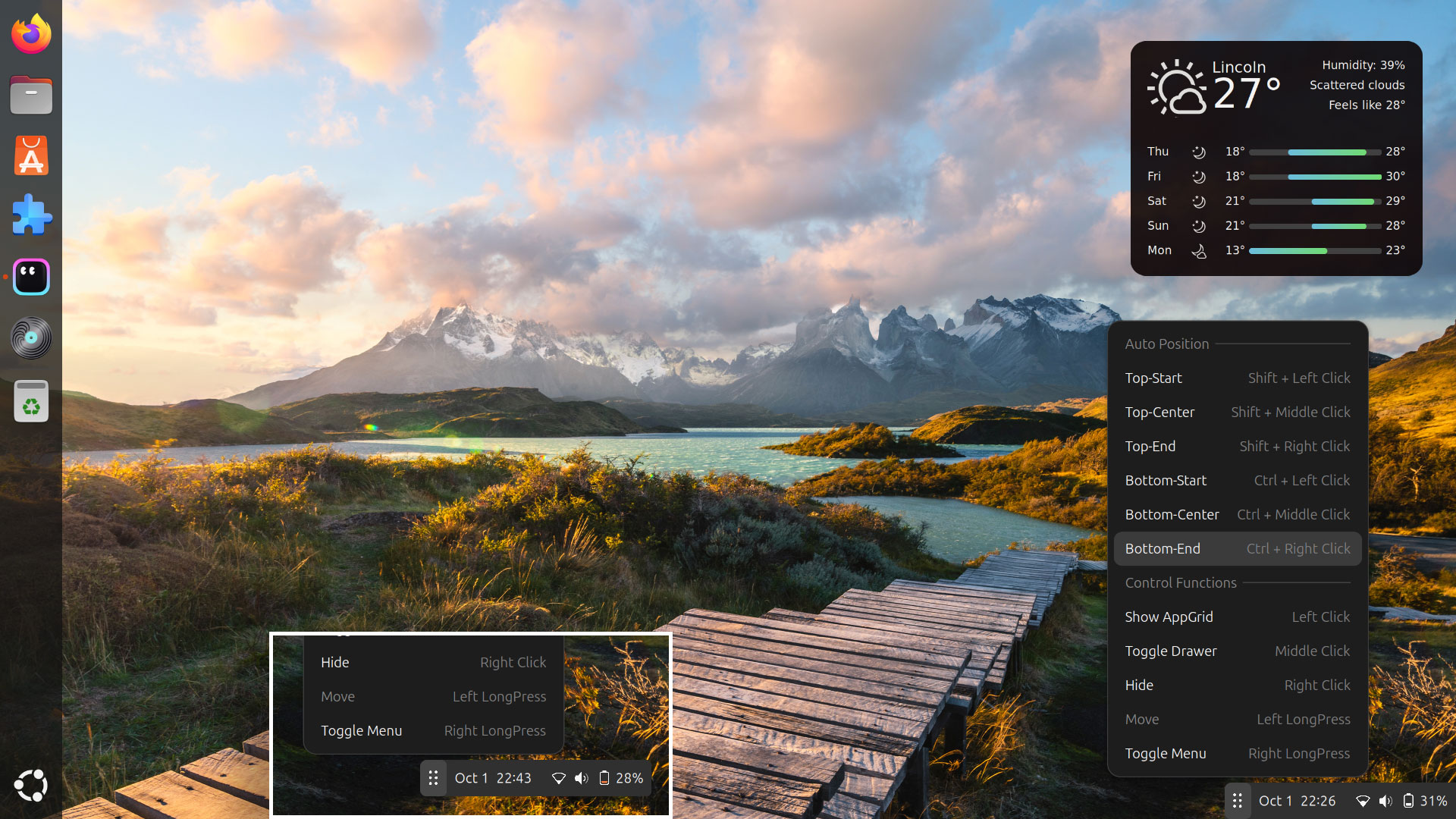
It’s for the auto-position where the dynamic border corners lick in play: when one end is nestled within or flush against a screen edge, that sides touching the edge are sharp, i.e, you no longer see a tiny slither of wallpaper peeking around radii, ruining the vibe.
Want to try it out? Install from the GNOME Extensions website (direct, or via the Extensions Manager desktop app). It is compatible with GNOME 46 through 49, which means if you’re using Ubuntu 24.04 LTS or above, you’re good to go.