



The Document Foundation has released LibreOffice 25.8, the latest version of its popular free and open source office suite for Windows, macOS, and Linux.

LibreOffice 25.8 builds on the changes LibreOffice 25.2 add earlier in the year, with more improvements to performance, interoperability, accessibility and usability.
Eliane Domingos, chairwoman of The Document Foundation, remarks: “LibreOffice 25.8 reaffirms our dedication to safeguarding the freedom and privacy of end users in the digital age“.
Compared to other productivity suites LibreOffice “gives end users full control over their documents, helping them to avoid reliance on third-party platforms that might compromise their data or privacy”.
For a closer look at what’s new in this update, read on.
LibreOffice 25.8: What’s New?
Documents open 30% faster
The Document Foundation (TDF) say “everything is faster” in LibreOffice 25.8. From application startup times to scrolling large documents and file rendering. While lower-powered laptops and PCs will feel these performance boosts keenly, everyone benefits.
In benchmarks run by TDF Writer and Calc open files up to 30% faster than before, with many optimisations benefiting specific kinds of files with specific kinds of features, such as faster rendering of XLSX files with lots of conditional formatting in Calc.
Underlying memory management changes should also mean the suite performs better in virtual machines, remote desktops, and thin clients.
PDF 2.0 now supported

LibreOffice 25.8 can export PDF 2.0 (ISO 32000-2) files, including with AES-256 encryption (mandatory with PDF 2.0), PDF/A-4 support using PDF 2.0 as the base, and combines PDF and PDF/A versions into one dropdown menu.
- PDF Export UI rearranged with Forms sections combined
- New structure elements (/Em /Strong /Title)
- Added /AFRelationship for embedded files
- In hybrid mode, embedded ODF documents are marked as source
Additional PDF changes include support for importing encrypted hybrid PDFs, requiring a single cryptographic signature on documents export rather than two, and PDF documents signed on export are now compatible with Adobe Reader.
User interface changes
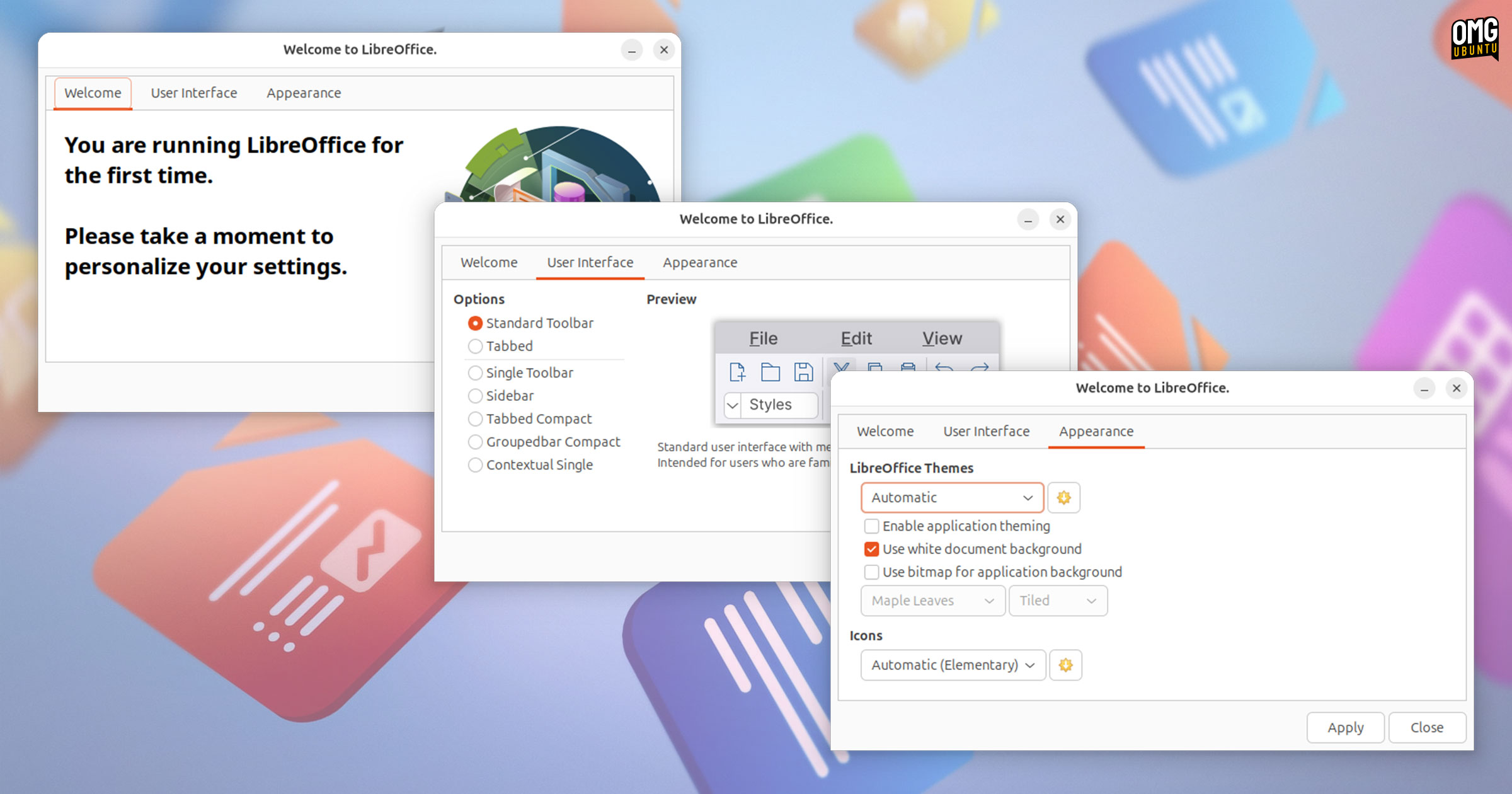
The Welcome/What’s New dialog that is shown to new users provides user interface and visual styling access. This makes it easier for new (and old) users to learn about and make use of LibreOffice’s flexible interface options and personalise its appearance.
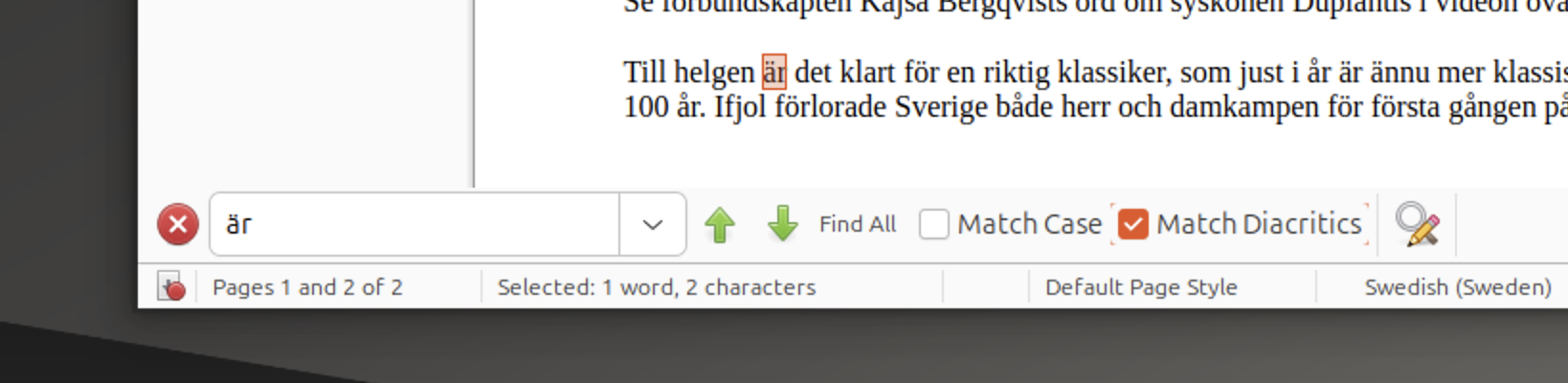
There are other GUI-related changes across all components in the suite, including:
- Quick Find bar adds an option to match diacritics
- Toggle to show password in password input dialogs added
- Toolbars can be activated via the UI picker (View > User Interface)
- Hyperlinks can be inserted from context menu when text selected
- Currency dropdown no longer requires clicking an OK button
Beyond that, this update also adds:
- More encrypted files can be opened (SHA384 with AES_192)
- Autofilters are imported from MS Excel XML files
- New ScriptForge library services
- Accessibility enhancements
LibreOffice 25.8 answers a bug first opened in 2013, asking for a suite-wide Viewer-only mode. When active, files are opened in read-only mode and editing tools are disabled. Enable it from the Expert Configuration dialog (it’s not something most people need).
Writer 25.8 changes
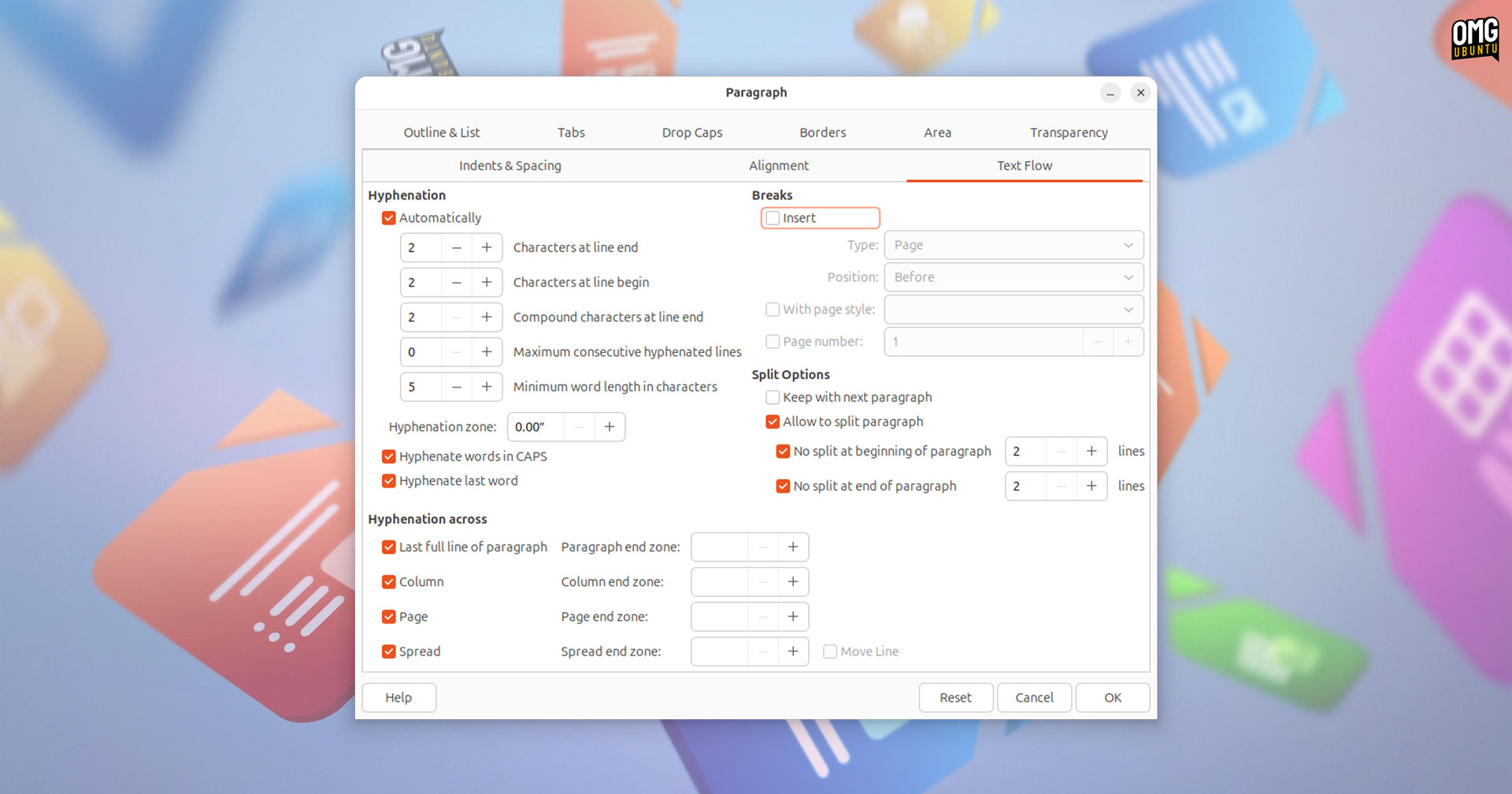
A “complete overhaul of word hyphenation and spacing” headlines changes to Writer 25.8, the productivity suite’s word processor component.
It is now possible to set the last line to the next page (to avoid splitting the last word in the page), and new options allow paragraph, column, page, and spread end zones, and minimum, desired, and maximum word spacing justification sizing to be set.
Elsewhere, it is now possible to ‘reinstate’ changes in Writer (alongside improved change tracking in general), redact images via the Auto-Redact dialog, and rotate objects within documents by selecting, then clicking again (once).
Calc 25.8 changes
Calc 25.8 adds a “Clear AutoFilter” option to context menus in cells, supports customising conditional formatting operators in icon sets, and tweaks the Text Import dialog used in CSV import.
OLE objects (like charts) can be resized proportionally with or without holding the shift key when in Edit mode (also applies to OLE objects in Impress, Draw, and Writer too).
In addition, Calc 25.8 adds the following new functions:
- CHOOSECOLS
- CHOOSEROWS
- DROP
- EXPAND
- HSTACK
- TAKE
- TEXTAFTER
- TEXTBEFORE
- TEXTSPLIT
- TOCOL
- TOROW
- VSTACK
- WRAPCOLS
- WRAPROWS
LibreOffice’s documentation walks through all of these new functions, if you’re interested in learning more about them.
Impress & Draw 25.8 changes
Impress, the presentation maker, now supports embedded fonts in PowerPoint (PPTX) files, allows Master Slides to be copied, and enables the mouse scroll wheel to be used to change how many slides display per row in the Slide Sorter.
Meanwhile Draw, the vector graphics editor that can be used to create flowcharts, technical drawings and diagrams, or even media-rich content like posters and flyers, now shows boundaries for page margins (though it can be disabled via Expert Configuration).
Download LibreOffice 25.8
Read the official release notes for more detail on everything added in this update. It includes links to code commits, bug reports and blog posts by LibreOffice developers who talk through the (often unforeseen) implementation challenges.
Download LibreOffice 25.8 for Windows, macOS, and Linux from the LibreOffice website. LibreOffice 25.8 does not support Windows 7, 8/8.1, or (32-bit) Windows versions, and this is the last version that will run on macOS 10.15 Catalina.
Ubuntu users can download a DEB package (the README in the extracted archive explains how to install them), but LibreOffice is also available on the Snap Store and Flathub. The LibreOffice PPA is also an option, but lags behind other sources by a few days.
Ubuntu does not typically bring new LibreOffice series’ to supported Ubuntu releases. If you want to install this update on Ubuntu 24.04 LTS use one of the methods above.
LibreOffice 25.8 is available in Ubuntu 25.10, released October 2025.