


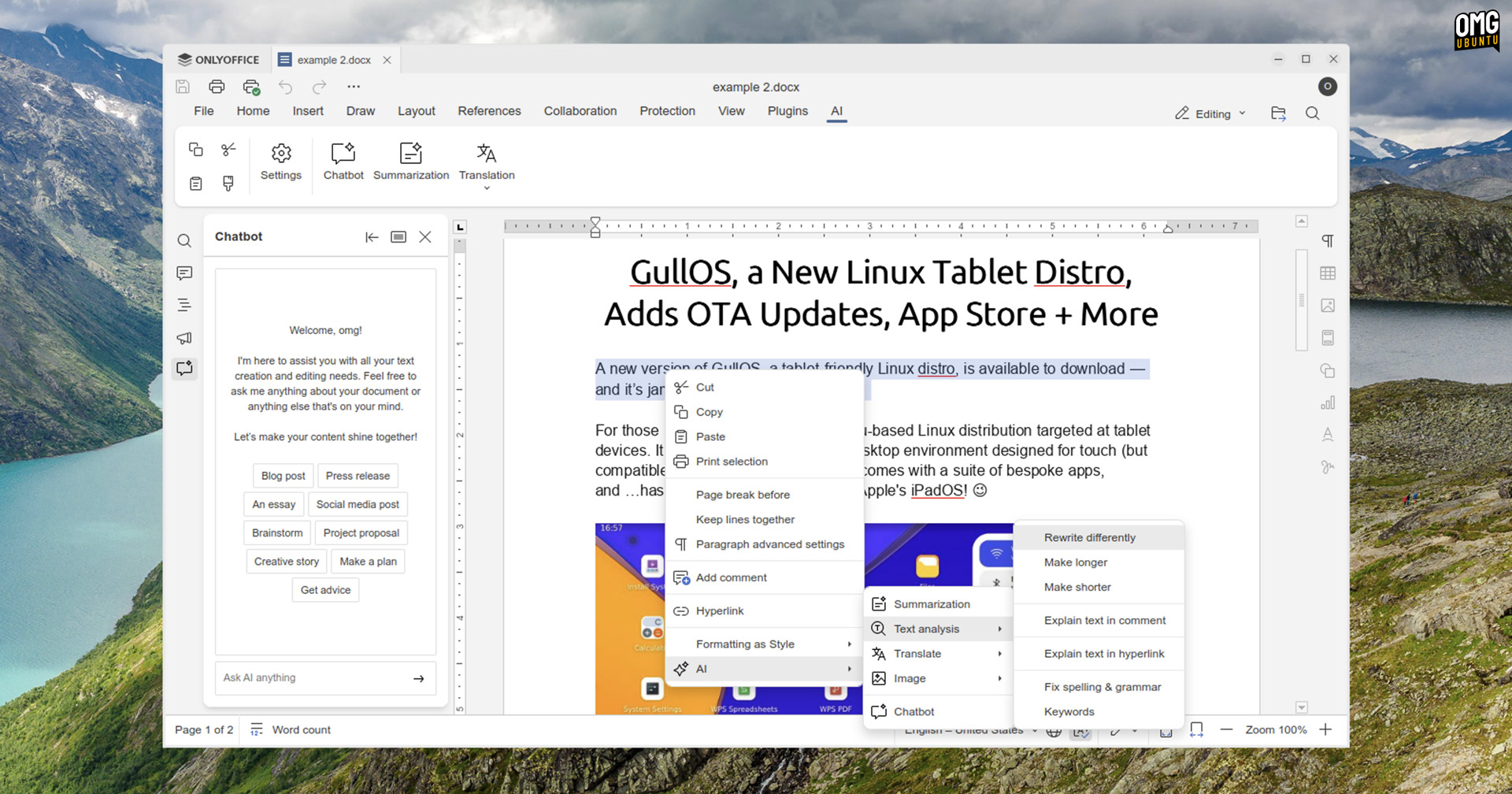
A personal AI agent, new pre-installed plugins, and plenty of bug fixes ship in the latest update to ONLYOFFICE, the free open-source office suite for Windows, macOS, and Linux.
ONLYOFFICE 9.0.4 now includes Photo Editor, OCR, Typograf, Doc2md, LanguageTool, DeepL, Thesaurus and Zotero plugins out-of-the-box, ready to use – well, some are.
A few plugins like DeepL require an API key from a third-party service to function at all. Others, like the HTML5-powered photo editor and OCR tool (powered by tesseract.js) work from the get-go, even offline — which is something in 2025!
Beyond the pre-installed plugins, ONLYOFFICE 9.0.4 also delivers some smaller improvements across all of its core editors, including:
- WOFF2 font support in all editors
- Improved handling when document(s) open in other apps
- ‘Suggest a Feature’ item in the File menu
Plus, fixes. A lot of fixes.
Visual glitches in the new Modern Light and Modern Dark themes, translation snafus, and issues preventing Linux users from opening files from a Google Drive mount accessed through GNOME Online Accounts in ONLYOFFICE are ironed out.
Editor-specific buffs are too many to list coherently, but all components — Document, Spreadsheet, Presentation, PDF, Forms, and the latest addition to the ONLYOFFICE suite, Convert — get fixes for crashes, errors, quirks, and other frustrating behaviours.
For a list of all fixes, see the official changelog on GitHub.
ONLYOFFICE AI Agent: What can it do?
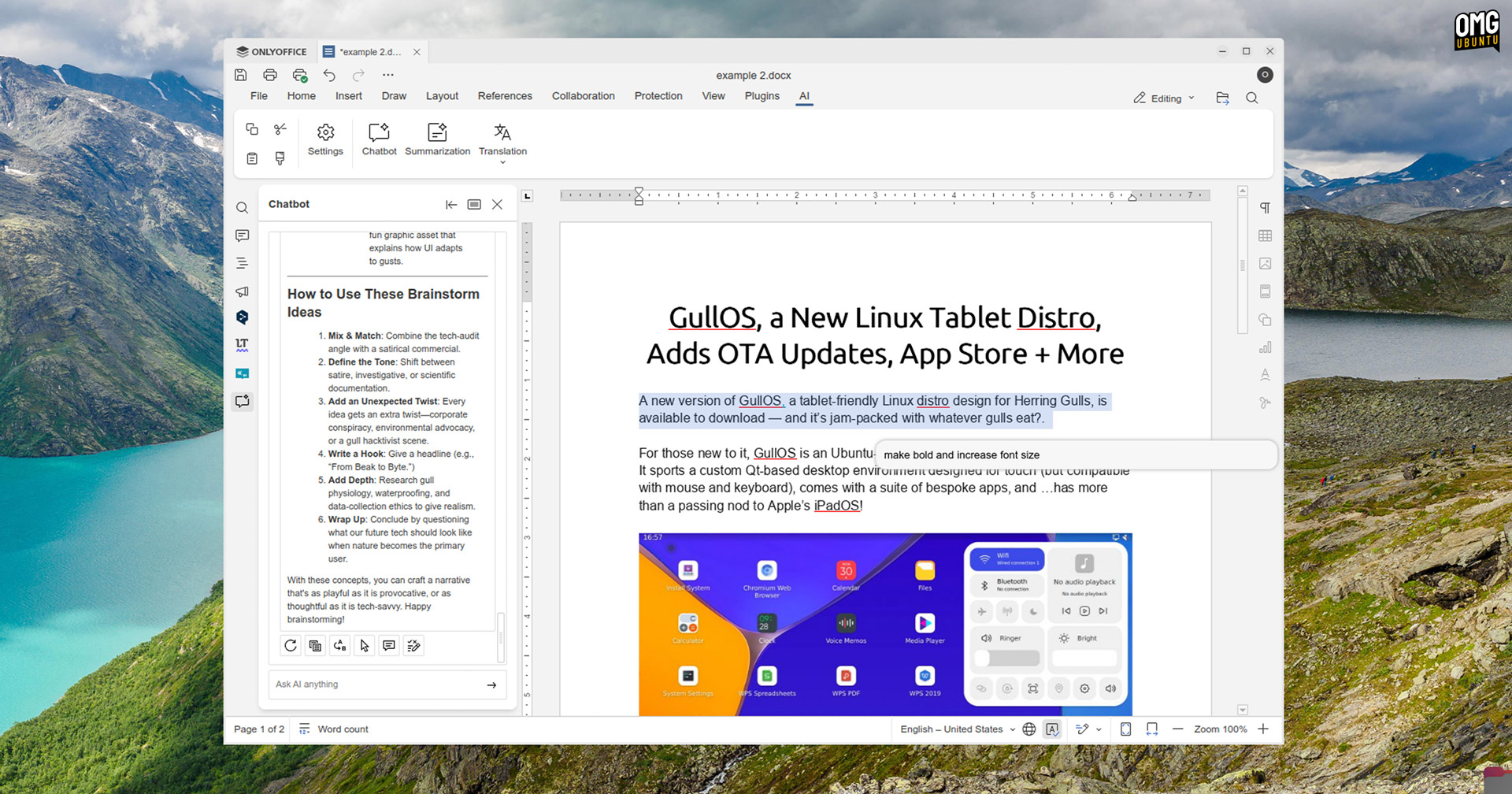
ONLYOFFICE 9.0.4 is the first to include access to ONLYOFFICE’s new AI agent, albeit currently in beta and requiring the AI Plugin to be installed from the Plugins -> Plugin Manager gallery first.
This “smart contextual assistant” is accessible across all ONLYOFFICE editors. You press Ctrl + / , a floating input panel appears, and you type in your request and… Go from there.
You can offload productivity tasks within your documents, seek context or, IDK, get it to hallucinate some convincing-sounding facts and pad out your word count out with effusive descriptors.
The AI Agent is, like other AI features in ONLYOFFICE, powered by your choice third-party AI service (with your chats subject to their privacy, training, and retention policies) rather than something ONLYOFFICE provide directly.
Some of the suggested uses for the AI Agent scream “here to solve problems no-one has!”
This means you will need to enter an API key to use services like ChatGPT, Gemini or Mistral as your agent backend. You can also specify a base URL if you prefer to run local LLM models through apps like LM Studio or Ollama. They can power the AI agent too.
Once set up, the AI Agent is a key stroke away, ready to tackle tasks in your Document, Spreadsheet and Presentation editors.
Ascensio System SIA, the company who make ONLYOFFICE, says their agent “keeps your conversation history, allowing you to refine results step by step or continue complex requests“. But some of the ways they suggest you use the AI Agent scream “here to solve problems no-one has!”.
“Modify paragraph styles effortlessly (e.g., “Change the first paragraph to Heading 1”)” and “Update text settings with ease (e.g., “Make the text bold”)”, the company lists as examples of how you can use the new AI Agent in your workflow.
However, natural language input has its advantages, especially when you want to do things with more complex data or sprawling long documents (which you may have written yourself), as this video demonstrates to (some) effect:

Apparently ‘Select text -> press Ctrl + / -> type “make text bold” -> hit enter‘ and wait for it to ping a remote data centre and fetch the results back is more “effortless” than ‘Select text → Ctrl + b‘.
For those who who want to “generate text seamlessly”, the Agent can do that too, according to Ascensio. It can also provide you with contextual explanations, summaries, and “rewrite entire sentences or paragraphs to alter tone”.
What they don’t point out, so I shall, is the privacy implications involved if you’re working on documents that contain sensitive or personally-identifying data. Piping things off to data centres in the USA, to be parsed by others (especially to just apply some formatting) is… Eh.
Read more about the AI Agent (with no snark and more spin) on the ONLYOFFICE blog.
Whether this actually does make working more “effortless”, or simply over complicate otherwise simple tasks will depend on your preference for natural language input to do what keyboard shortcuts and toolbar buttons have done (without issue) for decades.
Download ONLYOFFICE 9.0.4
You can download ONLYOFFICE Desktop Editors for Windows, macOS and Linux from the official website (make sure to download the desktop edition, not the docs version) or save yourself the effort by getting it from the GitHub page instead (unfurl ‘assets’ at the bottom).
The DEB installer can be used on Ubuntu, Linux Mint, and related distributions. It doesn’t add any kind of APT repo, so you will need to download and install updates manually, as/when released.
For automatic updates on Ubuntu, use the official ONLYOFFICE Snap or Flatpak build on Flathub.