




Most major operating systems provide a setting to automatically switch between light and dark themes based on the time of the day. If you use KDE Plasma and long for something similar, you’re in luck.
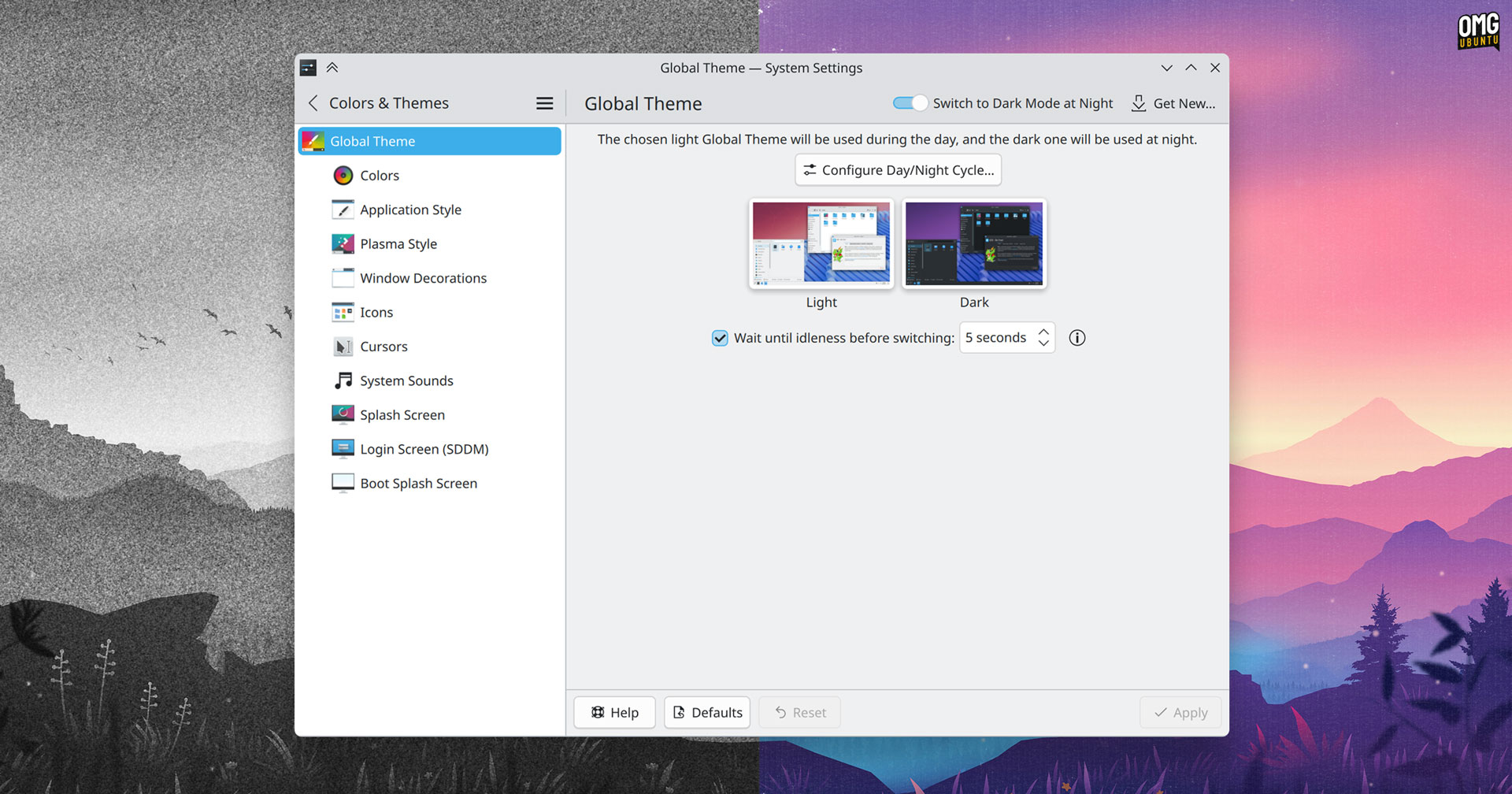
The next version of Plasma desktop will include an automatic day/night theme switching setting, fulfilling a request opened way back in 2019. When you enable the new “switch to dark mode at night” setting, your Global Theme will automatically flip from light during the day to dark at night.
(Or a custom time schedule, if you have one set up.)
“You can choose two Global Themes, one for the day, and one for the night. The switching times are synchronized with Night Light,” says KDE developer Nate Graham in a blog post.
Many users have relied on scripts and third-party tools to achieve something similar. Having an option baked into Plasma itself means no-one need hunt down anything extra on their own accord, and the feature will “just work”, no fuss.
To ensure more people find it, the System Settings > Quick Settings page will also gain surface the option to enable automatic day/night switching (as well as making it possible to choose which Global Themes are displayed, for those who use non-defaults).
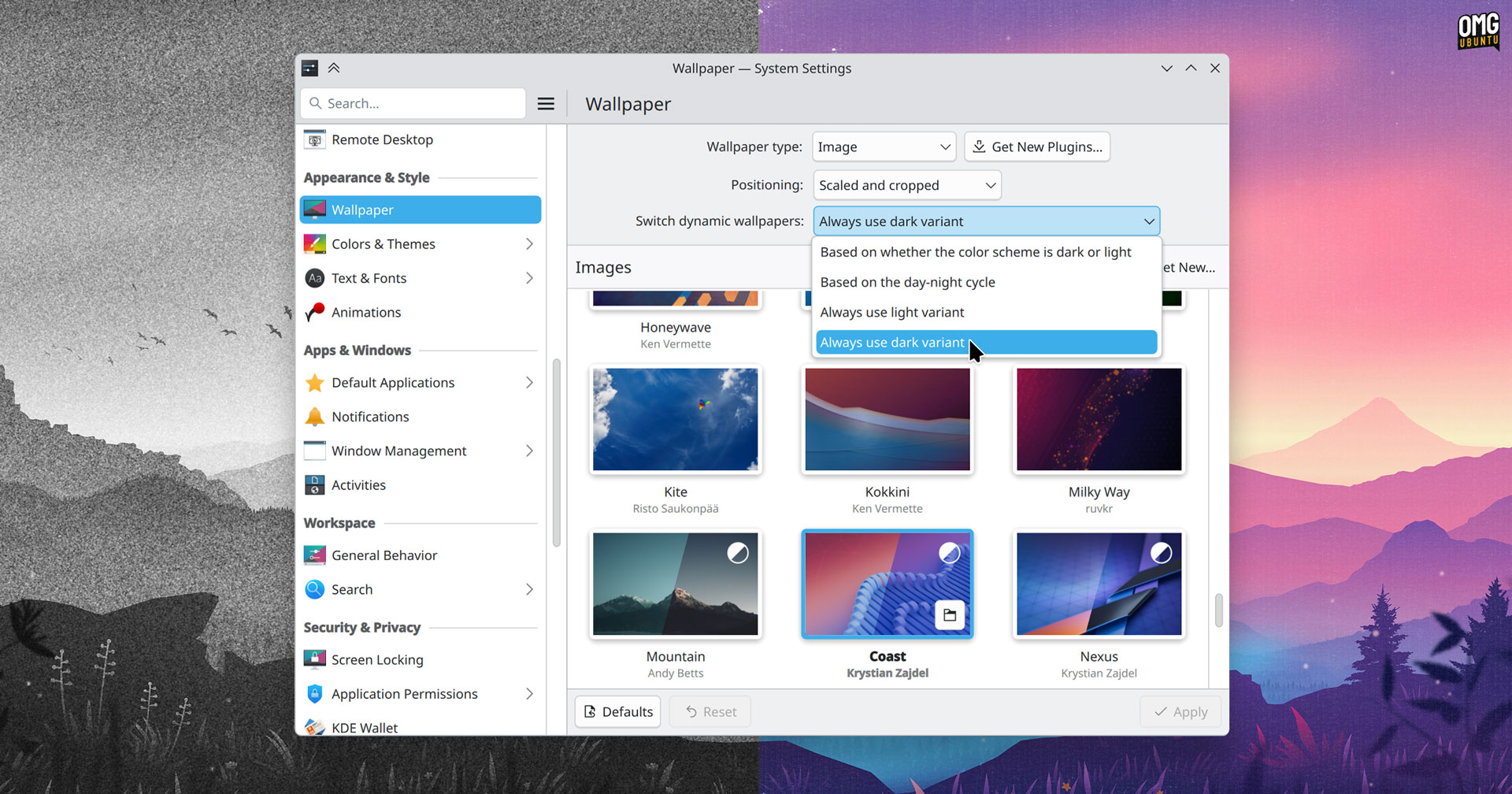
The upcoming release will also tackle a related annoyance: not everyone wants their wallpaper to change with their dark mode setting. Plasma 6.5 adds options to prefer a light or dark variant, regardless of what your colour scheme is set to.
Similar to other changes planned for KDE Plasma 6.5, this is a simple addition which helps ensure the KDE experience meets user expectations – which helps those converting from Windows, macOS, Android and other platforms feel a bit more ‘at home’.