



How the Jeff is it July, already?! Blink-and-you-miss-it June flew by, but did drop some notable Linux app releases (to act as blurred mile markers while we hurtle every-on).
Among them, the redesigned ONLYOFFICE 9.0 generated a lot of opinion; the Flathub debut for Linux TIDAL client High Tide made waves with music lovers; and a slice of system-preserving options got added to Raspberry Pi Imager.
We also got (as we always do) a new version of Mozilla Firefox in Firefox 140, adding manual memory unloading for tabs, easier adding of custom search engines, and, yeah, sponsored suggestions in the address bar for UK users. “Yay”.
But those weren’t the only Linux app releases of note in June 2025.
In my monthly Linux App Release Roundup, I try to spotlight smaller software bumps that didn’t snag an over-engineered graphic and waffle fest of their own, but are nonetheless worth knowing about — even if only as a postscript.
On to the recap!
Plank Reloaded
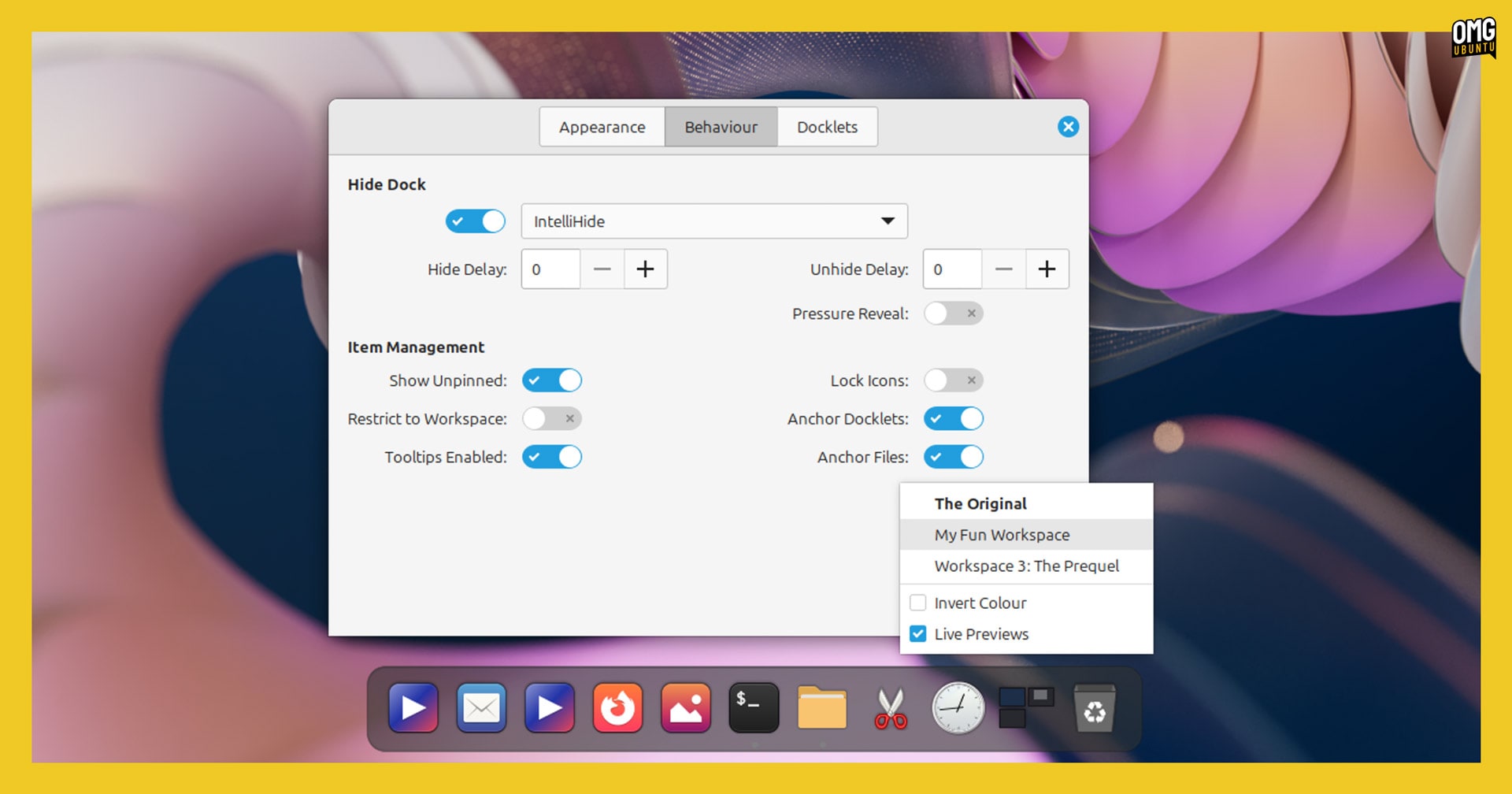
The revived Plank dock app continues to see improvements. Across 11 iterative updates put out in June, the popular workflow aid picked up the following changes:
- Now shows custom workspace names
- More reliable Steam menu activation
- Multi-monitor support via “On Active Display” setting
- Docklet tooltip hovering logic tweaked
- Clipboard docklet handling improved
- Trash docklet now supports KDE Plasma
- Animations for window minimise/restore improved
- Misc gap-size related buffs, including updated barrier logic
Plank Reloaded works across different desktop environments, despite initially being targeted at Cinnamon. It does not work under Wayland, only X11/Xorg. New versions can be downloaded as a DEB from the project GitHub releases page, or installed via a repo.
Warp 2.0
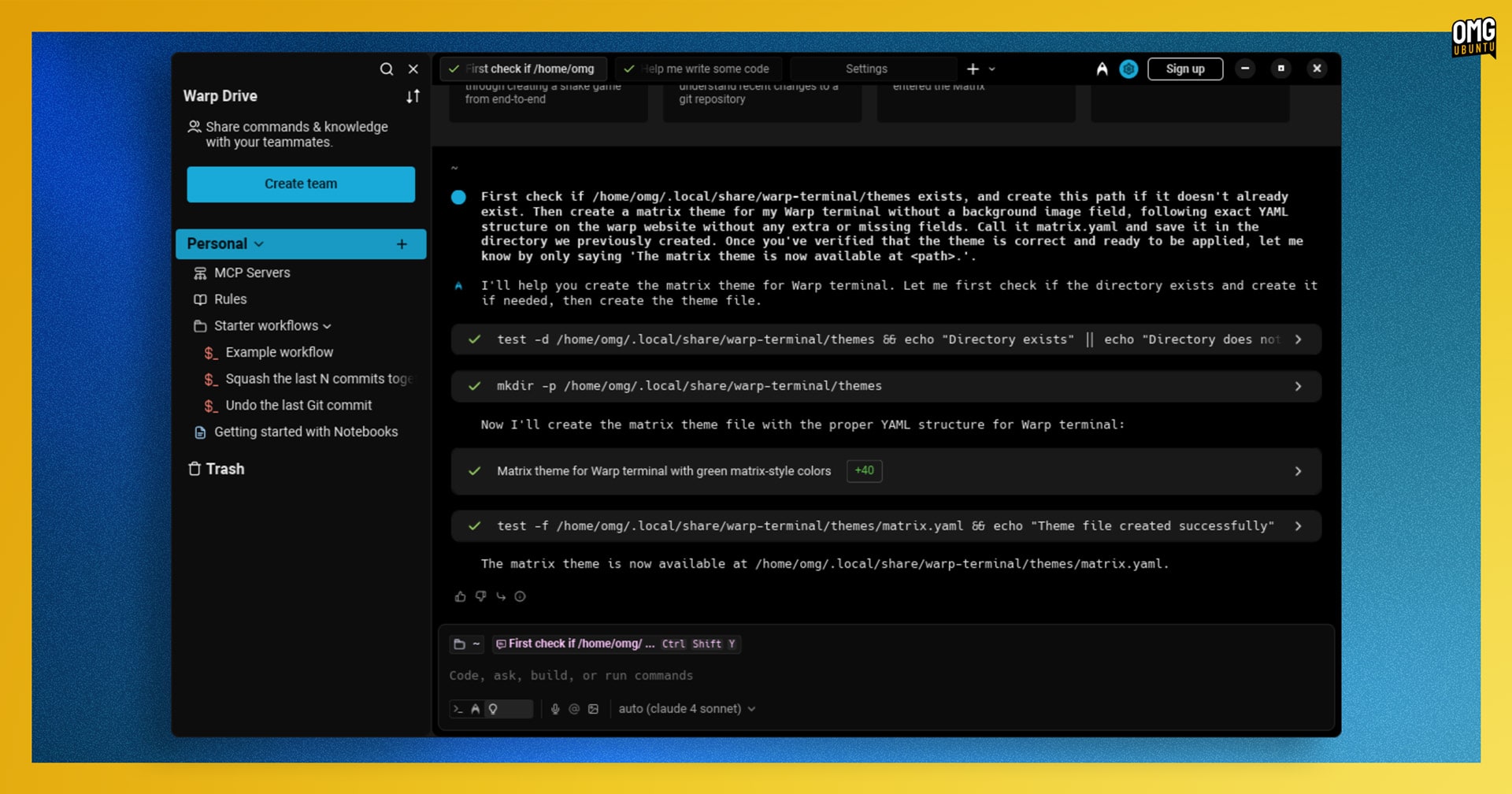
A brand new version of Warp was released and the 2.0 version number is rather symbolic since, like Web 2.0, it’s everything it was before, but more. No longer just a terminal emulator with AI features added on, Warp is now billed as an Agentic Development Environment (or ADE).
Taking aim at generalised AI-infused IDEs and command-line coding tools with chatbot access bolted on top, Warp’s creators feel an end-to-end workflow able to handle any development task thrown at it is where the future is.
“What’s needed is a product native to the agentic workflow; one primarily designed for prompting, multi-threading, agent management, and human-agent collaboration across real-world codebases and infrastructure,” Warp CEO Zach Lloyd says in a blog post.
Warp 2.0 has four main components: Terminal, Code, Agents, and Drive. The command-line accepts both natural language prompts to do something, as well as running a regular terminal commands.
It’s… an approach — one that certainly “vibes” with the hype that developers are writing less code and more prompts. For those, an interface built around generating, viewing and managing code, rather than editing it manually will have more appeal.
If you fancy seeing if the aims marry the claims, you can download Warp for Ubuntu from the official website for free, though but Warp is not open-source, free limits apply to AI features, there is a privacy policy to agree to, and accessing other LLMs subject to other privacy policies.
QT Creator 17
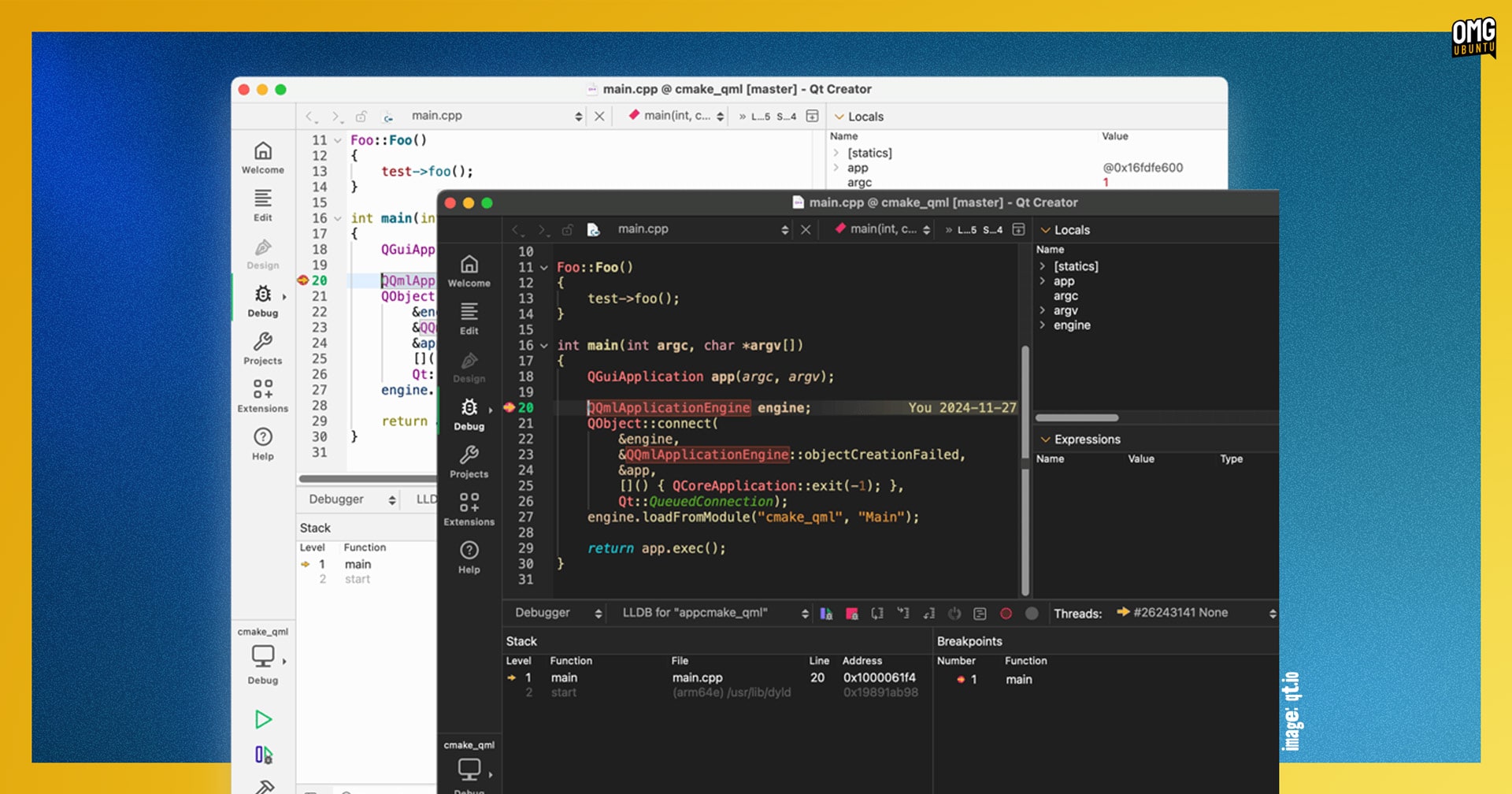
The Qt Project announced the launch of Qt Creator 17, the latest version of its cross-platform integrated development environment in June. IDEs aren’t my area of expertise (hence no dedicated post) but a skim over the changes revealed a few interesting features.
QT Creator 17 uses a new theme by default (called “2024”, and covering both light and dark modes), alongside a “refreshed” icon set that marries to the look. Users can continue to pick from alternative appearances should the new ‘stock’ skin not suit.
Selecting a Debug or Release build now automatically applies its corresponding run settings, and a new “Clone into This” control lets devs copy run parameters between profiles.
CMake support is also improved so that, should a configure step fail because of any missing Qt packages, the IDE is able to offer to install them using the the Qt Online Installer (if that has been setup, which it may not be – more details in this blog post).
Beyond that there come various buffs for devs working with Python (opening pyproject.toml based projects) and C++ (lots of fixes), new QML code formatting options, refined Git diff and tagging features, and more.
For a more detailed run-through all of the changes, check out the official Qt Creator 17 announcement.
Audacity 3.7.4

Open source audio editing software Audacity continues inching closer to its next major release, Audacity 4.0, but before then is another bug-fix update in its current stable 3.7.x series.
Audacity 3.7.4 changes include:
- New welcome/what’s new screen
- OpenVINO effects are now available on macOS
- Effect preview now works when the track is muted
- Fixed crash when closing a large unsaved project
- Fixed crash when using real-time effects and delay compensation
- Fixed incorrect waveform rendering on clipped audio
A small but solid update for this audio producing staple. As ever, you can download Audacity from the project website for Windows, macOS and Linux (provided as an AppImage).
Darktable 5.2.0
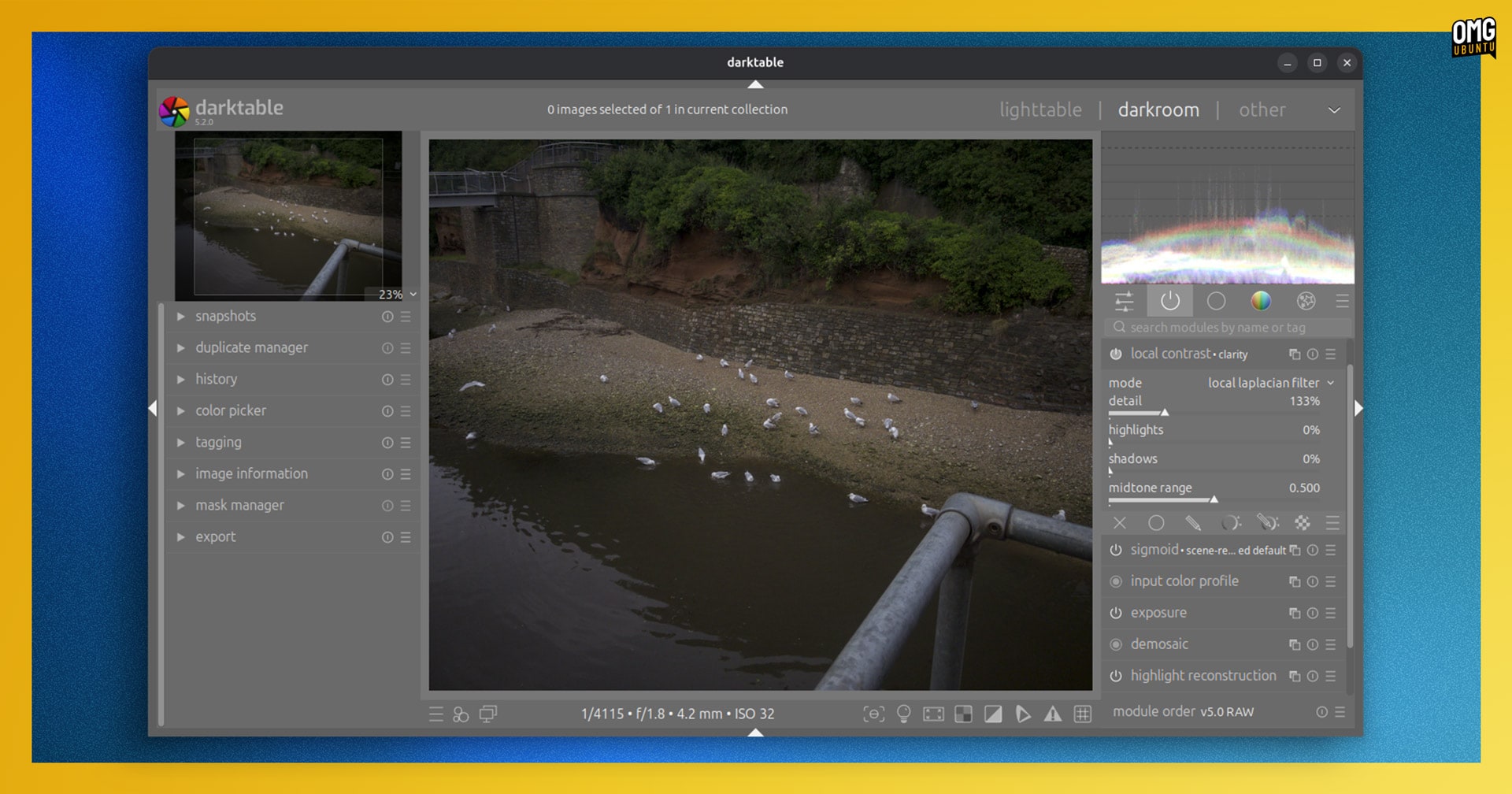
Darktable is one of those under-sung pieces of open source software. It’s powerful, featured, cross-platform and ever-evolving to meet the needs of modern photography. It’s both a virtual light-table and a darkroom for photographers.
New features added to Darktable 5.2 include:
- Ability to view snapshots side-by-side with the current image
- Metadata module is now ‘fully configurable’
- New Raster Mask Import module
- Sigmoid module is now the default tone-mapper selected on new installs
- Export module supports multi-preset export
- Zoom range widget replaced with a spin button
- UI responsiveness improved
- Read support for Cineon (
.cin) and DPX (.dpx) images - Presets can be arranged in sub menus by inserting
|in their name - 45×35 aspect ratio added to Crop module
- Improvements to raster masks
Plus, a fair bit more.
Read through the official blog announcement for more detail, and to find links to download the latest release of Darktable for Windows, macOS and Linux (it’s available as an AppImage, but an ‘unverified’ Flatpak is also available).
THE BETA ZONE
LibreOffice 25.8 (Beta 1)

The next major update to LibreOffice—the office suite coming to Danish government departments—is due release next month, and the first beta build has been issued for testing and feedback.
LibreOffice 25.8 includes a vast number of changes (I’ll cover more of them in a dedicated blog post nearer to release) but a few highlights to catch my eye:
- New application-wide Viewer mode
- Encrypted hybrid PDFs can be imported
- Autofilters are now imported from MS Excel XML files
- Ability to set language for some punctuation characters in Writer
- Undo handling has been optimised in Writer
- 14 new functions adde to Calc
- Faster opening of XLSX files in Calc
- Embedded fonts in PPTX files are supported in Impress
- Documents can now be exported to PDF 2.0
- Layout interoperability of hyphenated DOCX files
- Support for IAccessible2 “text-indent” attribute added
- PIP now ships as part of LibreOffice core builds
More details in the official blog post, along with links to download LibreOffice 25.8 beta builds if you’re keen to help test and file issues for any bugs or major regressions you encounter.
VirtualBox 7.2 (Beta 2)

The VirtualBox 7.2 Beta 1 was issued last month (covered in last month’s roundup) with a major new addition: support for Windows 11 on ARM (both Guests and Hosts).
VirtualBox 7.2 Beta 2 sees further work on the formative Windows 11 ARM support when running as a guest, including a new WDDM Graphics driver (for 2D mode only) and Shared Folder feature.
Beyond that, there’s improved x86_64 and ARM CPU feature reporting when using Windows Hyper-V as the underlying virtualisation engine, along with xsave/xrestor instruction handling and AVX and AVX2 extension on recent CPUs.
VirtualBox 7.2 improves its UI with (not expanded on) “polished” Preferences and Settings pages; better handling of keyboard LEDs in the software keyboard; and the IO-APIC option in ARM VM settings has been removed.
Though not yet released, VirtualBox 7.2 adds initial support for Linux kernel 6.16 for guest and hosts too.
More changes, along with details on how to test the beta, can be found on the VirtualBox forum.
FBReader 2.2 (Beta)
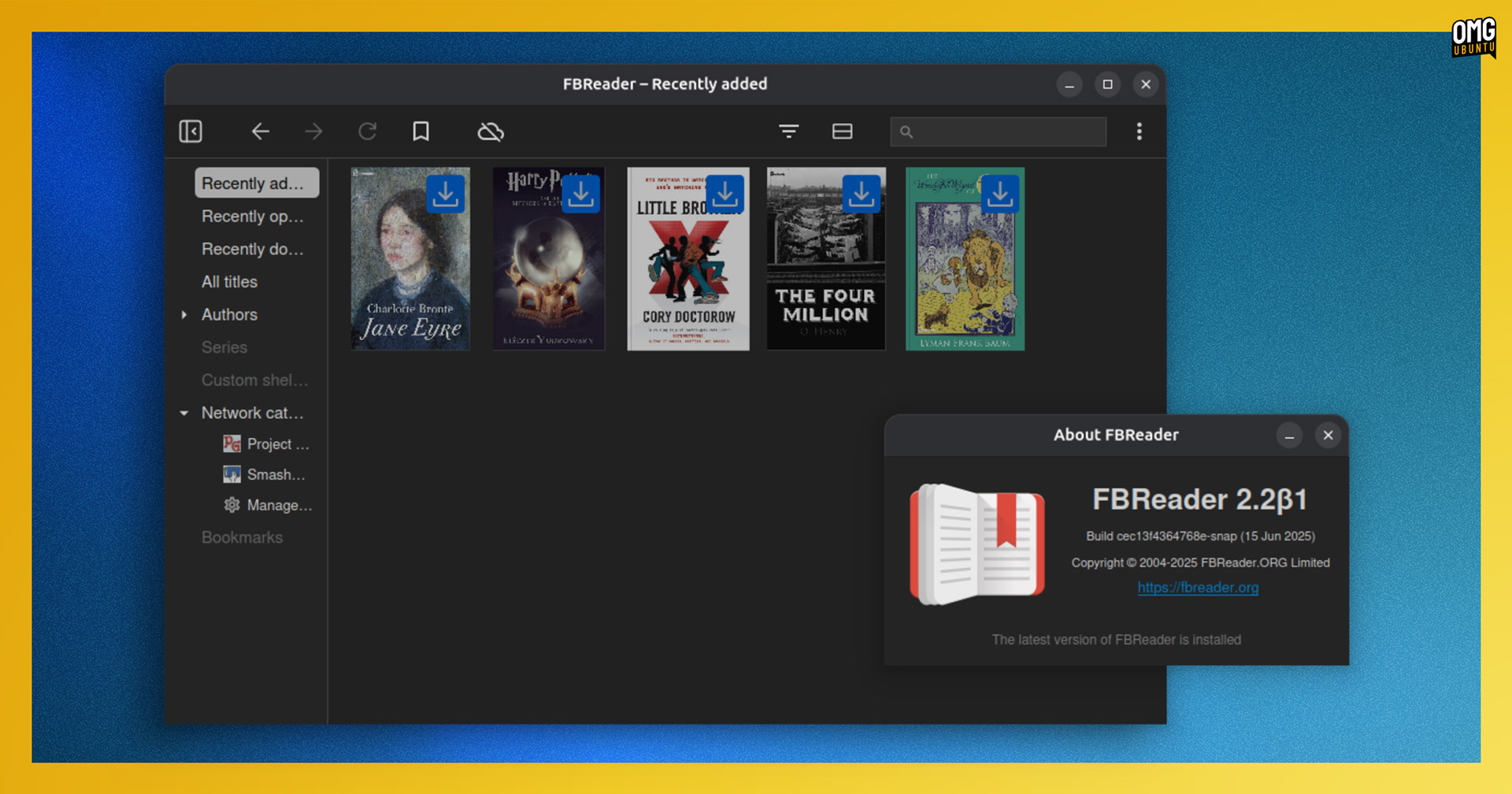
If you’re a fan of the free (but no longer open source) FBReader ebook reader, there’s a new beta build to get stuck in to.
FBReader 2.2 beta adds support for OPDS 2.0 catalogues as well as full support for OPDS 2.0 features, such as groups, facets, and authentication. A large number of public library services use OPDS 2.0, and it will be the primarily API used in the Readino e-book store.
The FBReader snap makes the beta available in the --edge channel. If you fancy flicking ahead a few pages to see what’s coming, run sudo snap install fbreader --edge for a sneak peek.
That’s it for this month’s roundup! This is not a comprehensive list of every app update to sneak out in the past 30 days, but updates for apps that I have written about in the past, or that I know are of interest to many of you reading.
Until next month!