



The new Mozilla Firefox 139 release is rolling out from today and, compared to recent releases, it’s much lighter on user-facing changes.
Not that every release can be a certified banger, of course.
We have been spoiled of late: Firefox 136 delivered long-awaited vertical tabs, Firefox 137 introduced tab grouping and big address bar changes, while last month’s Firefox 138 release debuted a proper profile manager/switcher (and more).
The headline change in Firefox 139, per its release notes, is full-page translations on extension pages (but only if they start with the moz-extension:// URL scheme). Mozilla say this delivers a “popular request” from users.
Elsewhere, Firefox 139 now lets you set a custom New Tab wallpaper or background colour. You can upload any image (in a supported file format), or dial in a specific colour (this uses the underlying OS colour palette tool).

On Linux, in my testing, colour of text on the New Tab page sometimes adjusted to stay readable on background images (light text over dark backgrounds, dark text over light backgrounds), but not always.
For those less fussy about the background image there are a handful of newly-added curated images that can be picked from a new Celestial wallpaper category, which joins the pre-existing Abstract and Photographs folders.
Not everyone gets access to custom new tab wallpapers right away since they are part of a progressive rollout. Impatient to personalise? Custom wallpapers and colours can be turned on via Settings > Firefox Labs.
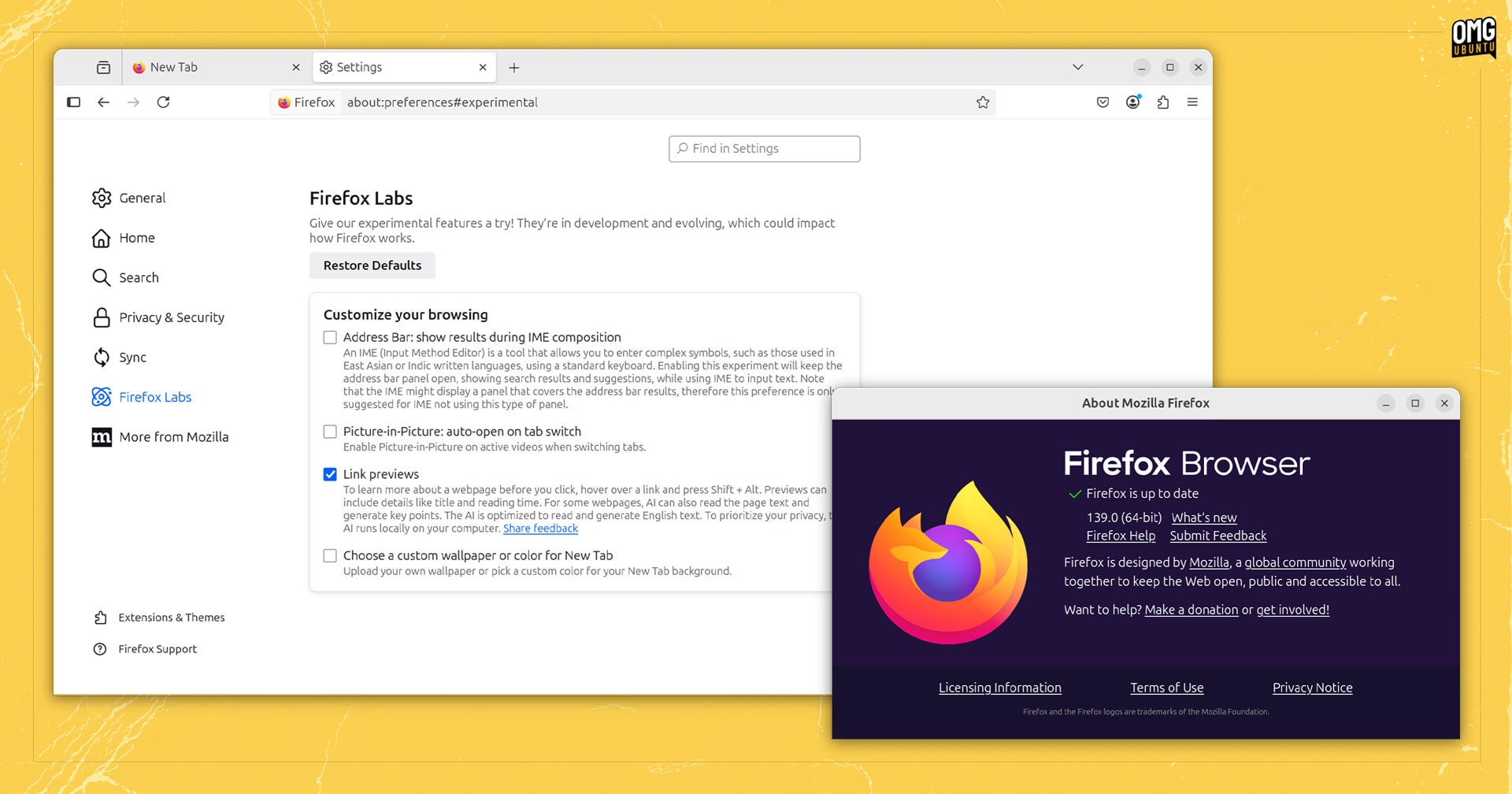
Talking of Firefox Labs, this release makes the browser’s new—slow, often wrong—AI-powered Link Previews easier to access via Firefox Labs, per the v139 release notes. An on-device AI model is downloaded when this feature is enabled.
Feeling deja vu? You’re experiencing a glitch in the simulation not alone since the release notes for Firefox 138 also mentioned Link Previews being made available through Firefox Labs.
Either way, enjoy discovering how pointless the Ai summaries are (it’s faster to preview the link the old-fashioned way: clicking it).
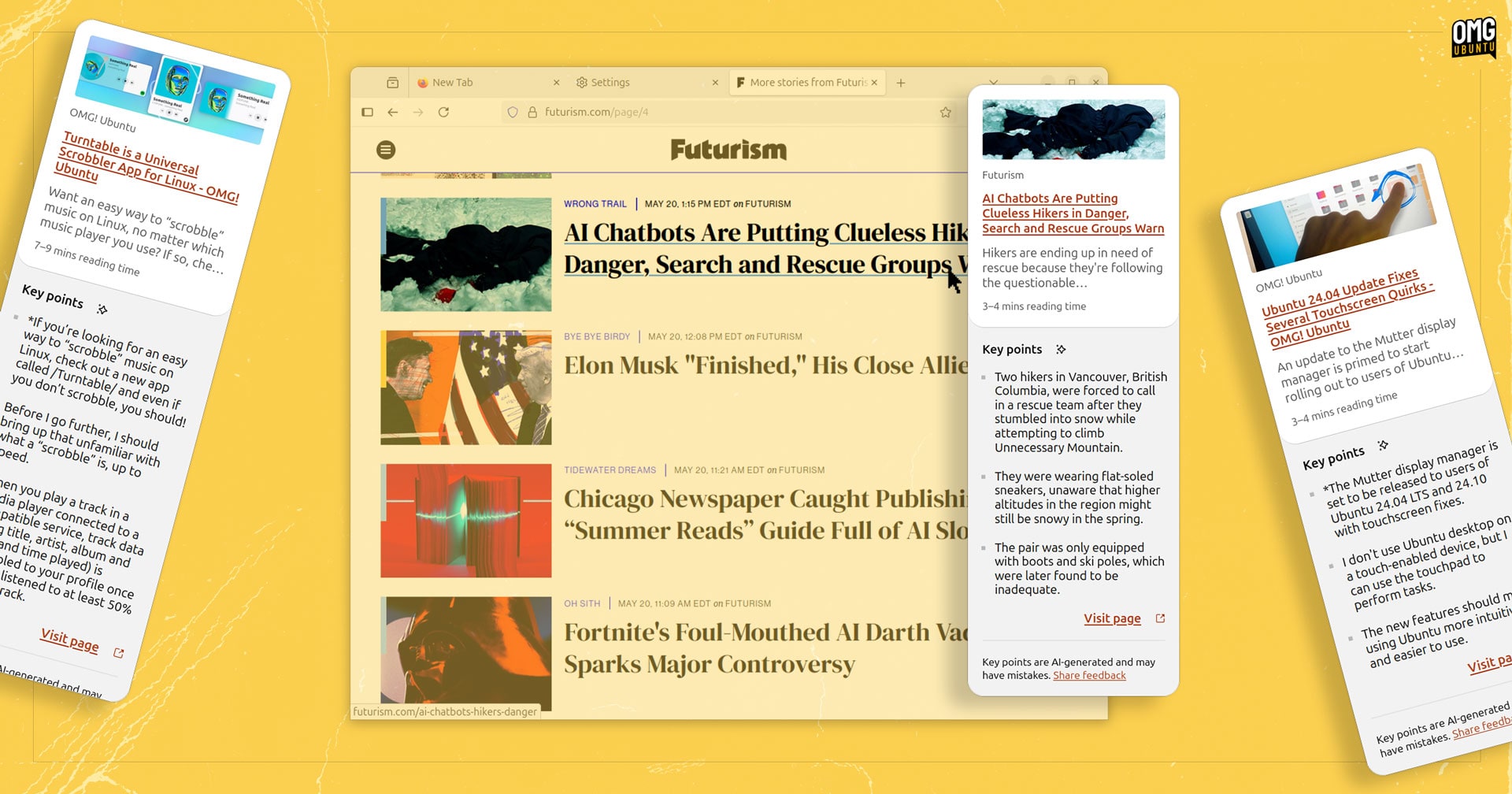
With Mozilla pledging to add “more AI features” with the cash freed up from killing off the read-it-later service Pocket, look forward to more “solutions in search of problems” in future releases!
More options are available when viewing History in Firefox’s new sidebar, such sorting by both date and site at the same time, and time last visited. Context menus when right-clicking history items add all options the menu in the the old sidebar offered.
Finally, Mozilla say that HTTP/3 upload performance is ‘significantly improved’ in this release, with appreciable gains likely to be noticed on resumed connections (QUIC 0-RTT) as well as high-bandwidth and high-delay connections.
Other changes in Firefox 139:
- Transparent PNG images stay transparent when pasted into Firefox
- Disney+ subtitles working again in picture-in-picture mode
- Strict blocking no longer hides cookie consent prompts
- Can no longer import payment methods or passwords from Chrome (Windows)
On the developer side:
- Temporal API is now supported
- Filter settings in Network panel retained between sessions
- Debugger directory root is now scoped to specific domain where set
- Paused line style in Debugger is now visible in high contrast mode
hidden=until-foundHTML andbeforematchevent support
Plus, the usual stack of security fixes to keep us all browsing safely.
Download Firefox 139
Ubuntu users with the Firefox snap install will be updated to the latest release automatically, in the background (a notification will appear prompting to restart the browser to apply the update).
Linux Mint users can get this update via the Mint Update tool (or APT), as Firefox continues to be provided as a traditional DEB package.
Anyone on Linux who doesn’t have Firefox installed, but wants it, can grab the official Snap or Flatpak build; setup the Mozilla APT repo to install a Firefox DEB; or download a distro-agnostic Linux binary from the Mozilla website directly.
Those on macOS or Windows with Firefox installer will get this update in the background, while those who don’t have it can download an installer from the Mozilla website.