


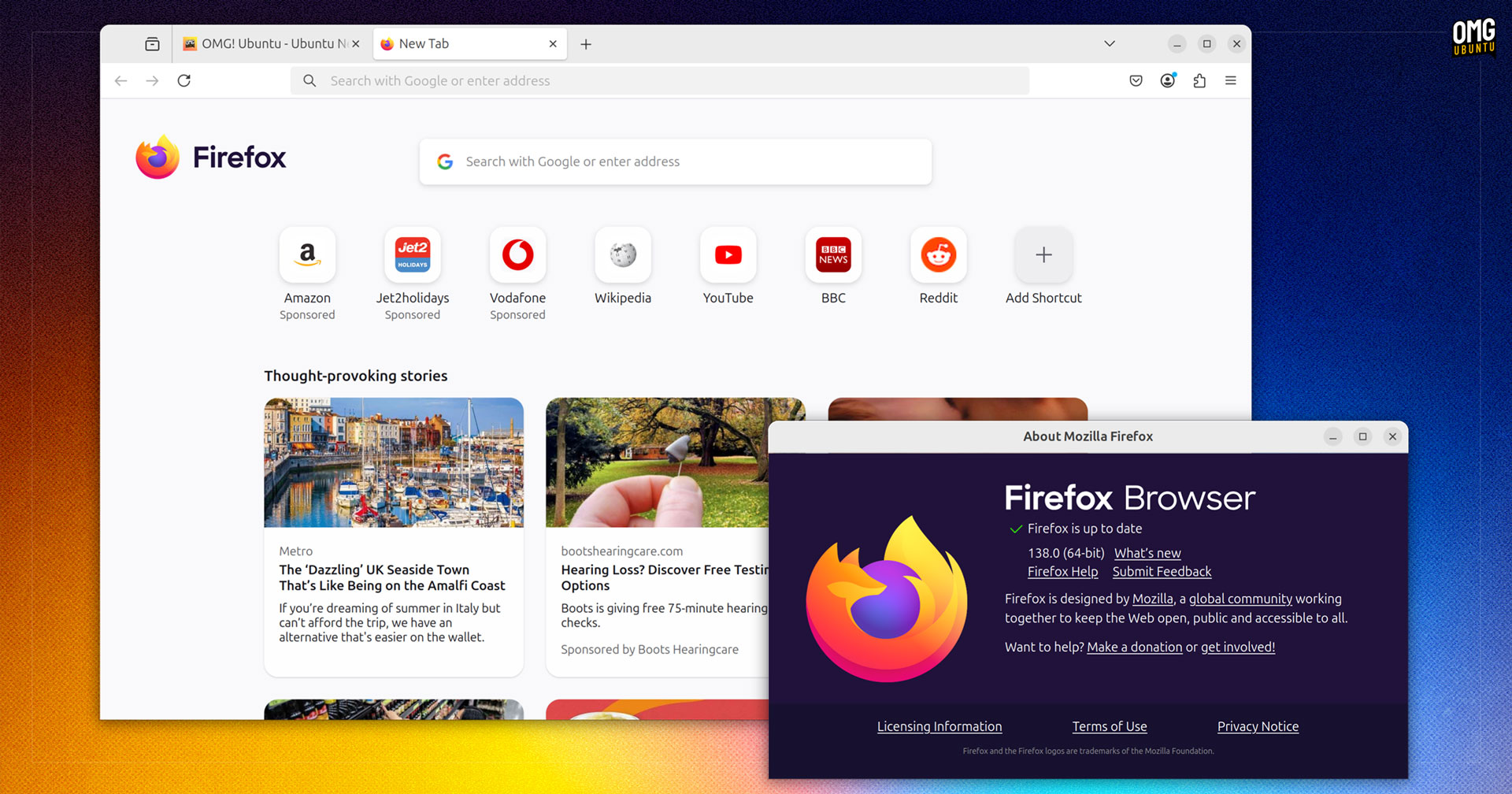


At long last, Mozilla Firefox has GUI profile management features – obvious, easy to use and don’t require poking around the browser’s backend and creating custom shortcuts.
The feature, which begins rolling out in today’s Firefox 138 update, is the latest “big ticket” feature the browser has belatedly sought to add, following recent long-requested supported for vertical tabs and tab grouping capabilities.
Last month’s Firefox 137 release added the aforementioned tab grouping features, give its address bar a chip-laden overhaul, and flipped the switch on HEVC video playback on Linux.
Firefox 138 has a number of notable changes to match those of its predecessor, so for a closer look at what they are, read on!
Firefox 138: New Features
Profile Management Arrives

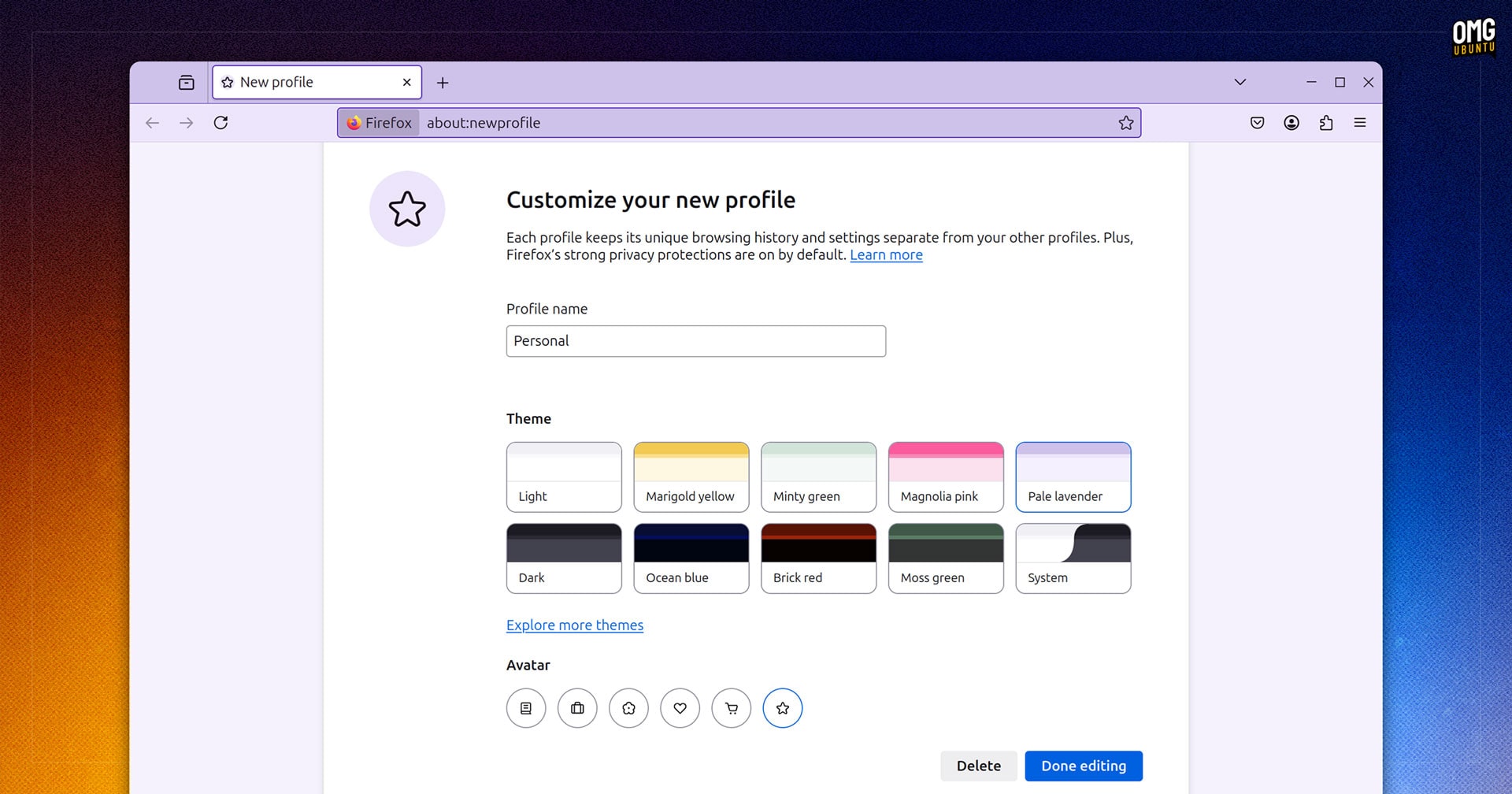
Firefox 138 introduces new profile management features designed to “protect your privacy and stay focused” by letting you split your online activities across distinct profiles in order to keep bookmarks, tabs, passwords and site history separate.
Each profile you create can be given a custom name/title (to make it easier to know which profile is for what task), and you’re able to set an emblematic avatar (only a handful to choose from) and a colour theme.
You can then select which profile you want use each time you launch Firefox. If you’d rather default to the last used profile, you can do that too and then switch or add profiles from either Menu > Profiles or the Account > Profiles switchers.
A welcome feature?
For sure.
Firefox users have been crying out for a proper profile manager for years, with many relying on third-party add-ons and/or hacky workarounds in the meantime.
A good implementation?
You tell me!
Address Bar Weather (USA Only)
I’ve lost track of whether Firefox’s New Tab Page weather widget is supposed to be “enabled for everyone” or not.
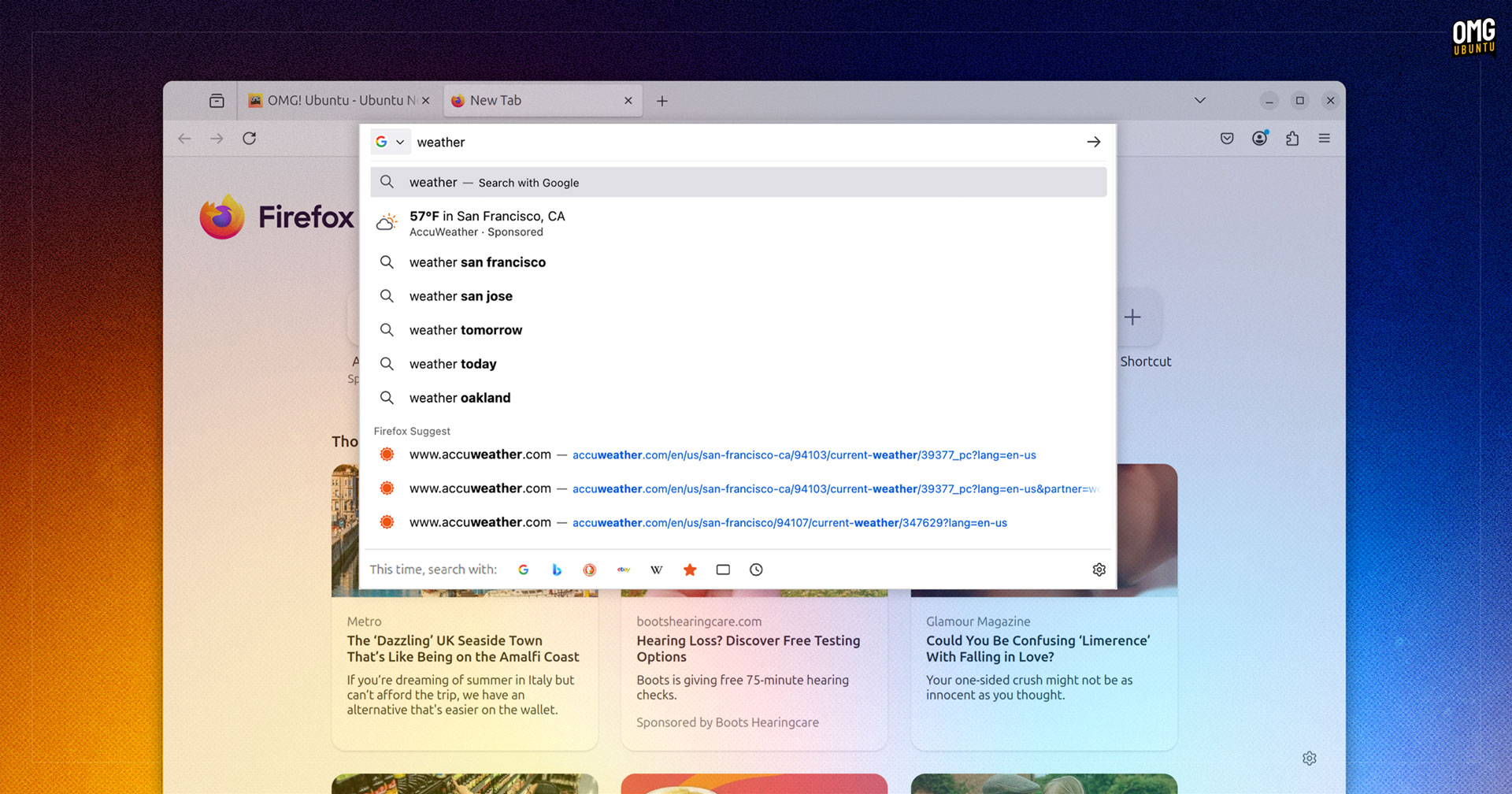
Nonetheless, there is a new way for users in the USA to glean weather conditions in Firefox, without needing to visit a dedicated weather website (although, the intention is to get you to).
For Firefox users in the United States, typing “weather”, “forecast” or a city name in the address bar will—Mozilla say—return weather info in the results dropdown, courtesy of Mozilla’s sponsored weather partner Accuweather.
Mozilla doesn’t say what data (if any) is shared/sent to Accuweather to enable this. Since the screenshot makes it seems as though users can type “weather” (no location) to instantly get results for their actual location…
But hey: I guess the Terms of Use and Privacy Policy covers it in broad strokes?
Contrast Controls
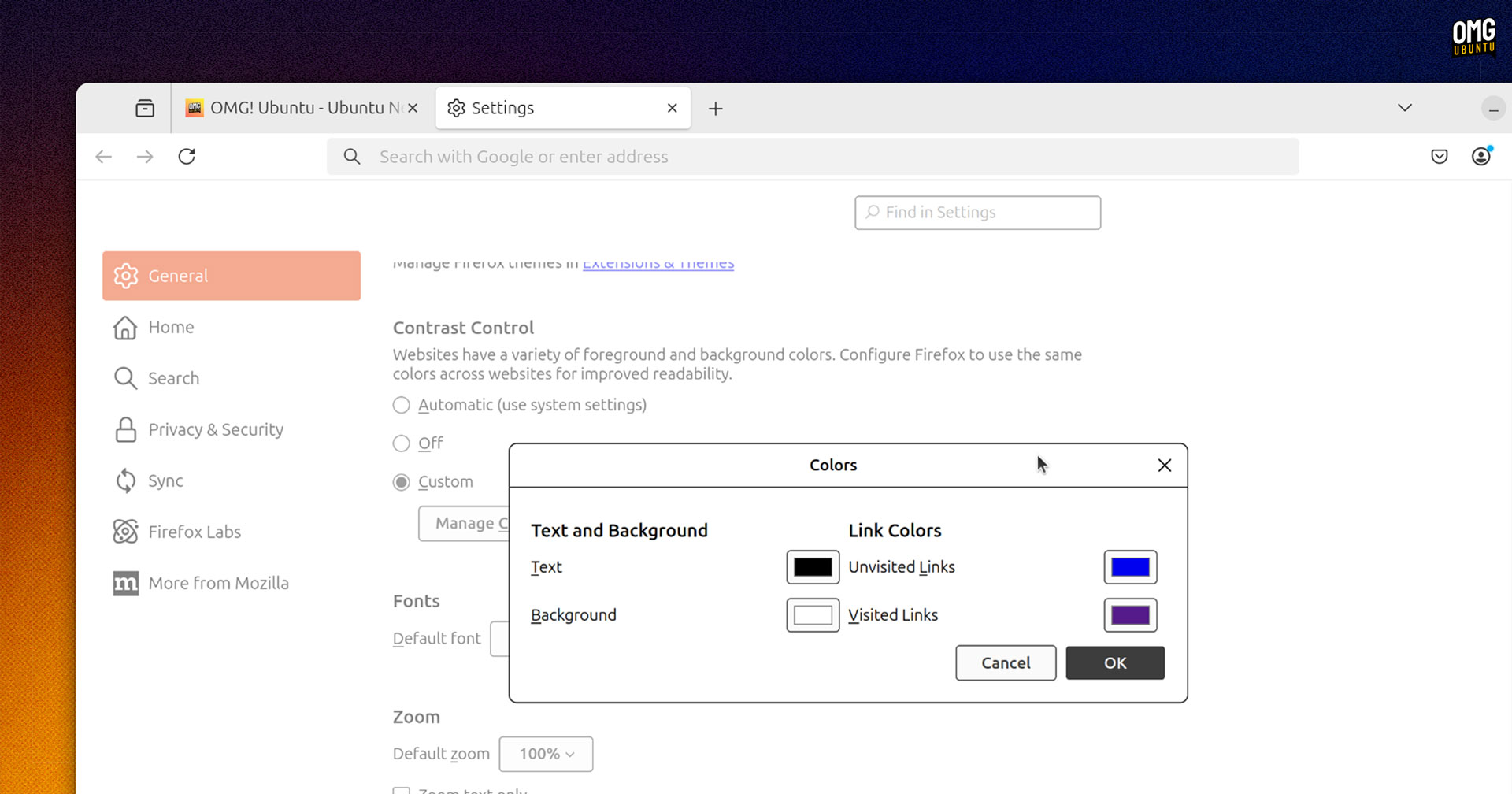
Firefox 138 adds a dedicated “Contrast Control” section to its Settings page, making it easy to override or customise contrast preferences for web content using three options: automatic, off or custom.
The custom contrast controls aren’t new, but were previously located elsewhere. They’ve been moved into a dedicated section for easier discoverability — but why?
Accessibility.
“There are many users with varying degrees of vision impairment that benefit from having control over the colors and intensity of the contrast between text and its background,” Eitan Isaacson, engineer at Mozilla, explains in a write up on his blog.
While the browser does a solid job at handling thing automatically, there may be times when people need or want to have more fine-grained control over contrast behaviour since, as Isaacson notes, “there is no one-size-fits-all”.
Other Changes
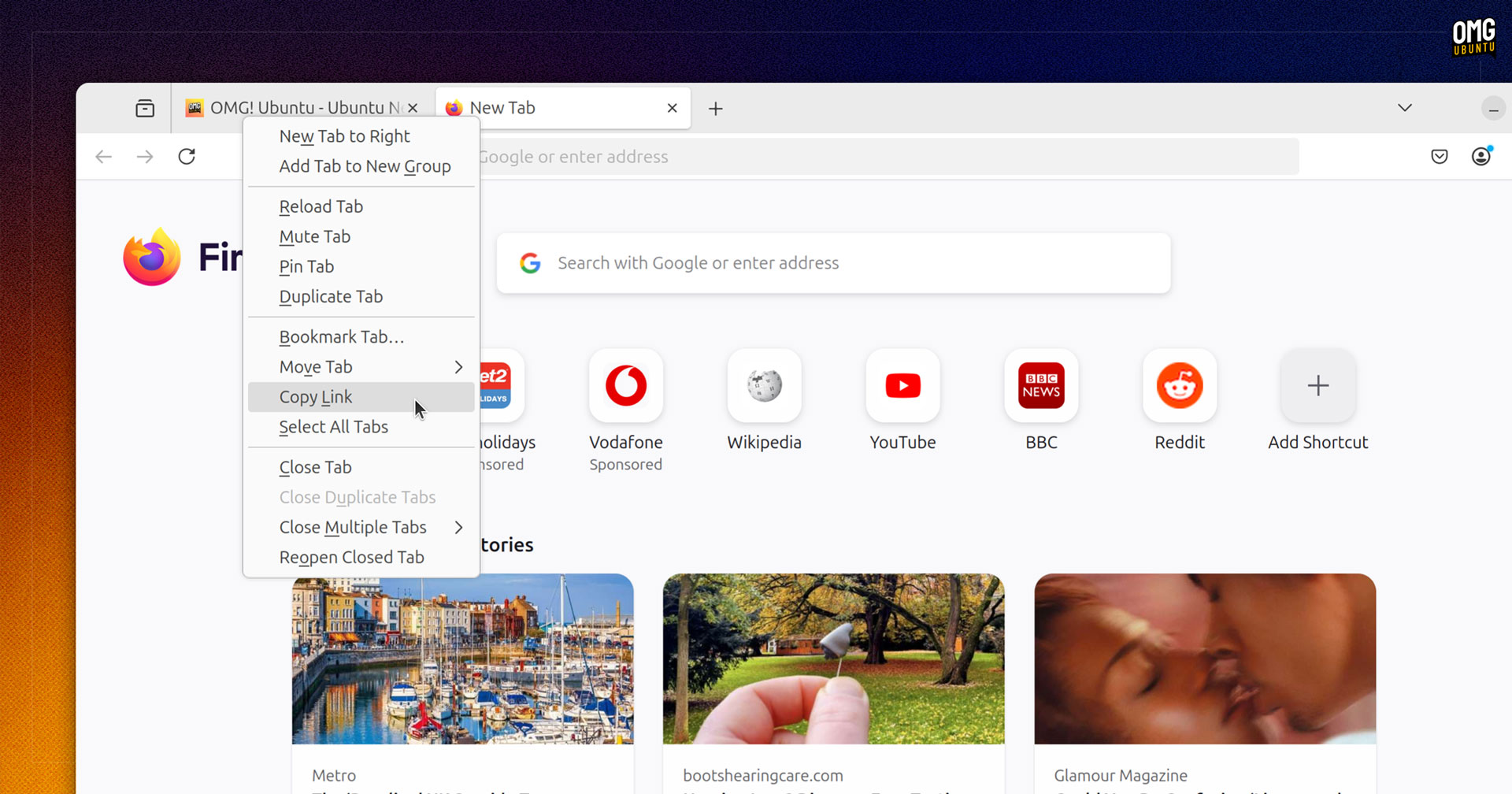
Elsewhere, the latest Firefox 138 update lets users on Linux and macOS copy links to background tabs by right-clicking on one and selecting ‘copy link’ from the context menu. This feature is not available for Windows users yet.
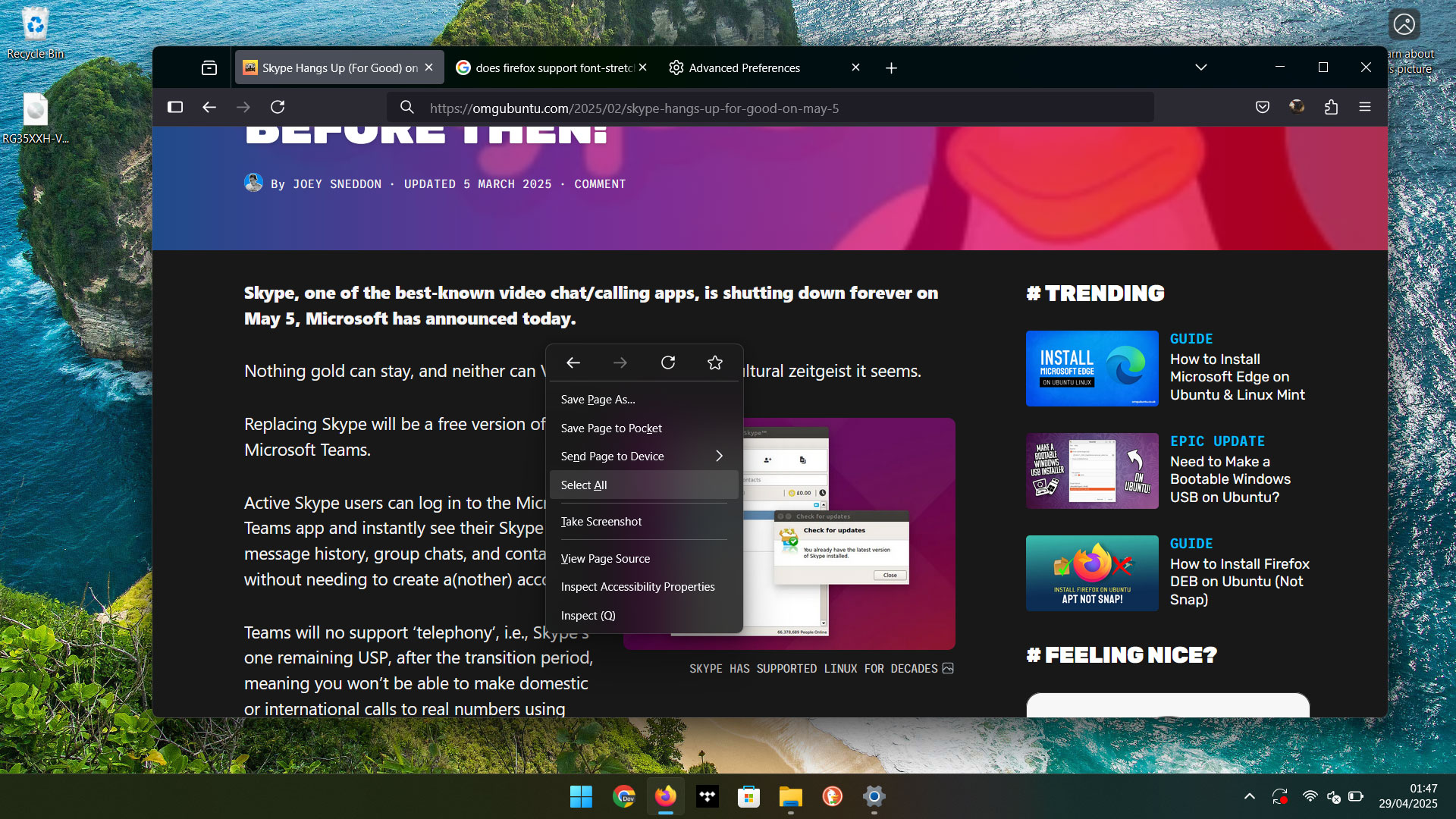
Talking of, those using Firefox on Windows 11 will appreciate the addition of OS-styled “Acrylic” menus throughout. The change helps the browser better ape the stock aesthetic, and look a little less out of place as a result.
Address and credit card autofill sees buffs to “better handle forms that update dynamically as users input information”, the official release notes note, while they don’t note that the spacing and sizing of New Tab shortcuts has been increased.
Tab groups, a feature added last release, can now be dragged around in their tab bar, both vertical or horizontal. Vertical toolbar fans will notice when using the compact favicon-only strip the tab bar now expands on hover (thanks Motang!).
When strict tracking protection is enabled, embedded content from X (formerly Twitter) gets the same ‘privacy shield’ treatment embeds from Instagram and TikTok do. To see the content you’re able to click to load it.
Firefox Labs adds a toggle to enable link previews with AI summaries, a feature I spotlighted a few weeks back. If you’re interested in seeing if it’s as useless as it sounds, enable it through Settings > Firefox Labs (an on-device AI model1 is downloaded in the background).
For developers and web tinkerers, the inspector Network panel adds a new column to show the full path of a request URL, making it a little easier/faster to see what’s happening from/to where, and a uniform user-agent is now applied to H1 elements, regardless of nesting.
Download Firefox 138
Ubuntu users should have a Firefox snap preinstalled. That will update to this latest release automatically, in the background (the update will only apply if the browser is not running so a notification will appear to tell you to restart).
Linux Mint users with Firefox installed can get this update through the Mint Update tool (or APT), where Firefox continues to be provided as a traditional DEB package.
Anyone on Linux who doesn’t have Firefox installed, but wants the latest can install the official Snap or Flatpak builds, enable the Mozilla APT repo to install a Firefox DEB, or download a distro-agnostic Linux binary from the Mozilla website.
Those on macOS or Windows with Firefox installer will get this update in the background, who those who don’t have it can download the latest installer for their system from the Mozilla website (linked above).
- The model is SmolLM2-360M from HuggingFace, for those interested. ↩︎