



Windows Subsystem for Linux (WSL) user? If so, you will be pleased to hear that Ubuntu is now available in Microsoft’s new tar-based distro format — no need to use the sluggish Microsoft Store.
Canonical announced the news today, noting that “the new tar-based WSL distro format allows developers and system administrators to distribute, install, and manage Ubuntu WSL instances from tar files without relying on the Microsoft Store.”
In not relying on the Microsoft Store for distribution, it’s less hassle for enterprises to roll out (and customise) Ubuntu on WSL at scale as images packaged in using the new format can be hosted locally and accessed via a network share.
Home users are fortunate in that we can choose what we want or do with our own hardware. Developers, engineers, etc who work on devices provided and managed by their employer often get less say – WSL being Microsoft tech is more likely to get approval.

I’ll be honest: I’ve not kept tabs on WSL for a while so news of the tar-based format is news to me.
The only Windows 11 install I have is a partition on my low-power laptop (a Chuwi Aerobook Pro with m3-8100y) where Windows 11 runs about as well as treacle does going up a wall—Ubuntu runs beautifully on it, fwiw.
But I fired it up, installed about 6 months work of updates, upgrading WSL to the latest version, and ran a short command to download the latest Ubuntu 24.04 WSL release in the new ‘tar-based’ format – by passing the Microsoft Store entirely.
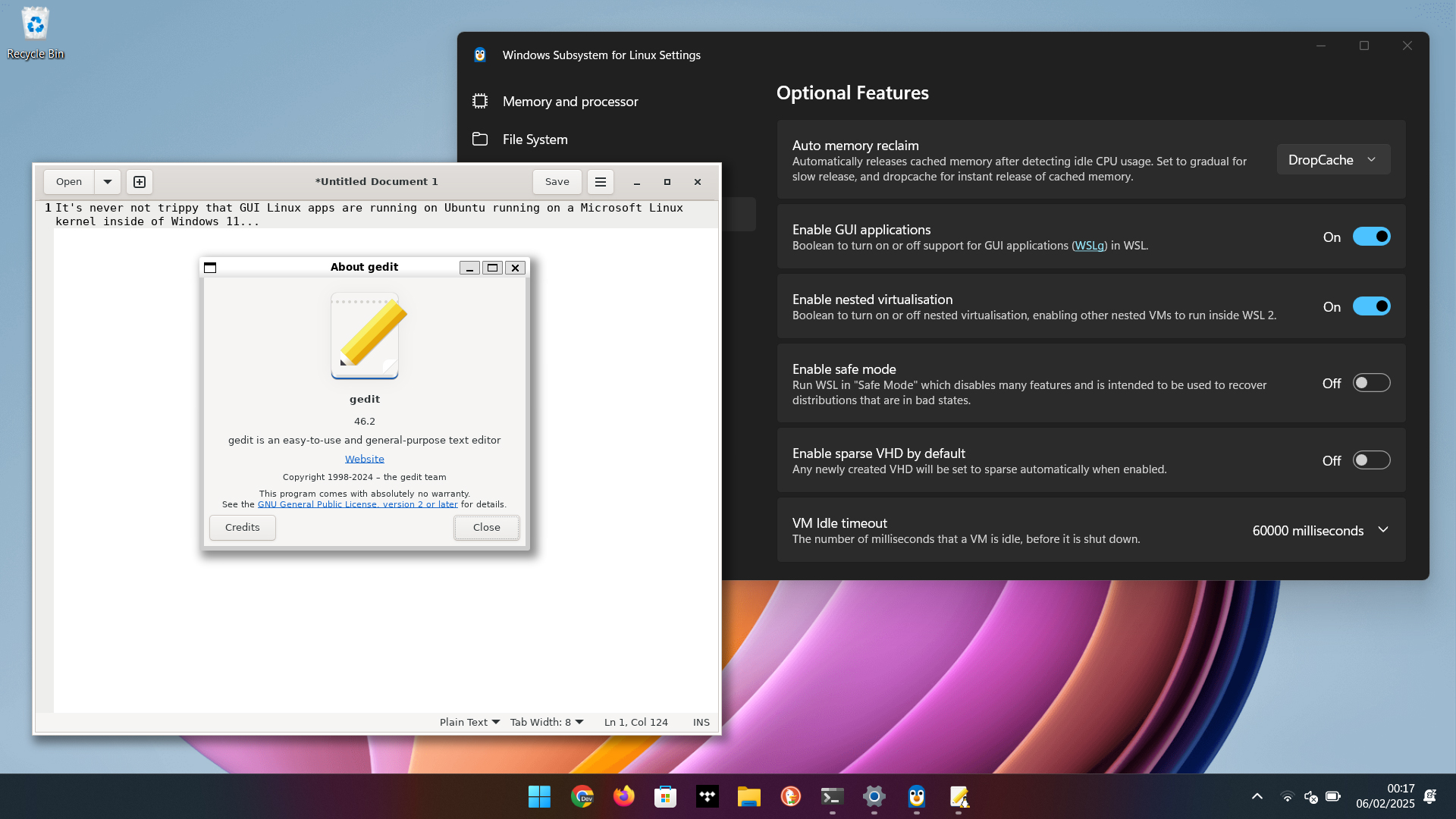
It’s great to see WSL embrace (as an option) a less centralised method for installing Linux distros on WSL, especially as customised images that couldn’t be uploaded to the Microsoft Store. But with the new format they can be downloaded from the local network or installed from an image on the device itself.
A win-win for Windows and Linux developers who rely on WSL to get stuff done.
Install Ubuntu on WSL
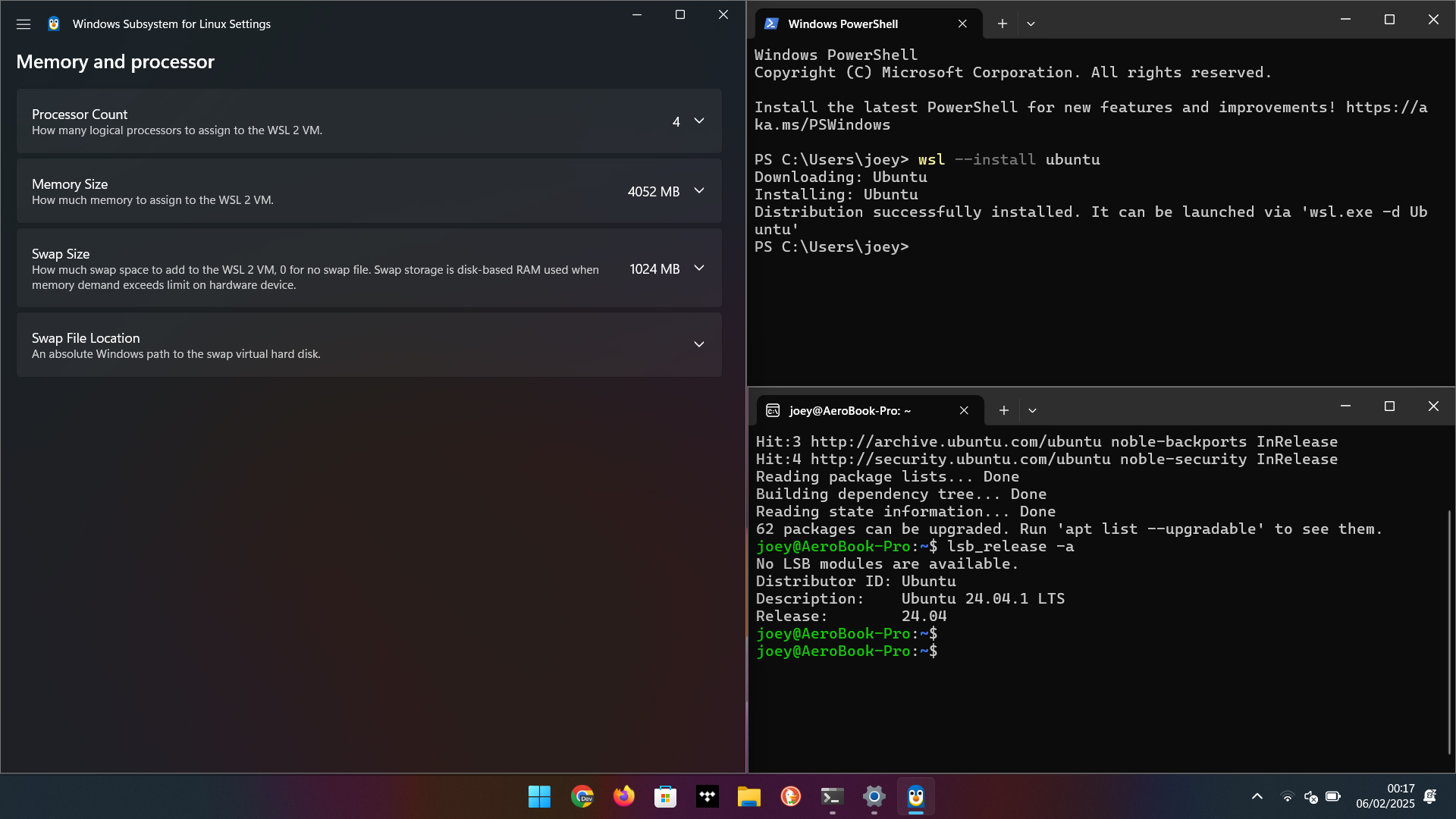
Ubuntu is available in the new TAR-based WSL distribution format right now.
To install Ubuntu on WSL, open the Windows Terminal app and run:
wsl --install ubuntu
Alternatively, you can also download an image and double-click on the .wsl file to trigger installation that way — both methods require WSL v2.4.8 and above.
You’ll find more details on the new tar-based WSL distro architecture on the Microsoft blog, where it’s said tar-based formats will become default going forward. Distros in the older appx format remain supported, and forced migrations aren’t planned.
Do you use Ubuntu on WSL? If you do, how’s the latest LTS running, and if you don’t, will a simpler installation approach make you more likely to try it? Let me know below!