


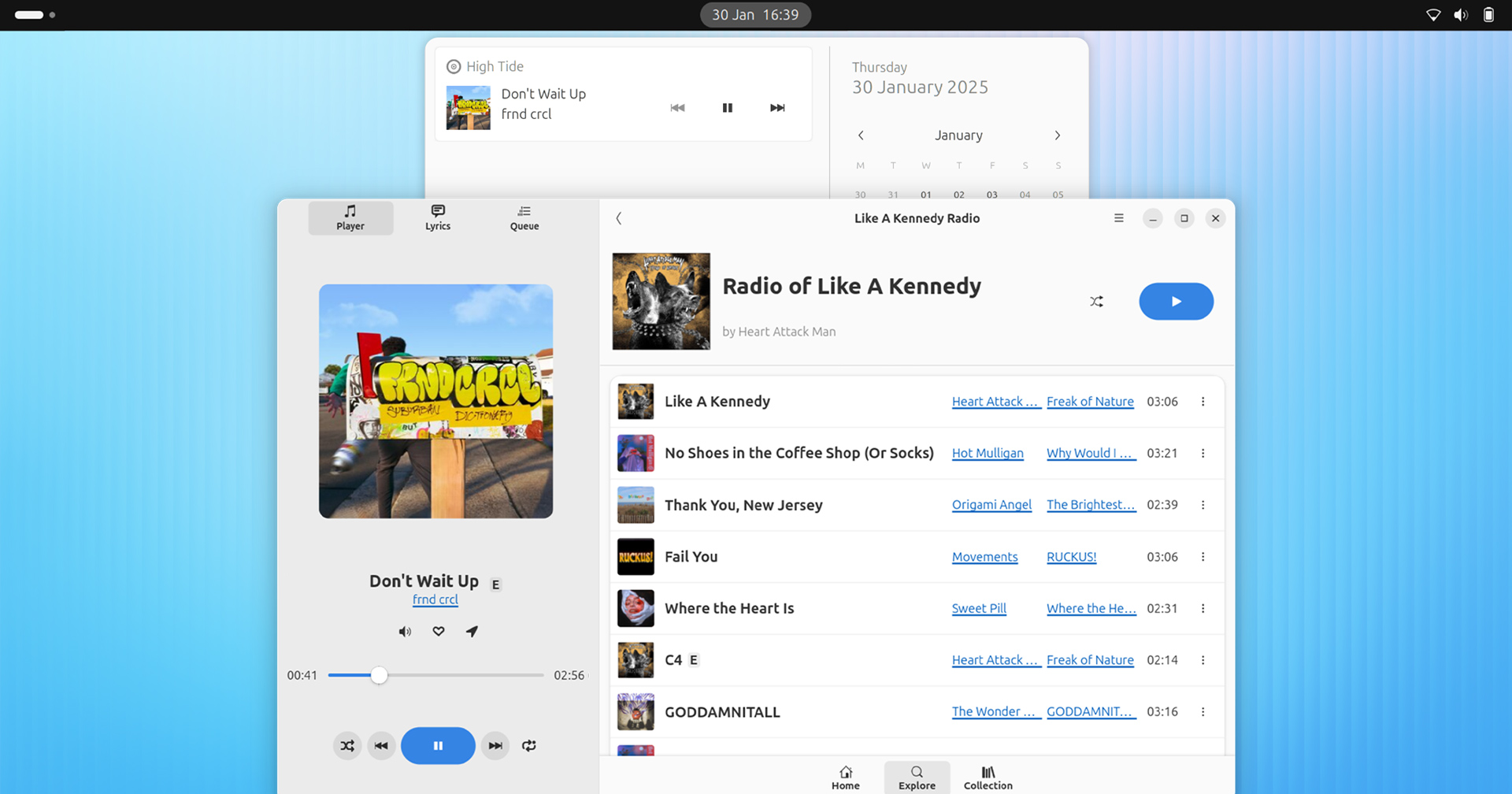


Linux users hunting for a native client to stream music from TIDAL will want to keep an eye on a promising new open-source app called High Tide.
High Tide is an unofficial but native Linux client for the TIDAL music streaming service. It’s written in Python, uses GTK4/libadwaita UI, and leverages official TIDAL APIs for playback.
TIDAL, often positioned as the ‘pro-artist music streaming platform’, isn’t as popular as industry titan Spotify (likely because it doesn’t offer a ‘free’ ad-supported tier) but is nonetheless a solid rival to it in terms of features and catalogue breadth.
Windows, macOS, Android and iOS all have official TIDAL apps, and there is feature-compete web player accessible through any modern browser on any modern OS (Linux included).
High Tide differs. that it is a native Linux client, not a web-based wrapper.
And while some other (terrific) music players for Linux like Strawberry and Tauon also support TIDAL streaming through official APIs they aren’t tailored specifically for TIDAL, its features, playlists, and recommendations, etc.
High Tide is.
High Tide: TIDAL Client for Linux
High Tide only works with TIDAL so to use it you need to have an active TIDAL subscription or be part of a plan (as I am – which is why I use: it’s free to me).
Logging into a TIDAL account through High Tide is simple – no hassle with generating tokens, dev access accounts or copy/pasting numbers from URLs: click the login button, auth through the TIDAL website in a web browser, and that punts back to the app – easy!
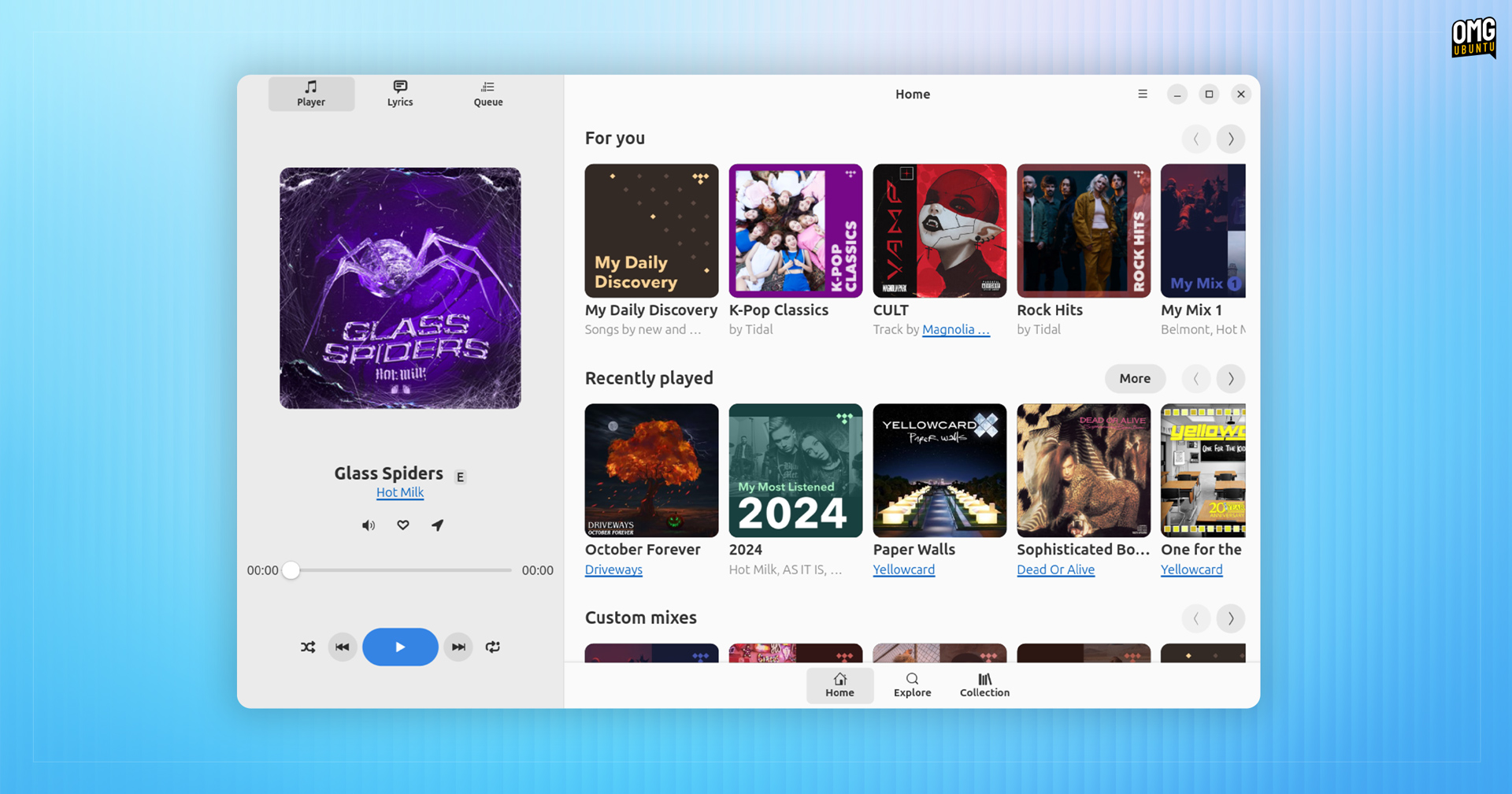
On login, you’re greeted by the Home screen showing the things you would see in an official TIDAL app:
- For You (including Daily Discovery)
- Recently Played
- Custom Mixes
- From our Editors
- Recommended new tracks
- Suggested new albums
- Radio stations for you (stations being updating playlists)
- Your listening history (playlists for all-time, year, and months)
- Popular playlists, albums, and TIDAL RISING
- Charts (split by genre/type/period/country)
- Because you listened to… suggestions
- New Releases for You
And more – scroll down to see all of these horizontal sections.
Beyond that, the Explore tab is the jumping-off point for search, with buttons to find music by genre, mood, activity, decade, and popularity, and a search bar for locating a specific artist, track, album, playlist, or whatever else.
Search results return a top hit (with play button for instant gratification), plus matching artists, albums, playlists, and tracks.
The Collections tabs gives an overview of any custom playlists you’ve curated and the albums and tracks you’ve favourited. While there is a section headed ‘artists’ (TIDAL supports following artists) this is blank atm.
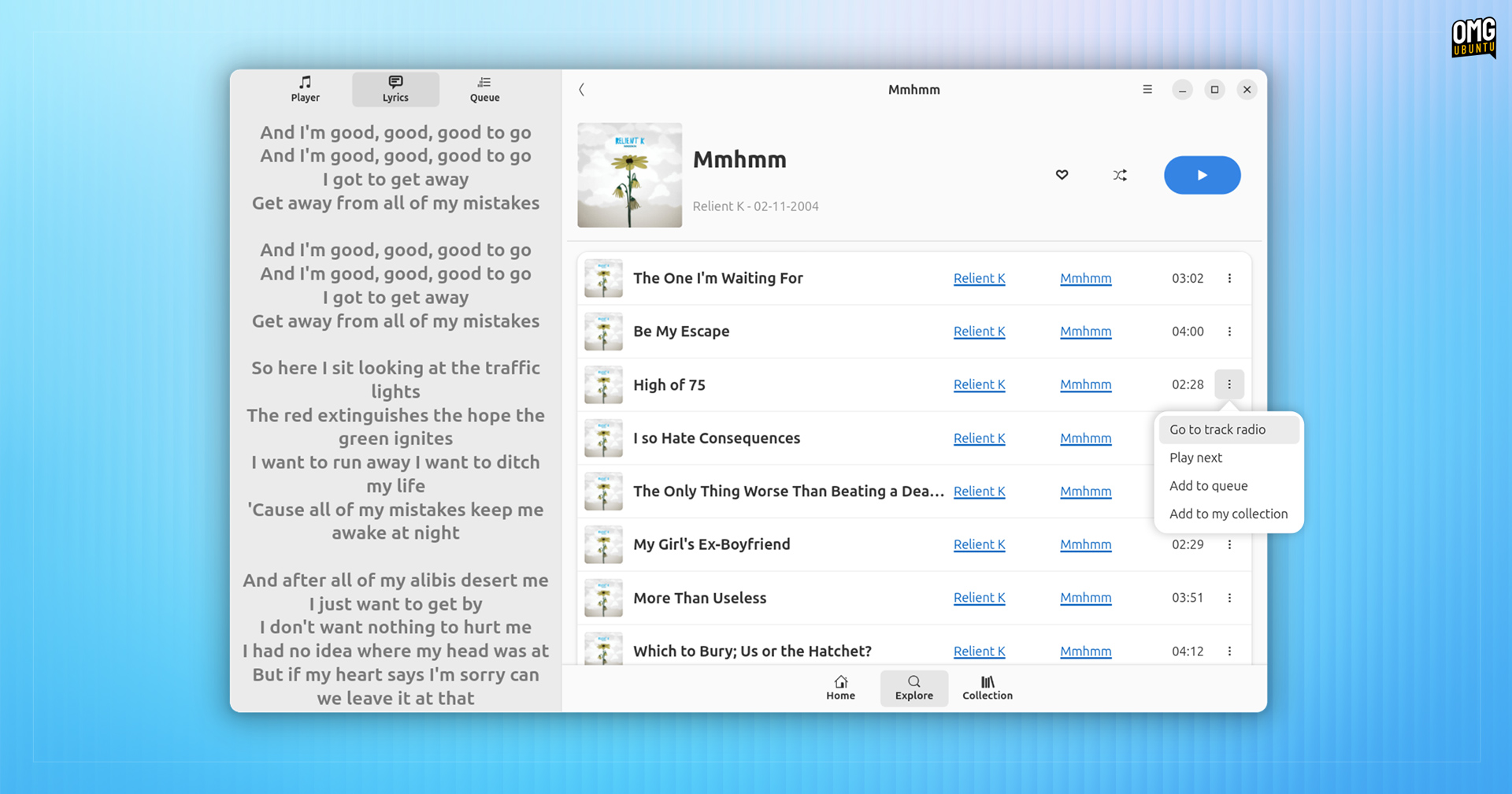
Album and playlist views include links to artists and albums, duration, and an overflow menu with options to generate a track radio, play it next, add it to the queue, or favourite it (similarly, there’s a heart button on albums and playlists too for the latter).
All of TIDAL’s core features are present.
- Home, Explore, and Collection views
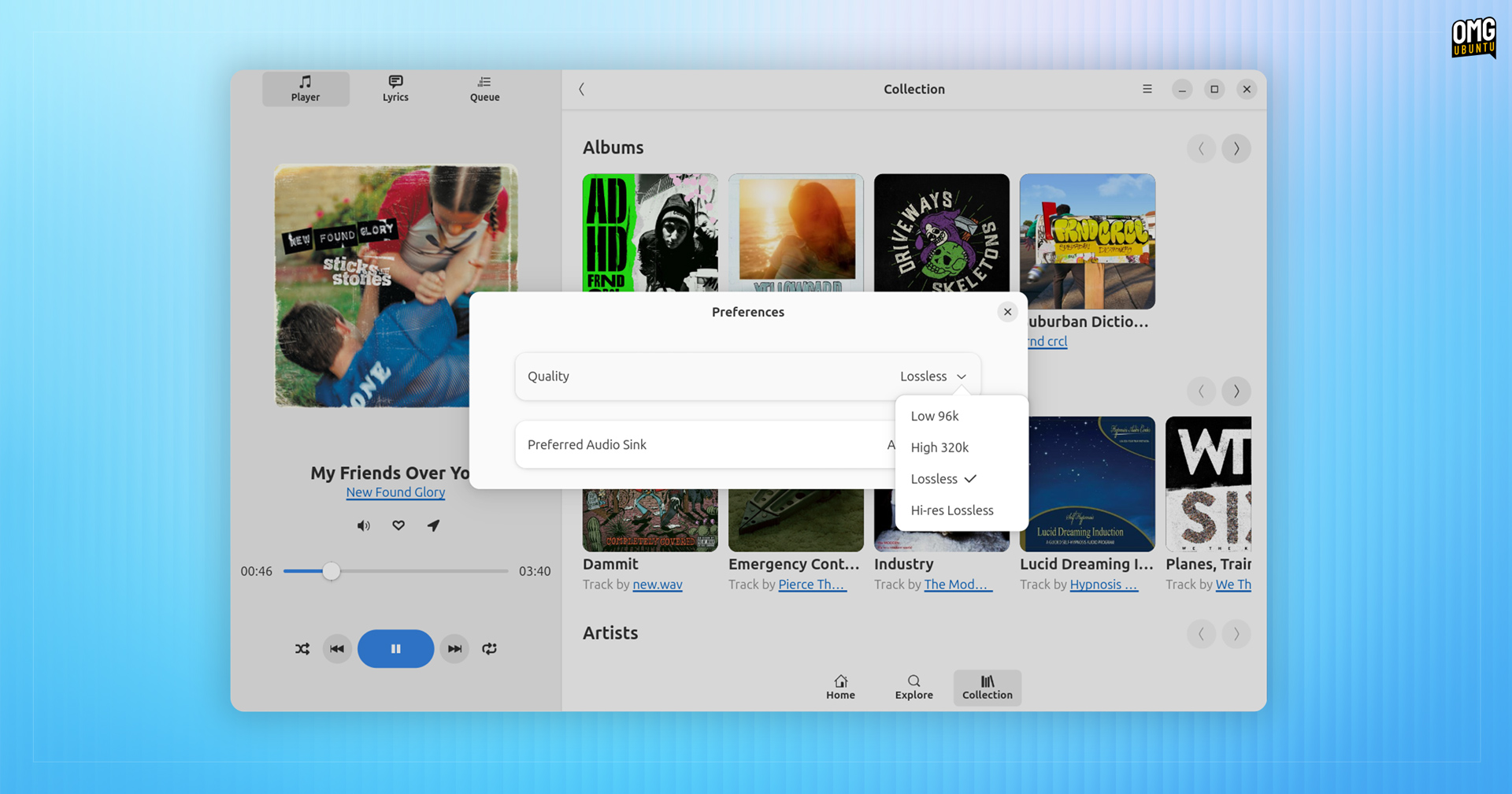
- Playback quality (low, high, lossless, hi-res lossless)
- Official TIDAL playlists and recommendations
- Search for album, artist, tracks, and collections
- On-the-fly artist/track/album radio station creation
- View lyrics for currently play track
- Editable queue
- Shuffle, loop, seek bar, and skip buttons
- Volume, favourite, and share buttons
- MPRIS support
- Preferred audio sink
- Adaptive; works in portrait/narrow mode
A deep set of features for an app yet to launch a stable build.
High Tides, Choppy Waters
High Tide is a promising app but it is very much in development. It’s not stable, won’t be reliable, lacks support for some features and/or yet to fully implement others. Expect choppy waters, basically.
During my hands-on with over the past few days I found playback frequently stops mid-stream and will only resume by quitting and re-opening the app.
There’s no ability to remove items from collections, and no support for watching music videos either (but that is asking a lot).
But when it does work, it works well.
How to Try High Tide
Want to try High Tide?
As it’s not yet on Flathub or the Snap Store, and there’s no DEB, AppImage or even an AUR package, you’ll need to compile it from source code or download the latest auto-built .flatpakref from the project GitHub.
I did the latter – easy as pie, just be aware as it’s a GTK app it will rely on a GNOME runtime. If you don’t have the relevant one already on your system (they’re shared between apps) Flatpak will prompt you to download one first.
High Tide sets a high bar for a TIDAL Linux app. While the open-source Electron-based TIDAL HiFi web app will remain my go-to on Linux for now (as it’s reliable) I’m keen to ride the waves as this one develops.