



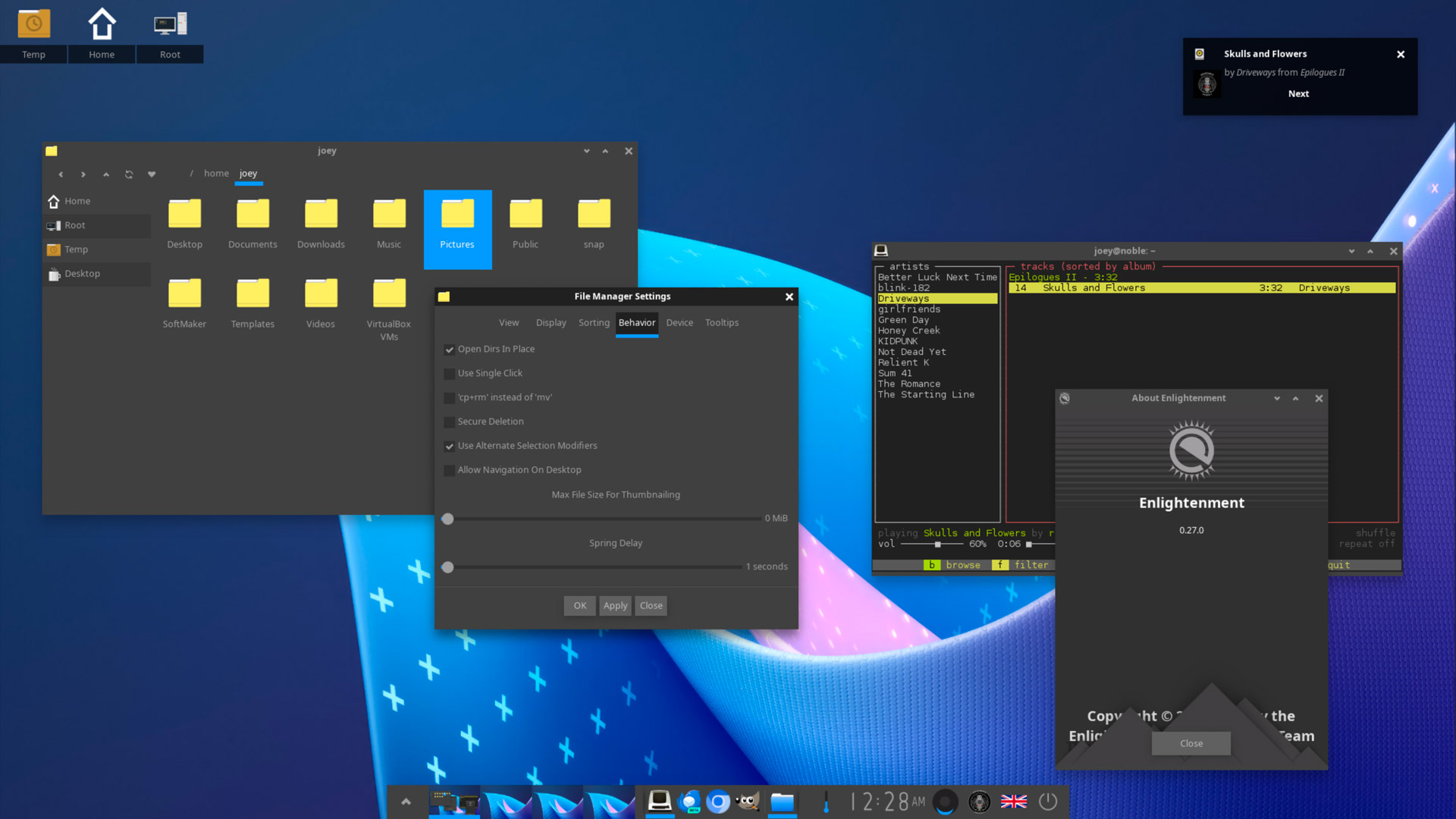
Enlightenment 0.27, released this week, brings a wealth of incremental improvements to users of this unique desktop environment.
Though not as well known or widely used as GNOME, Xfce, KDE Plasma, et al, Enlightenment (often abbreviated as just ‘E’) differentiates itself through the use of Enlightenment Foundation Libraries (EFL).
An assembly of modules, Enlightenment offers a lightweight window manager, compositor, and desktop shell built using Enlightenment Foundation Libraries (EFL), plus a small set of native EFL-based apps including a file manager, photo viewer, and terminal.
Enlightenment’s aesthetics aren’t to everyone’s tastes (it’d be a boring world if it did; most of us opt for open-source operating systems because they don’t push or force uniformity on us) but nonetheless offers plenty of scope for personalisation and customisation.
What does the new Enlightenment release, which follows the 0.26 release from late 2023, offer?
Enlightenment 0.27
In announcing this latest update Enlightenment developer say 0.27 contains “a lot of fixes mostly with some new features.”
However, they don’t mention exactly what!
A cursory glance over its git commits enabled me to pull out a few highlights:
- Wayland session now shows in GDM
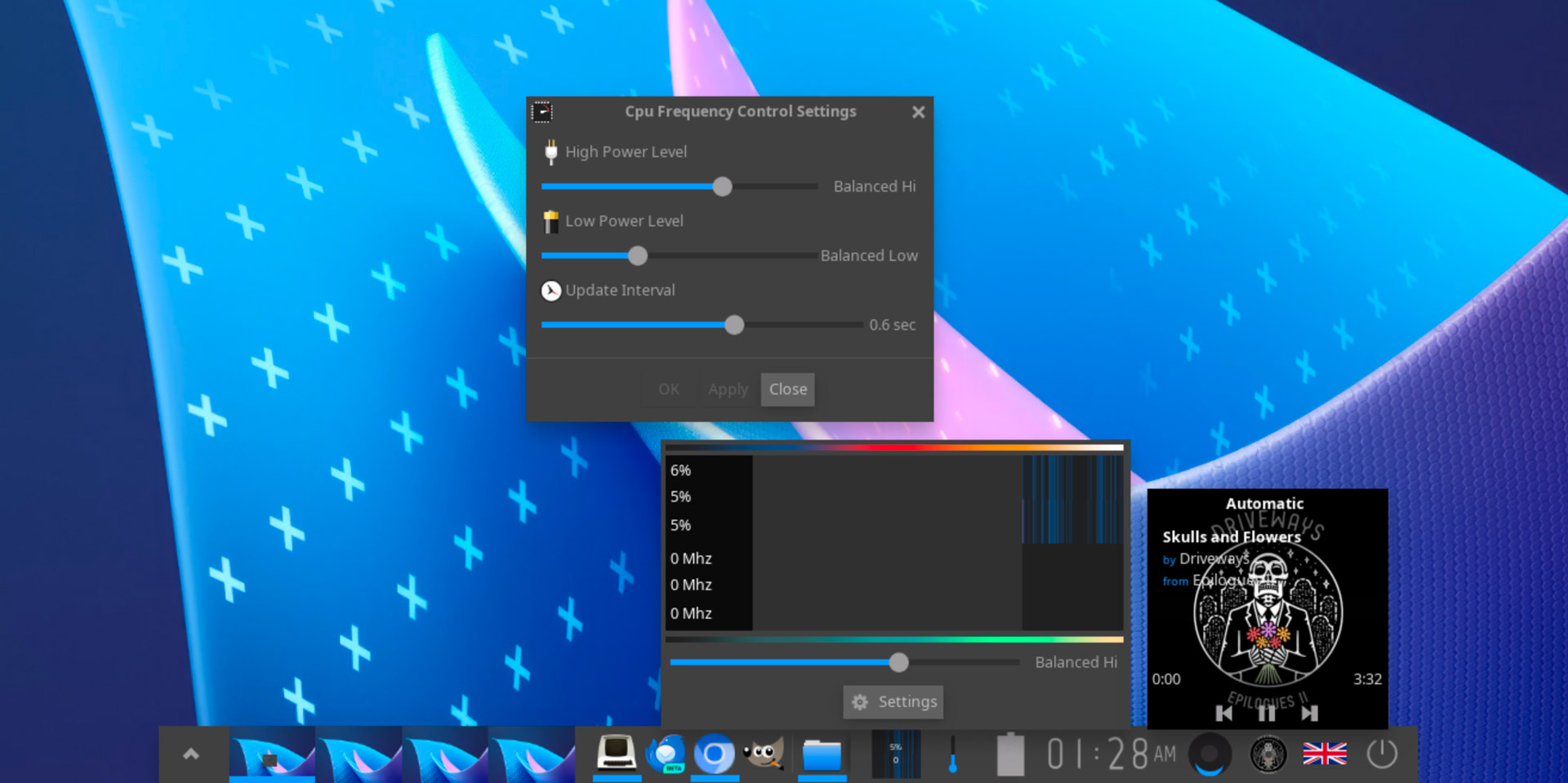
- New CPUFreq gadget with graph & governor slider
- Battery gadget overhaul offering more detail/info
- Music control module design update
- New 1.2x font scaling option for ‘finer detail’
- New ‘Convertible’ module (for tablets)
- Music control module added to default shelf layout
- Notification timeout handling fixed
- Virtual Desktops border adjusted to ensure windows retain size
- GPT partitions no longer auto-mount if
HintIgnoreis set
Bug fixes and minor refinements aren’t exciting — nothing listed above screams “I MUST try this!” — but modest, iterative changes are part of the path Enlightenment devs take. No breathless reinvention or chasing trends, just quiet focus on improving.
As a result, Enlightenment continues to provides Linux and BSD users with a capable, configurable, and lightweight desktop experience. It may take a different direction to others, but is far more interesting because of it.
Get Enlightenment 0.27
The official release post on the Enlightenment website provides a link to download the source code of E27, which you can compile by hand — though Enlightenment 0.27.0 depends on EFL v1.28.0 or newer, so you’ll need to download and build that first.
If you don’t fancy building it from source, there’s a nifty script called Elluminate that automates the process from start to end. The script only officially supports Ubuntu 22.04 but may work with newer versions.
Ubuntu 24.04 and 24.10 offer Enlightenment v0.26 in the archives. To install, run sudo apt install enlightenment in a terminal. Once complete, log out, click the session switcher cog, pick an Enlightenment session, and log in as normal.