


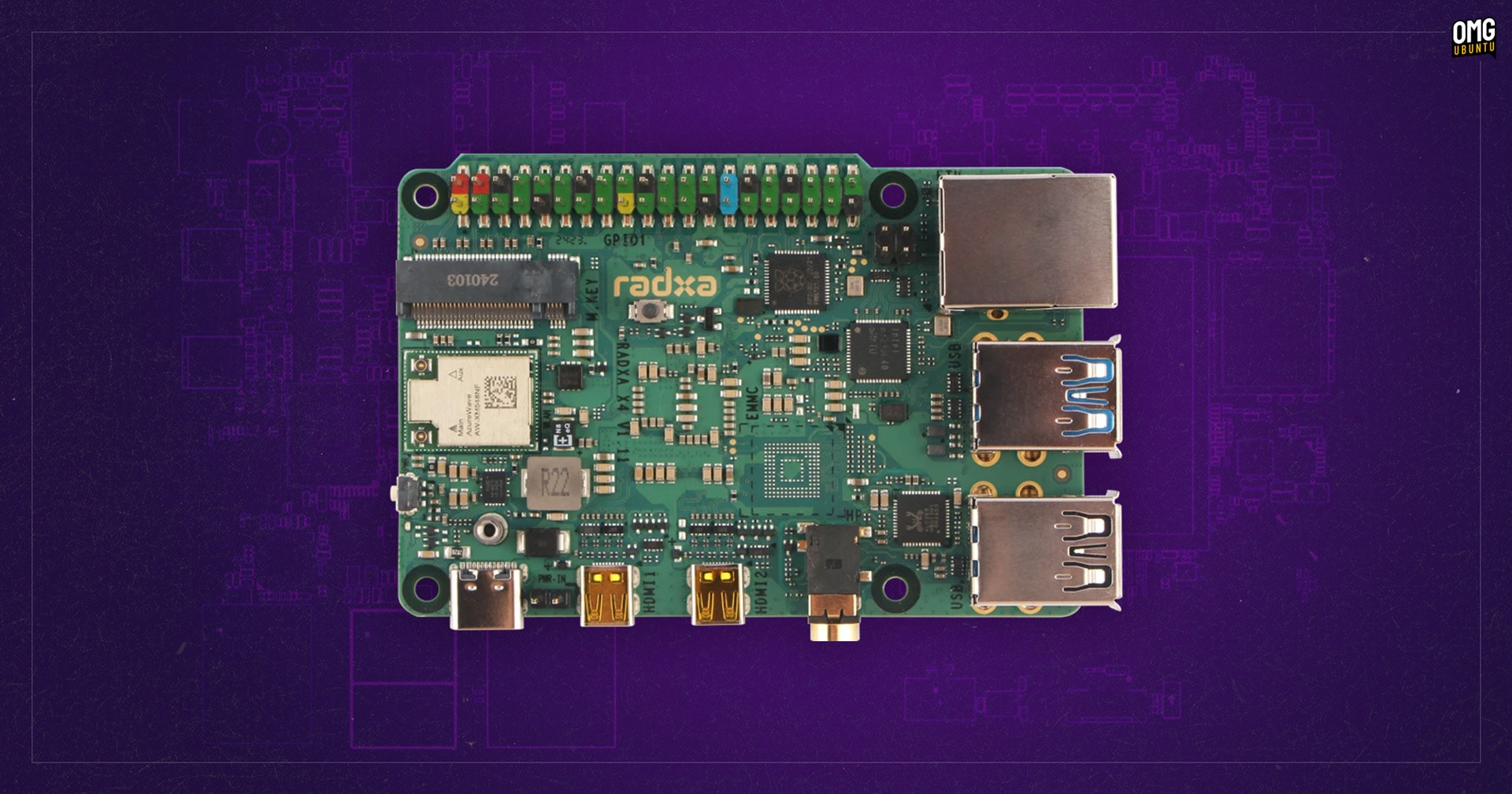


Love the idea of tinkering around with a small, single-board computer (SBC) but need something more powerful than most ARM-based offerings provide?
If so, the new Radxa X4 from Radxa may be of interest.
Powered by an Intel N100 CPU with Intel UHD graphics, the Radxa X4 delivers better performance in CPU and GPU tasks than a Raspberry Pi 5, at a similar price point. It won’t match ARM-based devices in power consumption, and will run a bit hotter under load too.


Radxa X4 Specs
| CPU: | Intel N100 (quad-core, 3.40 GHz turbo boost) |
|---|---|
| GPU: | Intel UHD |
| RAM: | 4/8/12 GB LPDDR5 |
| Storage: |
32*/64/128 GB eMMC M.2 SSD slot |
| Network: |
Wi-Fi 5*/6 Bluetooth 5.0*/5.2 Ethernet |
| Ports: |
2 micro-HDMI 3 USB 3.2 1 USB 2.0 3.5mm audio |
| Other: |
40 Pin GPIO SPI Flash Power button |
| Price: | From £48/$60 |
| *4GB model only |
Like the Pi —I’d stop comparing but hey: I picked my narrative hook and I aim to run with it— this Intel-based alternative comes in 4 GB and 8 GB versions.
A 12 GB model is planned.
The Intel N100 powering this is a quad-core chip with 4 threads, a max turbo frequency of 3.40 GHz, 6 MB Intel Smart Cache, and a TDP of 6W.
The integrated Intel UHD graphics runs at a peak of 750 MHz and supports DirectX 12.1, OpenGL 4.6, OpenCL 3.0, Intel Quick Sync, and h.264/5 & AV1 decoding.
It’s true that the N100 is at the low-end of the computing power scale. A number of budget mini PCs from brands like MinisForum, Trigkey, and Geekom are built around it.
Still, you probably weren’t expecting supercomputer performance from a device the size of a supermarket loyalty card, right? RIGHT?!
Could you use a Radxa X4 as a regular PC? Easily (see the OS support below) as those aforementioned N100 mini-PCs get decent reviews – and yet they cost more!
But a cheap, barebones (if totally naked) NUC this is not.
The Radxa X4 is a bona-fide SBC built for the same kind of use-cases as a traditional ARM-based one.
The Radxa X4 offers a 40-pin GPIO header hooked up to a Raspberry Pi RP2040 microcontroller (MCU). This is said to be largely compatible with the Pi’s GPIO header.
A list of what it supports:
- Up to 2x SPI
- Up to 2x UART
- Up to 2x I2C
- Up to 16x PWM
- Up to 8x Programmable IO
- 1x 5V DC power in
- 2x 3.3V power pin
Other features you’d find on a Raspberry Pi 5 are present on this Intel-powered alternative too.
The Radxa X4’s networking abilities better those of the Raspberry Pi 5
There’s dual micro-HDMI 2.0 ports (capable of driving two 4K@60 displays simultaneously), 3x USB 3.0 ports (10 Gbps), 1x USB 2.0 port (480 Mbps), ethernet, on-board WiFi and Bluetooth and (something the latest Pi model lacks) a 3.5mm audio combo jack.
On paper, the Radxa X4’s networking abilities trump those of the latest Pi models.
There’s 2.5 Gb ethernet (with optional PoE HAT available), plus an integrated Azureware AW-XM548NF module1 offering WiFi 6 and Bluetooth 5.2 (8 GB model) or WiFi 5 and Bluetooth 5.0 (4 GB model). It has connectors for IPEX U.FL antenna (which are included).
Also, there’s an M.2 PCIe-3 slot on the Radxa X4 board for an 2230 NVMe SSD. This is said to deliver up to 4-8x faster speeds than an equivalent SSD in the official Raspberry Pi M.2 HAT attached to a Raspberry Pi 5.
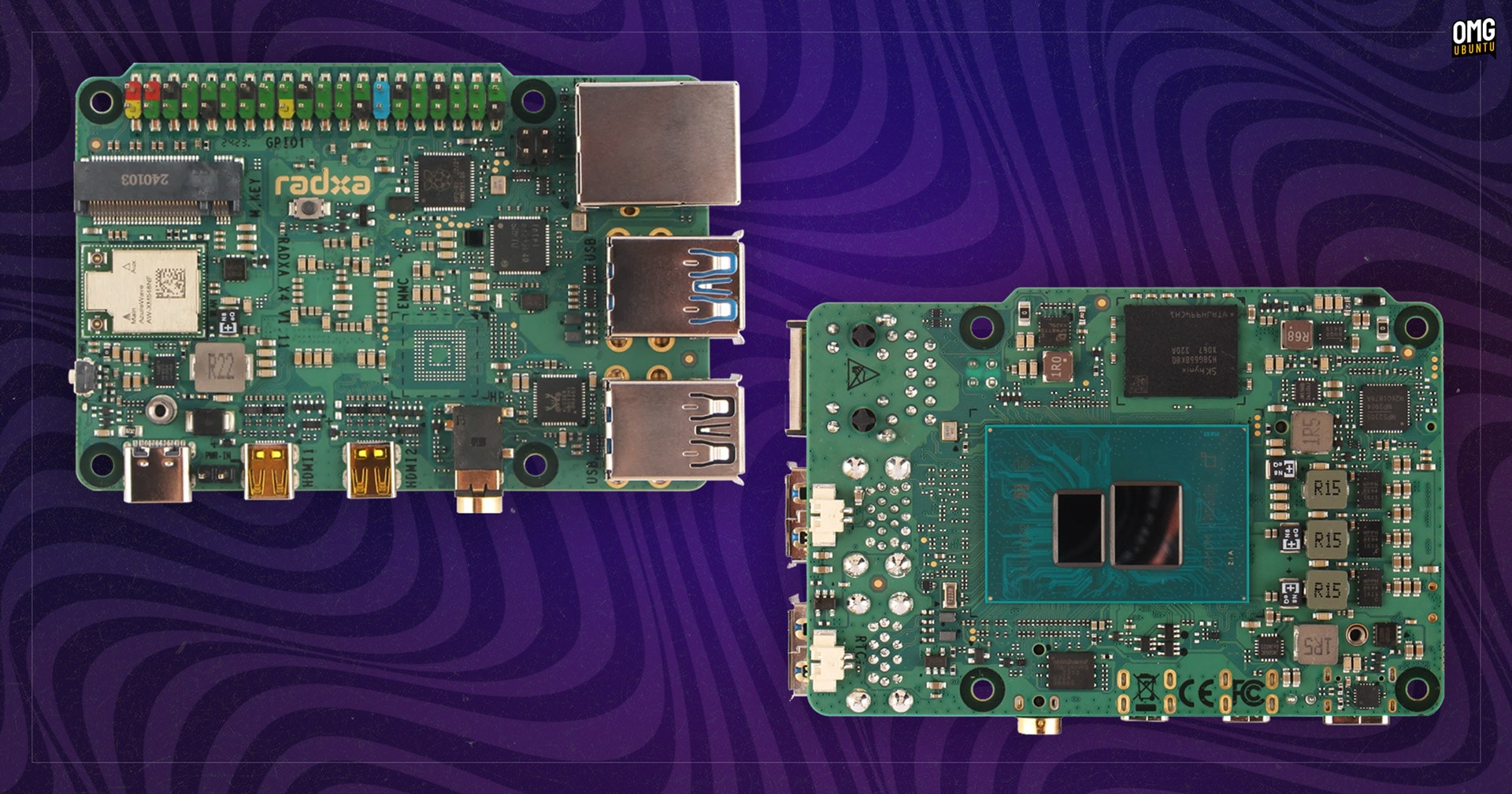
While there is no microSD card slot on board there is an eMMC space. This is empty on the cheapest models, but for $9 more you can opt to buy models with a pre-soldered 32 GB eMMC (4 GB model) or 64 GB eMMC (8 GB model).
Also included is SPI flash for BIOS/UEFI (the on-board BIOS offers auto-power on, wake-on-LAN, RTC-timed wakeup, and PXE boot); fan, RTC battery, and PoE headers; physical power button; and (on the board itself) a BOOTSEL button for the MCU.
The BIOS supports auto-power on, wake-on-LAN, RTC-timed wakeup, and PXE boot
Power is via USB Type-C port. It’ll run on 12v/2A but it’s advised to use a 25W or greater adapter if you’re doing a lot with it, using all the USB 3.2 ports, have an M.2 SSD connected, etc.
So far, so good – but there are a few omissions, like a lack of CSI and DSI connectors. This will limit those who want to use the board for image-based needs. A bit of a shame.
And the biggy: Intel chips run hotter, much hotter, than ARM ones. Using this board without any kind of cooling even under simple loads will result in throttling due to temperature. The N100 is good for around 105ºC, but throttles at ~90ºC.
Radxa has created a combined heatsink/fan/case for this, selling for $15. It’s not the most elegant of things, and requires the unit to be mounted upside down, but it’s vital if you don’t want to fashion your own unit.
What Operating Systems Does it Support?
Wondering what kind of operating systems this can run? Well, out-of-the-box it runs nothing. It’s not preloaded or preinstalled any kind of OS.
Most ARM-based SBCs require bespoke OS images, custom compiled to include the right drivers and configurations to support the hardware. Not so here; this is an Intel-based device so anything that runs on an x86 laptop or PC can, in theory, run here.
Windows 10 and 11 work from the get-go, as do most Linux distributions, including Ubuntu. In fact, Ubuntu 24.04 LTS is said to run like a champ on this.
Sticking with Linux, Radxa (the company who make this) say they’ve made a hardware access/control library for Linux available to enable developers with the know-how and the need to do more with the device than most distros do OOTB.
Which is pretty neat.
Radxa X4: Price & Where to Buy
So far, so good – but we come to price.
The Radxa X4 costs as follows (RRP/MSRP; third-party suppliers may charge more):
- £48/$60 – 4 GB (no eMMC)
- £51/$69 – 4 GB + 32 GB eMMC
- £68/$80 – 8 GB (no eMMC)
- £71/$89 – 8 GB + 64 GB eMMC
Update: new 12 GB and 16 GB models are now available
- £79/$100 – 12 GB (no eMMC)
- £91/$115 – 12 GB + 128 GB eMMC
- £99/$120 – 16 GB (no eMMC)
Fairly reasonable pricing, right?
The difficult part (for us in the west) is finding somewhere to buy the Radxa X4 since the official Radxa store on AliExpress rarely has stock (other stores on the site do but at much higher prices than the MSRPs).
One place that does seem get stock (regularly – they sell out, then get more in) is Arace Tech — who do ship to most countries around the world, which is neat.
Rather Rad(xa), I Think!
Although I have a couple of Pis, and a Rockchip-powered gaming handheld to tinker with, I still get excited by truly small form-factor devices such as this, albeit less for industrial, IoT, and hardware hacking use cases and more for cheap computing.
Of an Intel-based SBC is something you’re after, I think it’s worth putting in the effort to get hold of this (and getting the £12/$15 official heatsink/fan cooler since it will fit).
More details on this can be found on the official Radxa website.
- Linux kernel support for this module is not yet mainlined, AIUI ↩︎