



The long-awaited, highly-antipciated, and over-hyped (apologies – that was me) UbuntuOne Music store has finally opened its doors for those testing the Ubuntu 10.04 Beta.
The store is built-in to the Rhythmbox music player in Ubuntu 10.04, so you won’t need to install any extra add-ons, plugins or even a separate app to access it.
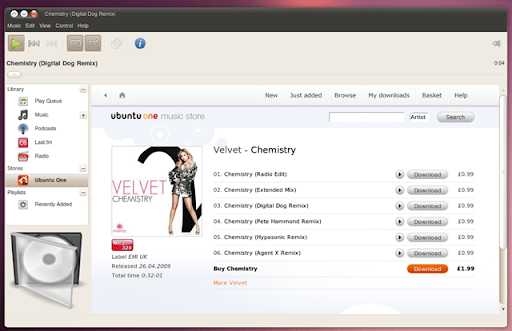
Simply open Rhythmbox, click the UbuntuOne sidebar entry, and the online storefront will load up so you can browse, preview, and buy music directly in-app.
Browsing the Ubuntu One Music Store is a straight-forward experience that works exactly how you’d expect it to: search for an artist, title or album title directly, or navigate around the store using the links.
Want to hear a track preview before you buy? You can; it’s a one-click affair.
Sadly, the Rhythmbox seek-bar (scrubber?) doesn’t work when listening to music previews on the store — then again, there isn’t much to seek in a 30 second preview clip!
Purchasing Music
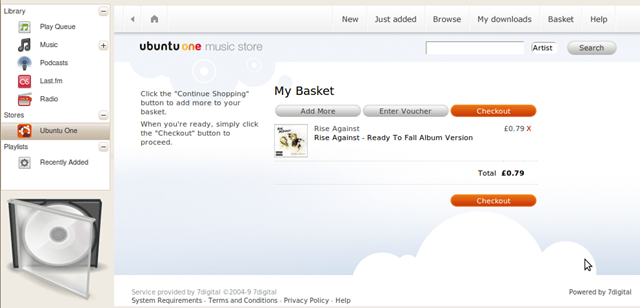
The main draw of the UbuntuOne Music Store is the ability to purchase music, making it easier to legally download music and pay to support the artists you care about it (and their money-hungry record labels).
Purchasing a song is as easy as clicking the ‘Download’ button, followed by ‘Checkout’, entering your payment information (all of which can be stored in your UbuntuOne account so you don’t need to enter it over and over).
Accepted payment options are the usual ones: Credit/Debit cards, Paypal, and Click&Buy.
So far, so good.
Once you’ve purchased your track, it is then prepared for download.
This is the only part of the experience where I’ve (thus far) found issue.
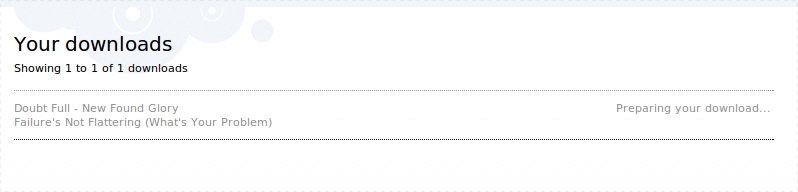
Having purchased a track, the download proceeded to “process” for a good 20 minutes. I’m hoping this is server strain from lots of people trying since if preparing a single 320kbps MP3 for download takes this long, I’d hate to buy an entire album!
Once done, the UbuntuOne part of the store comes into play – your purchased tracks are downloaded to a ‘special’ “UbuntuOne” music folder which then syncs back to your UbuntuOne account.

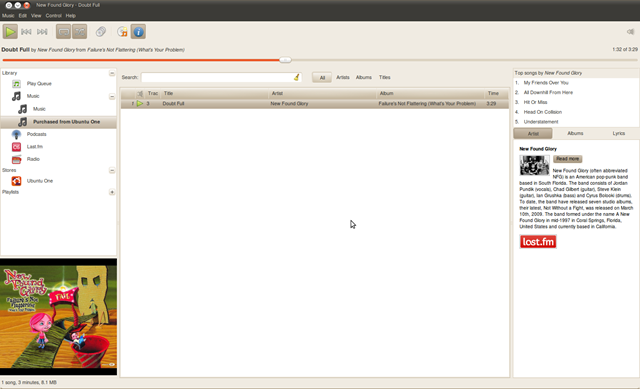
Once downloaded, synced, and imported and all of that jolly stuff. you’ll find your UbuntuOne Music Store purchases accessible via the Music > Purchased from UbuntuOne sub-menu:
If you encounter and bugs, issues, or find the UbuntuOne Music store chewing down small children, then there several ways to help:
- Make sure your bug is a bug. Walk through the steps to see if the happens again.
- Once you know something is definitely up, report your bug witjh lots of helpful information by using the following command in a terminal:
ubuntu-bug rhythmbox-ubuntuone-music-store - Head to
#u1msbetaon FreeNode for other queries you might have.
What are you thoughts (and what will be your first purchase)?