


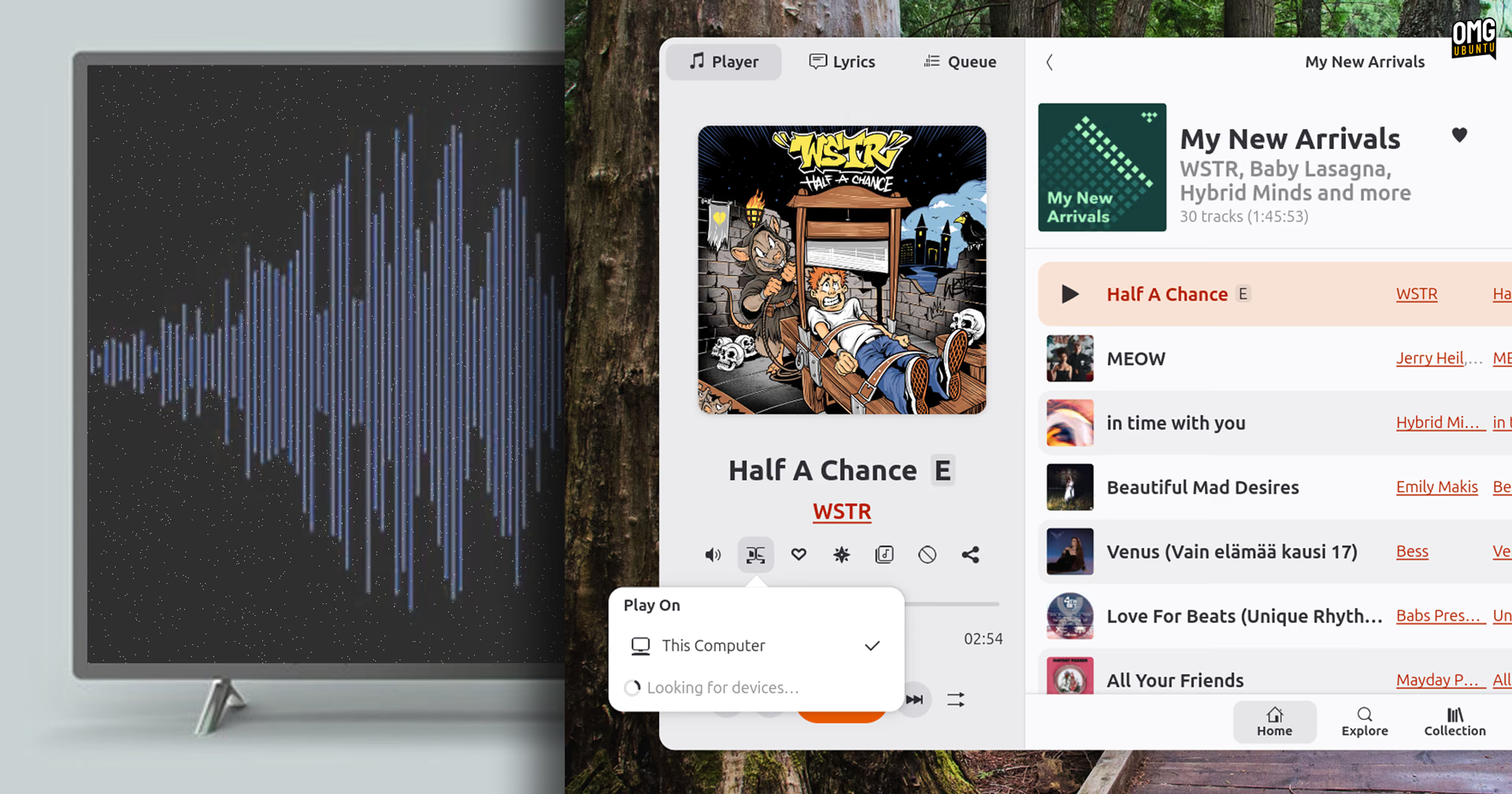
High Tide, the open-source TIDAL client for Linux, can now play to Chromecast and DLNA devices like TVs and smart speakers.
The feature rolls out in v1.8.0, released this weekend with a variety of smaller bug fixes and minor bumps, including showing artist names over Discord RPC.
But it’s the wireless streaming that’s the big ticket.
Most people use High Tide to stream music to the same device, and if wanting to punt audio elsewhere, could do it via Bluetooth.
I’d also wager that most TIDAL subscribers own a device that can run the official apps. Those offer the service’s native audio handoff tech, TIDAL Connect. Connect lets the app tell a speaker to stream music from TIDAL’s servers directly.
But with no Connect API for third-party apps to use, High Tide‘s developers got creative. Their approach uses standards that many smart speakers, TVs and audio doohickeys already support: DLNA and Chromecast.
DLNA receivers are included in software like Kodi and GNOME’s Rygel, while Google’s Chromecast comes built into many modern TVs and smart TV boxes, or in dongle form.
Using it is straight forward. Click the new ‘Play on’ button in the app’s control strip. This lists any DLNA and Chromecast devices High Tide finds on your network (along with a ‘play on this device’ option to bring sound back to your computer).
If you select a destination, High Tide will convert the track to FLAC (lossless) and serve it over a small web server that runs inside of the app. This means your computer, naturally, needs to stay on for playback to works.
You can only pause, skip etc from your computer too, so don’t get irate at your TV remote for not responding. Tracks are also cached before playing so it can take a moment for audio to start (ergo there’s no gapless playback).
And as this doesn’t require any additional setup or dependencies to use, it’s a relatively low-friction way to punt music to devices you may route to frequently anyway.
High Tide is free, open source software available from Flathub, though the latest release is pending – get it from GitHub if you can’t wait.