



I revised my list of the best Linux weather apps recently, but I know most people prefer to use panel applets to glean current conditions and future forecast data.
There’s no drought in weather extensions for GNOME Shell. All kinds – some like Weather or Not show a simple label on panel, others dish out reams of meteorological data in a dropdown of varying designs (and, in a few cases, vertical length).
I’ve seen a flurry of newer weather extensions for GNOME Shell emerge in recent months. The searing heatwave that spread the globe this year may have had developers people (and sweating) over temperatures more than usual.
I figured I’d showcase a few of them since they are a fair bit flashier than the usual forecast fare.
Weatherglass offers animated flourishes
Weatherglass can’t fail but catch the eye. Sure, it does what most add-ons of this ilk do, i.e., parlay forecast data in an easy-to-parse manager, but the way this one goes about it is entirely different. Animations, baby!
An icon in the panel shows current temperature and an animated icon for conditions (a loop animation). Click on it to reveal a forecast card with animated backdrop that shows current and hourly conditions and 8-day forecast with graphed temperature, precipitation and wind speed:

Meteorological units can be set to metric or imperial, but no way to have, say, mph for weather but celsius for temperature. Multiple weather backends are available, including Open-Meteo, Met.no and NOAA NWS. Automatic location detection too!
Wetaherglass‘ preferences has a nice preview for the animations, and options to to disable them – which you might. Even when the extension wasn’t open, it was pegging my CPU and GPU continuously in the background (thus using more power).
You can get Weatherglass on GNOME Extensions. It only supports GNOME 50 at the time I write so if you’ve recently upgraded to Ubuntu 26.04 you’re good to try it out.
Hopefully it’ll be updated with GNOME 51 support – and a fix for its aggressive CPU usage.
Weather Prime is like a mini app
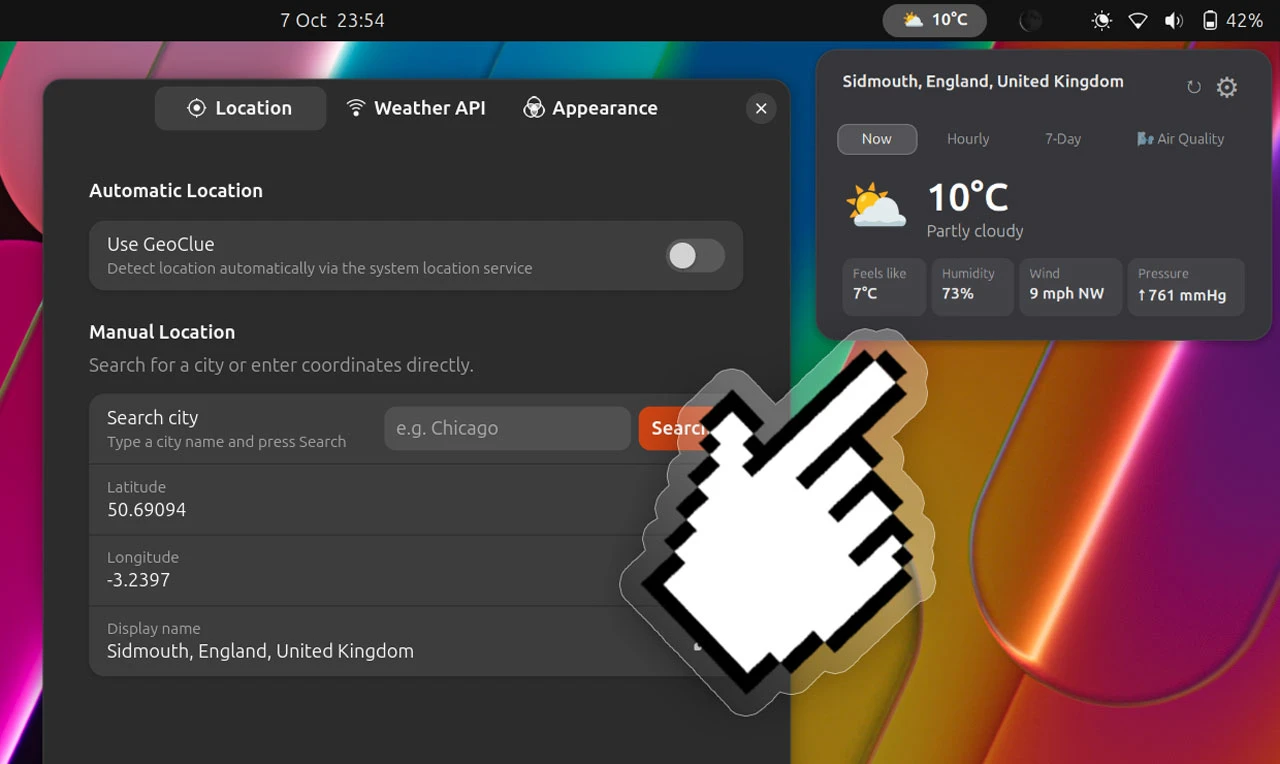
Weather Prime is a stat-packed applet describing itself as a “full-featured weather station” for the GNOME’s top panel.
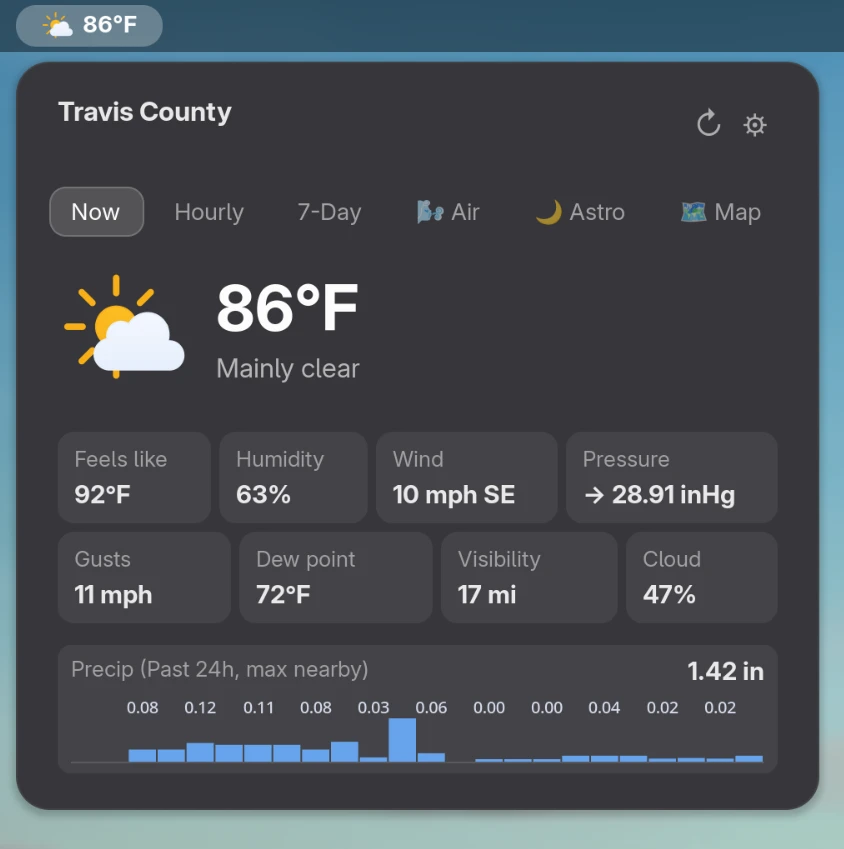
A pill in the top bar shows active conditions for your location. When clicked, a drop-down opens with the usual glut of forecast data, but displayed with a more engaging layout.
The use of graphs, pods and sparing use of colourful graphics is a nice step-change from the spreadsheet-style tables other applets service up.
Alas, whether—weather, surely – ed—it is my location or the backend, the data shown to me wasn’t as comprehensive or a flashy as the screenshot.
I also had no options for a live radar map or “astro” details – tides, moon phase, sunset, etc (my local newspaper used to have horoscopes and weather on the same page, so astrology would’ve made sense to me).
Pleasant? Sure, but not quite the panel-based mini-Mousam (my favourite Linux weather app) the pics suggested.
On the plus side, you don’t need to tussle with API keys; this uses the Open-Meteo weather source, preconfigured and ready to use It supports WeatherAPI.com too, but you need to sign up, generate a key and plug it in to the app – it might not work (didn’t for me).
Get Weather Prime on GNOME Extensions. It works on GNOME 50 (Ubuntu 26.04 LTS). It can also be installed from the project GitHub, but as that repo hasn’t been active for 4 months the chances of it getting a GNOME 51 bump is, like daylight in winter, fleeting.