



If you take handwritten notes on Linux, chances are Xournal++ is something you’ve tried as its solid feature set and stylus support has earned it a loyal following amongst those who’d rather annotate PDFs or sketch equations than type.
One criticism that follows it around is its interface. It’s rather pointer-led; lots of menus, buttons and tiny hit targets in toolbars. It doesn’t prevent you from doing what you opened the app to do – write, draw, scrawl and markup – but it’s not ideal.
Well, that’s what a new tablet mode toolbar configuration recently merged in Xournal++‘s development builds aims to sort out.
Linux developer Archisman Panigrahi felt the default Xournal++ UI was not in tune with the way most tablet and mobile note-taking tools look and behave, so contributed code for a new, optional tablet mode that works better on Linux tablets and convertible touch devices.
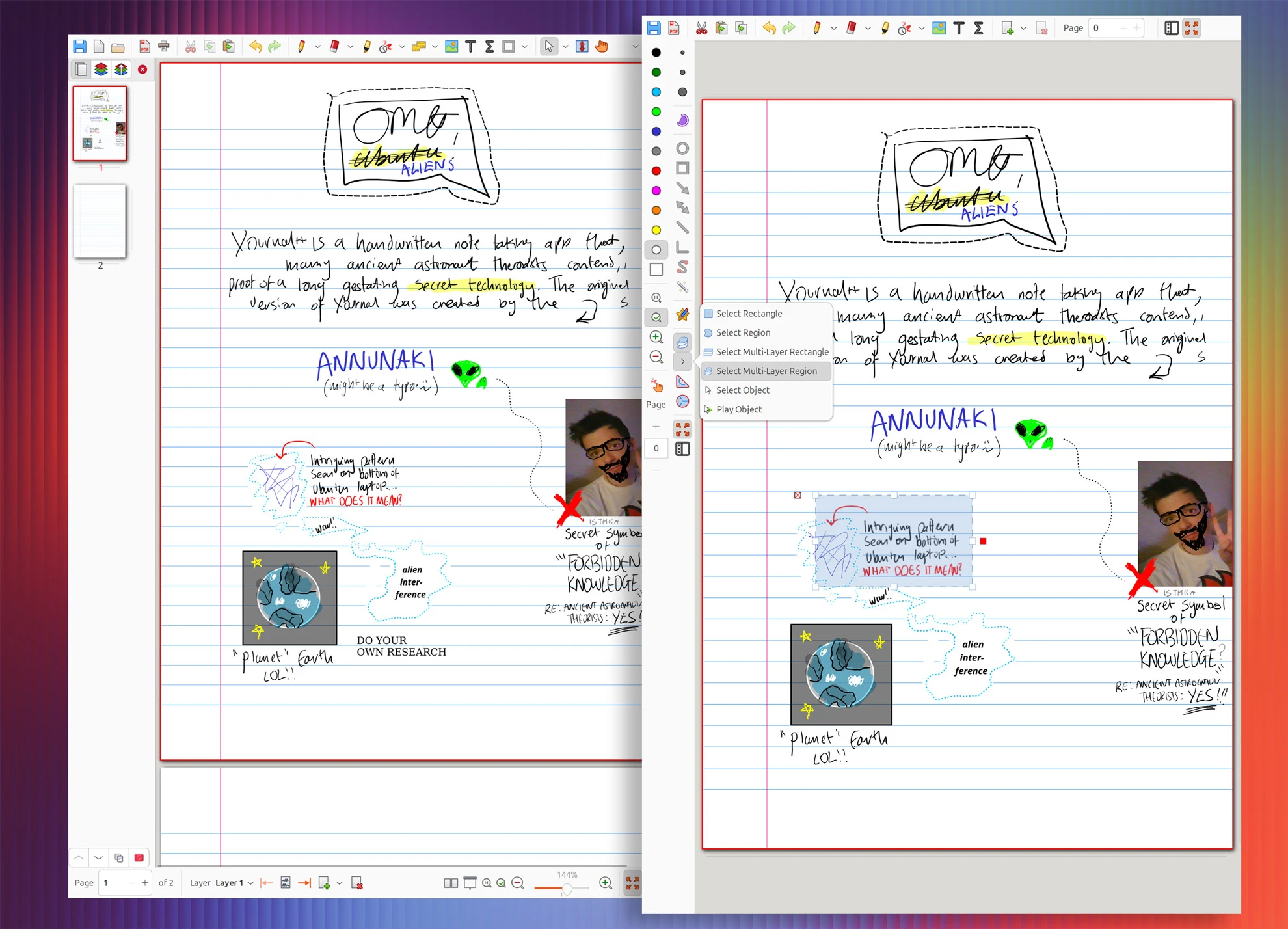
It does what it needs to: dial down the UI noise so only essential tools are on view during focused note-taking sessions. Buttons for features like Print are hidden when this mode is active, as is Open (one can use a file manager or the in-app main menu for that).
Key notation tools remain on view and in reach, though selection tools are consolidated and the page preview column (useful if a space eater) is easily toggled with the tap of a button. Touch drawing stays toggleable, so you don’t have to have a stylus to enjoy the modified layout.
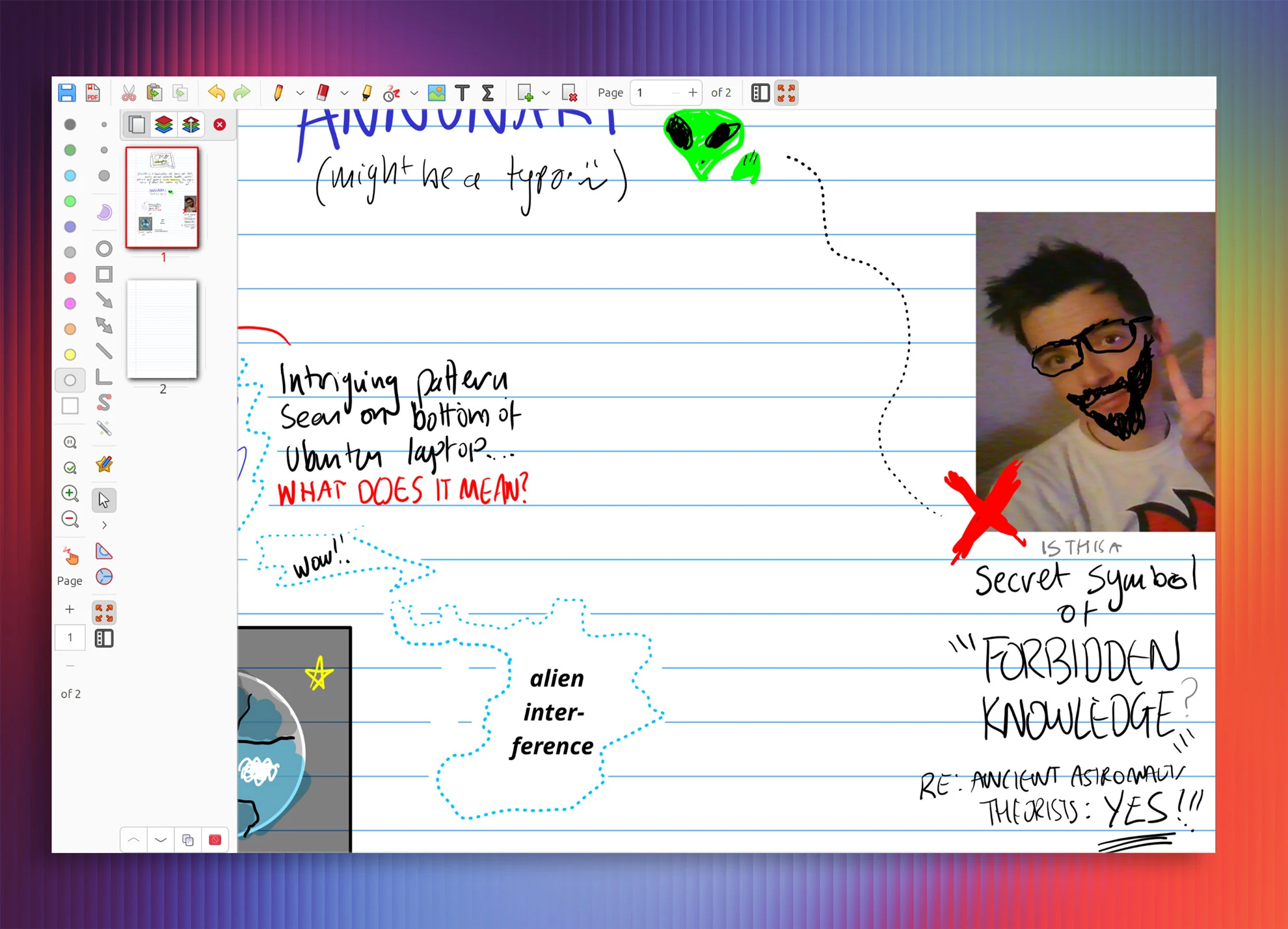
Testing the new mode on my 2-in-1, I found the new toolbars work well in landscape and portrait modes. As I prefer to use Linux note taking apps like Xournal++ and Rnote in portrait mode, I like that there’s no major difference; I can rotate my device without the UI rejigging.
How to try Xournal++ tablet mode
Xournal++ nightly builds are available on Ubuntu (and other distros). You can download AppImages or a DEB installer from the project GitHub (ignore the date at the top; the builds in the assets are recent).
You could also add the dedicated nightly builds PPA to ride out the current development cycle. The Xournal++ nightly PPA provides builds for Ubuntu 22.04 LTS, 24.04 LTS and 25.10 – but when installing do remember the package name is xournalpp. The double-p is important.
To activate the new mode open Xournal++ and go Edit > Toolbars > Tablet mode in the main app menu to turn it on. I found that tablet mode looks and functioned fine when windowed, but it’s arguably best in fullscreen mode so that all available space is given to the canvas.
If you’re not willing to brave development builds, Xournal++ new tablet mode layout will be available in the next stable release, Xournal++ 1.4.0. That is expected to be released sometime this year.