



The redesigned folder icons for Ubuntu 26.04 LTS have been redesigned again, albeit slightly.
A big Yaru theme update hit Ubuntu 26.04 LTS last week, delivering a set of colourful new directory icons to development desktops (alongside other theme changes, like consistent radii and bolder text in UI elements and no dock transparency by default).
It swapped Yaru’s slate folder icons for squatter, full-colour glyphs that reflect the system accent colour wholly. They also use an engraved treatment for standard XDG directories emblems, like Music, Pictures and Downloads.
However, feedback on the new set indicated that the folder colour contrast wasn’t quite right, appearing too light under light and dark mode settings on the Ubuntu desktop. This contrast affected the prominence of the inset emblems placed on top.
Enter a revised folder set, hashed out by the contributor of the new folder approach, Vincent Renzo Quilon (ochi12) and other Yaru design team members, in concert with Canonical’s Marco Trevisan.
Contrast has been increased for all folder colours (default orange accent colour set pictured below) in both light and dark mode, and the inset pictograms made darker (most notably under dark mode versus the previous iteration):
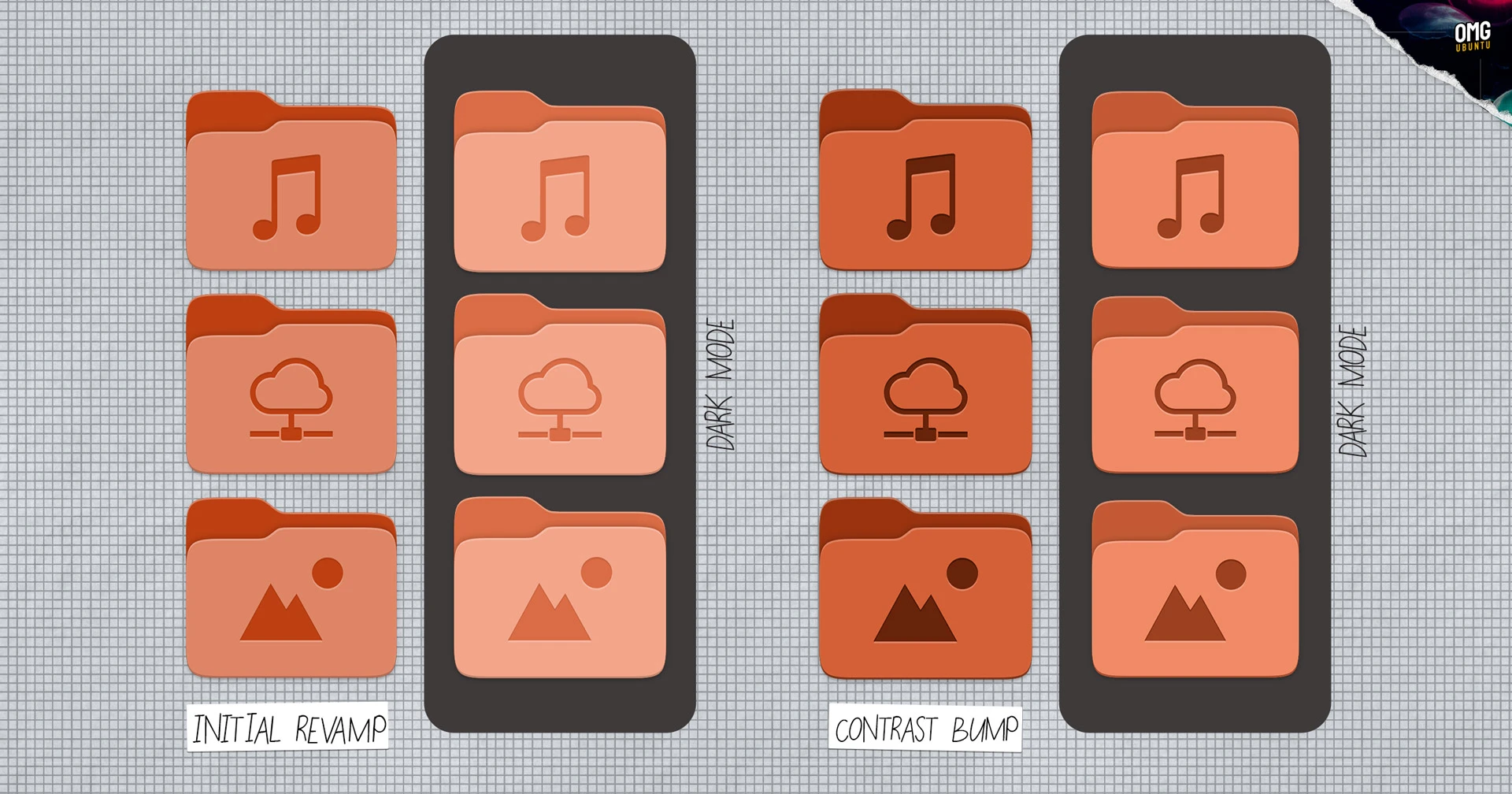
Better? Worse? I cheekily heading my initial look at the folder changes with a note that “you’ll have opinions” – chances are you will over the revised set as well.
General consensus on the new approach (I say new; in some ways it’s switching back to coloured folder icons, but the slate scheme has been in use since 2019) appears resolutely (groan) positive on the switch, even if some have felt things were a smidge light or teensy bit dark.
It’s that early feedback that helped give the Yaru design team pointers on way to refine the set ahead of the stable Ubuntu 26.04 LTS release in April – which is the development process working as the development process should: responsively.