



Mozilla Firefox 144 has been released, with the venerable open-source browser adding a variety of smaller quality-of-life features and privacy improvements.


Features added in last month’s Firefox 143 update include a Microsoft CoPilot chatbot, web app creation on Windows, and new way to pin tabs.
This month’s update adds a similarly focused set of features and refinements, and we see the long-awaited global rollout of Firefox’s new Profile Manager.
For a closer look, read on.
Firefox 144 Highlights
There are minor tweaks to Tab Groups in Firefox 144 (as a reminder, to create a group just drag one tab on top of another and take it from there).
Firstly, if you’re viewing a page in a Tab Group and collapse the group, the tab stays visible. This, Mozilla say, is about “keeping things tidy even with the group collapsed”. This was available last release, but is now more reliable, hence the mention in v144:

If you switch to focus a tab outside of the tab group, the tab group collapses fully, as normal.
Secondly, you can drag more tabs into a collapsed tab group without it automatically expanding.. This, Mozilla say, helps you “stay organised while minimising visual distractions”.
If you’re a heavy user of tab groups and want a ‘sneak peek’ at an upcoming feature, enable tab hover for Tab Groups by turning the browser.tabs.groups.hoverPreview.enabled hidden setting in about:config to true.
Talking of visual distractions, there are more in-browser callouts to try Firefox’s AI features, and when you right-click an image (if you haven’t changed the default search engine from Google), an option badged “NEW” to search using Google Lens:
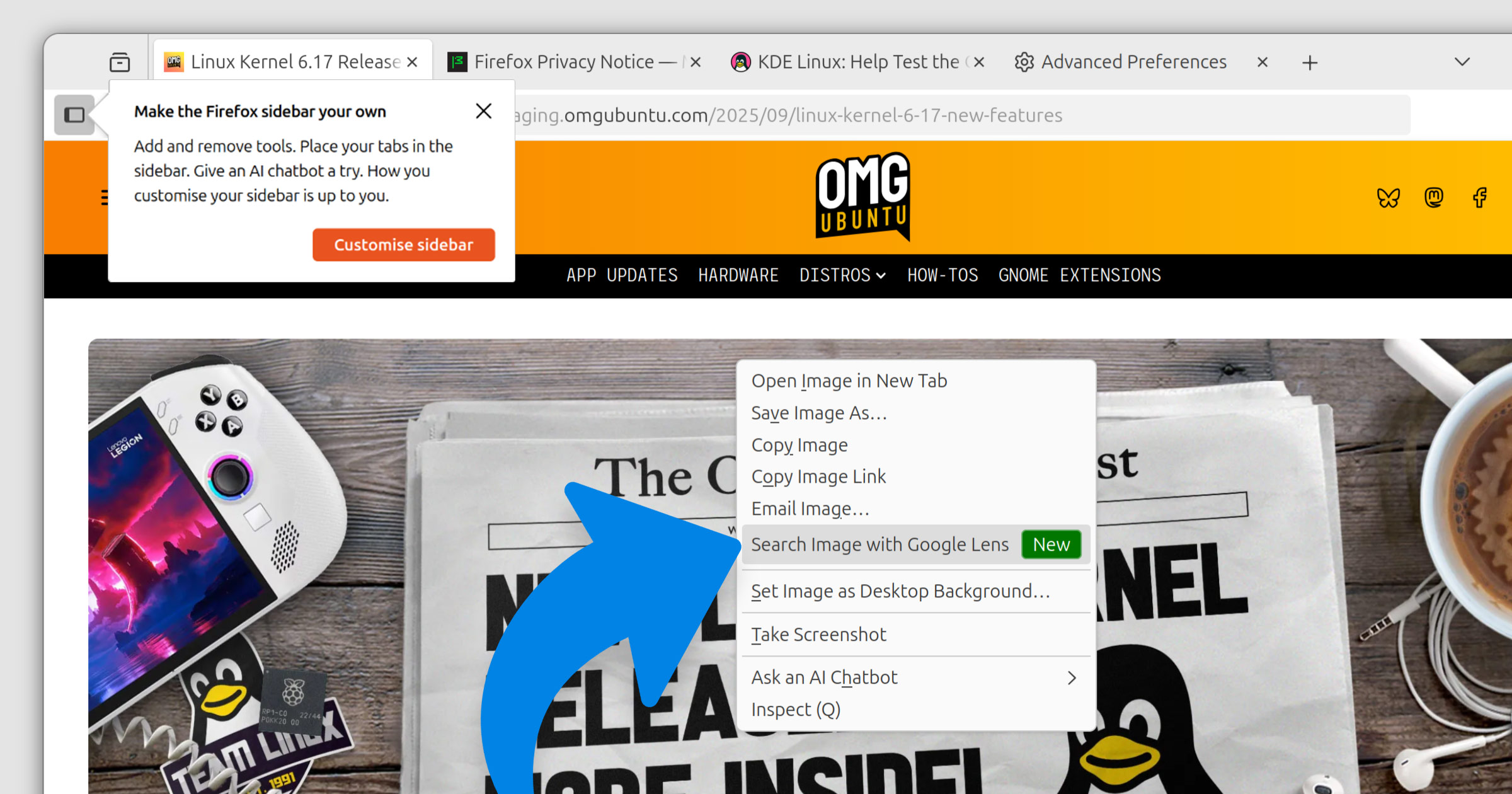
Mozilla say this the new visual search (which only works when Google is the default search engine) is a useful way to “get inspiration for learning, travel, or shopping”, “find similar products, places, or objects” and to “copy, translate, or search text from images”.
If you want to close a Picture-in-Picture window without pausing the video on exit, you can hold shift when clicking the close button on the PiP window, or use shift + esc to exit it, leaving playback to continue.
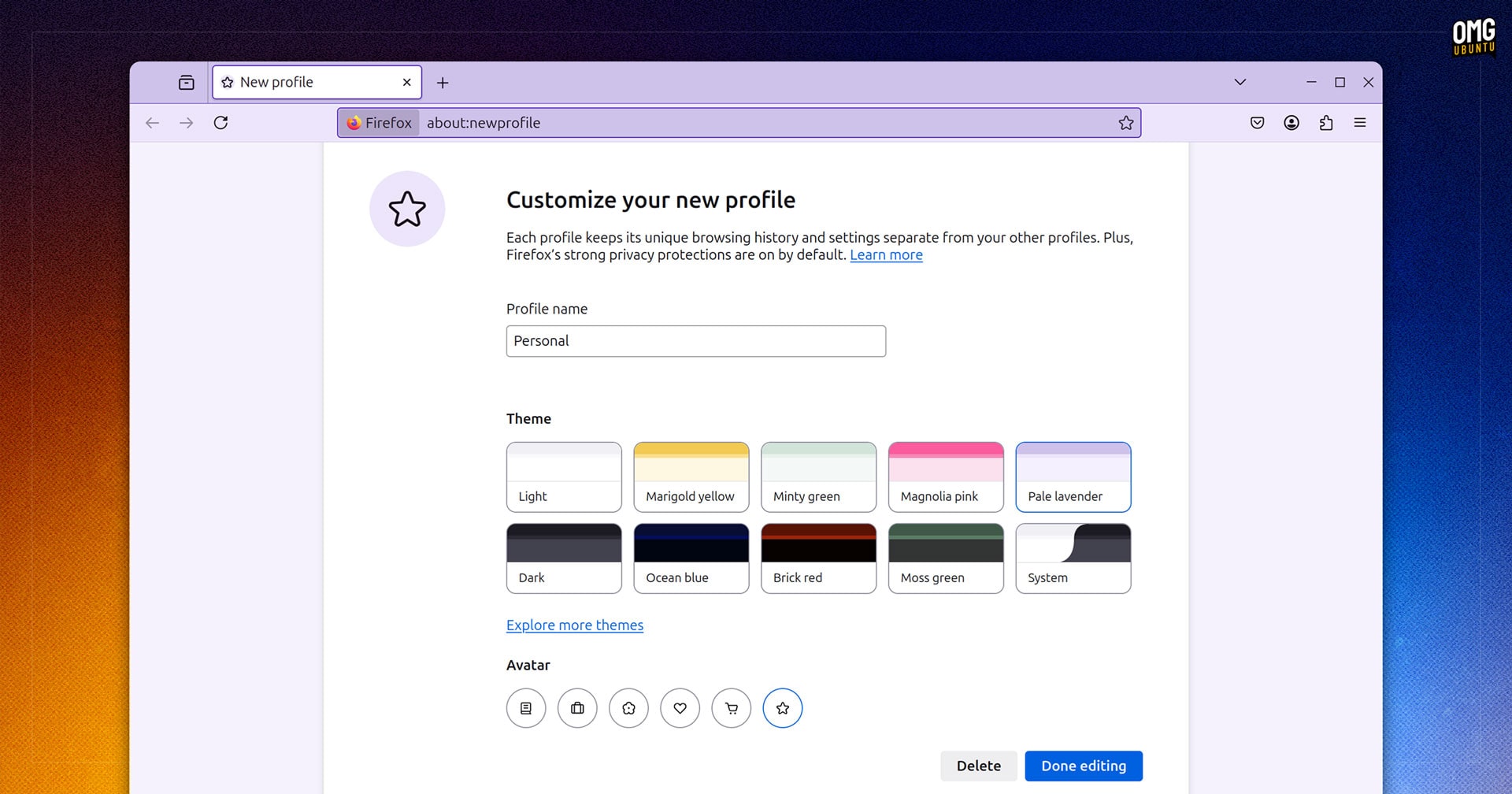
The Firefox Profile Manager is available to all users as of this release. First added in Firefox 138 as a “progressive rollout” feature, it ultimately didn’t rollout to many (<5%). Now available to all, it makes it easier to separate browsing, logins, add-ons etc by purpose:
Login details stored locally in Firefox’s password manager now use a modern encryption scheme (AES-256-CBC), rather than 3DES-CBC as before. Passwords synced through Firefox Sync were already end-to-end encrypted and use AES-256-GCM.
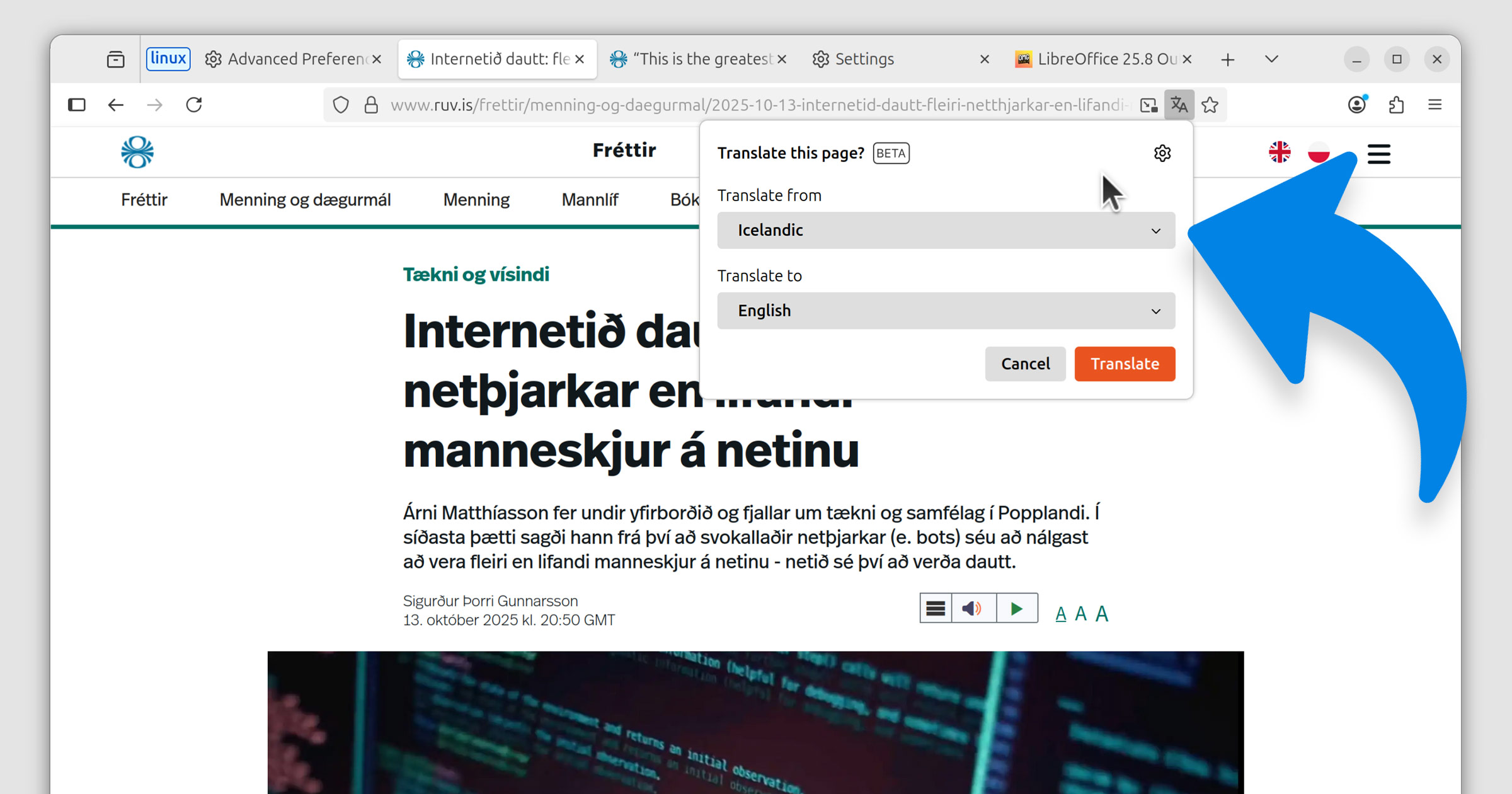
On desktop, Firefox 144 adds Perplexity, the AI-powered search engine in the address bar, accessible from the ‘unified search button’; while the browser’s built-in privacy-focused translation feature is now able to translate Azerbaijani, Bangla and Icelandic:
Other things you’ll find in Firefox 144:
- Final version of Firefox to support 32-bit Linux distributions
- Tab bar buttons can become compact at smaller window sizes
- Inspector events tooltip now shows a badge besides custom events
- Support for the
Element.moveBeforeAPI - Support for
commandandcommandforattributes
Plus, as ever, a fresh set of security fixes to keep us all browsing safely, along with enterprise related changes worth having a read over (notably, policy exceptions for AI-related features).
Download Firefox 144
Firefox is free, open-source software available to download for Windows, macOS and Linux from the official Firefox website.
On Ubuntu, Firefox is preinstalled as a Snap app. This update (like all updates) will be downloaded and installed automatically in the background. If the browser is open, a prompt will appear to let you know that the update is ready to apply.
If you’re on Linux Mint, you can update to the latest Firefox release using the Mint Update tool or apt at the command line as Firefox continues to provided as a .deb package.
If you use Ubuntu, but don’t have Firefox installed and want it, you have many choices: the official Snap or Flatpak build; the Mozilla APT repo for a Firefox DEB; and the distro-agnostic Linux binary available on the Mozilla website linked above.