



We’re used to Linux distributions packaging desktop environments, and occasionally we see distros create their own desktops (Cinnamon in Linux Mint, COSMIC in Pop!_OS).
But the makers of one of Linux’s most popular desktops creating their own distribution? That’s what KDE has done with KDE Linux, which just launched in alpha.
KDE Linux is an immutable Linux OS acting as a ‘reference implementation’ for the KDE Plasma desktop, KDE apps, and development tooling. It’s been public knowledge for a while, and pre-alpha builds have been available for some time.
Today, KDE Linux enters alpha testing. Though unstable and not yet ready for end users (nor using in production/mission critical environments), developers and early adopters can download a copy to get a taste for what’s coming.
What is KDE Linux?
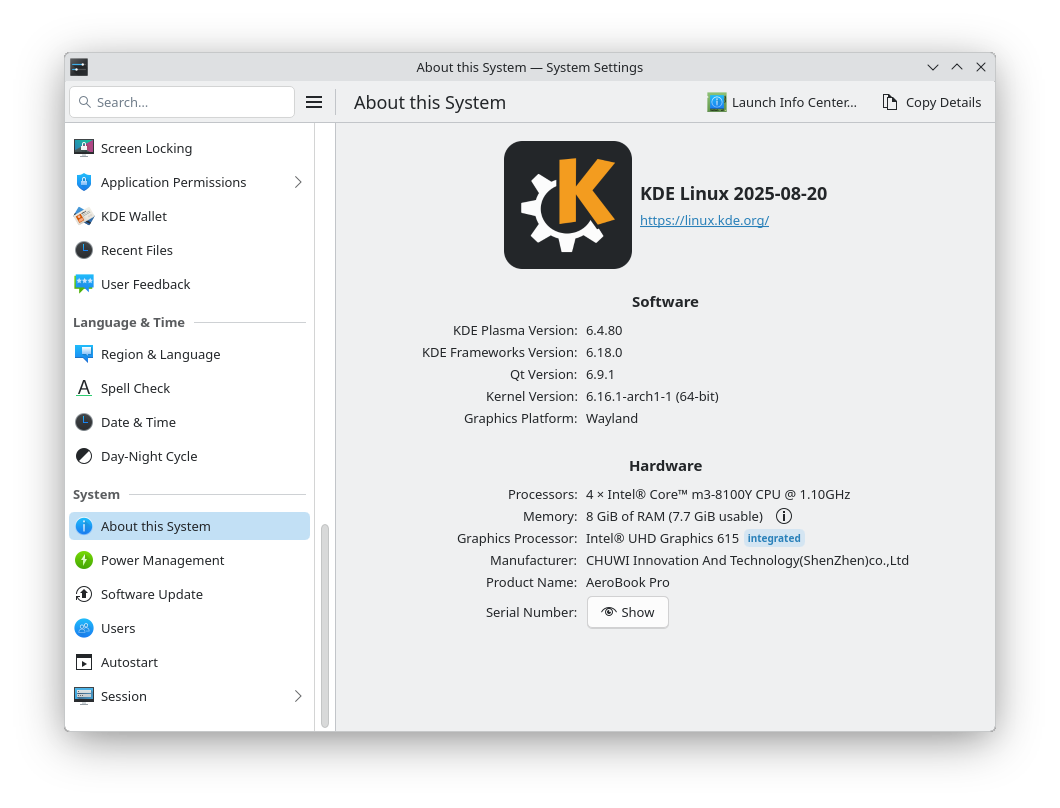
First and foremost, KDE Linux is a regular ol’ Linux distribution with the Linux kernel, desktop, software, and a way to install updates. But unlike traditional distros, the core system components are in a read-only filesystem that can’t be modified — “immutable”.
The read-only base system is derived from Arch Linux and gets updated through atomic image-based updates (which require a reboot to apply). Rollback functionality is baked in so that if an update goes pear-shaped, it’s easy to revert to a ‘last known’ good image.
Compared to a traditional distro, like Ubuntu, the base system can’t be accidentally broken by a package conflict or rendered non-bootable following a partial upgrade.
Everything else (apps, files, configuration) sits on top of the core read-only base, but can’t modify it — not even root can’t modify files in /usr (the immutable part).
From an end-user perspective, KDE Linux will look and feel like any other distro. It’s only when trying to use traditional package management or attempting to access lower-levels of the system that the immutable differences become apparent.
If there’s no package manager… what about apps?
Apps are installed via Discover as Flatpaks (from Flathub and KDE repos) or Snaps (from the Snap Store). KDE Linux also preinstalls Distrobox and Toolbox so other software can be installed as DEBs, RPMs, PKGs etc in containers. AppImages work too!
You can’t install a new kernel, display server, desktop environment, or drivers yourself since the base image takes a “batteries included” approach, putting ‘as many hardware drivers and support packages as possible included on base image’.
The immutable approach will not suit everyone, with devs noting “KDE Linux may be less optimized and optimizable for specific uses compared to other operating systems”.
Despite the lack of traditional trappings, KDE say there are advantages for developers opting to use KDE Linux over regular distros, including easy rollback of updates, smaller footprint for dev tooling, and building KDE software the same way it’s build by KDE…
Isn’t this just KDE neon?
KDE already has a distro showcase in the form of the Ubuntu-based KDE neon but feel while it fulfils the goal of being “distributed by KDE,” being based on an Ubuntu LTS base that needs to be heavily modified to run newer Plasma builds is an issue.
Rather than try and shoehorn their desired software experience on to an existing distro, creating their own from the ground up serves the goal better than what’s been tried before.
KDE Linux is not angling to replace Kubuntu, Manjaro or any other KDE-based Linux distribution. Each downstream distro adds its own value, modifications and software choices to deliver the experience they feel is best.
But for KDE’s Paul Brown, their own OS aims to provide “the best implementation” of the KDE software.
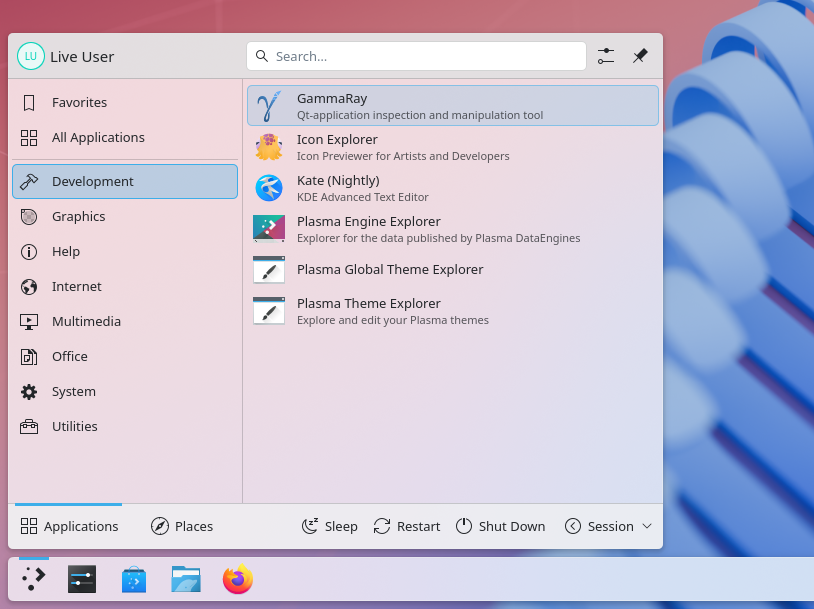
“It will come with the usable but powerful Plasma desktop environment, a full catalogue of applications, and a quick update cycle for users requiring the latest and most advanced software”, he notes in the release announcement.
It’s way to experience KDE directly from the people making it, as they intend it, free of modifications, branding, different default settings and so on.
Software included in KDE Linux Alpha includes Mozilla Firefox, Haruna (video player), Elisa (music player), Kate and KWrite (text editors) and Gwenview (image viewer).
There’s also a well-stocked set of developer tools onboard, with more available in the Discover app from the pre-configured Flatpak repos (including Flathub).
Keen to kick the tyres on KDE Linux?
You can download the first release from the KDE Linux website — just keep in mind it’s an alpha-quality release, and is currently designed for daily use by developers, testers and eager enthusiasts, so no getting cranky if things are still janky.
KDE Linux can be flashed to a USB (of at least 8GB) and booted/installed on pretty much any modern Intel/AMD PC or laptop with an AMD or Intel GPU. The only hard requirement is requiring UEFI — and it is rarer to not find that in use.
NVIDIA GTX 1630 GPUs (and newer) are supported but legal uncertainty prevent KDE from preinstalling proprietary kernel modules. This means NVIDIA GPUs older than the one mentions will not work out of the box.
Do you plan to try KDE Linux? What are your thoughts on the trend in immutable distributions? Let me know in the comments below.