



The GNOME project has announced the release of GNOME 49 “Brescia”, a major new version of the popular open-source desktop environment.


GNOME 49 features new default apps, new lock screen features, smoother interface animations and a glut of usability and accessibility improvements.
But it’s a feature removal which makes makes this release rather more notable.
GNOME 49 is the first version of the desktop to not support running on Xorg/X11 by default.
Distro makers and packagers can choose to re-enable X11 support in GNOME 49 at build-time, but the ‘official’ release has disabled it.
GNOME 49 Changes
I published a comprehensive overview of GNOME 49’s highlights last week, so check out that article if you are interested in seeing more detail on what this update has to offer.
But for those just wanting the key beats, here’s top-level checklist of GNOME 49:
- Accessibility menu added to the login screen
- Media controller on the lock screen
- Do Not Disturb mode has moved to the Quick Settings menu
- Independent display brightness adjustment when HDR enabled
- New icons to show when laptop is connected to power but not charging
- Image loading in GTK apps is now sandboxed using Glycin
- Support for 8/10/16 bit colour space
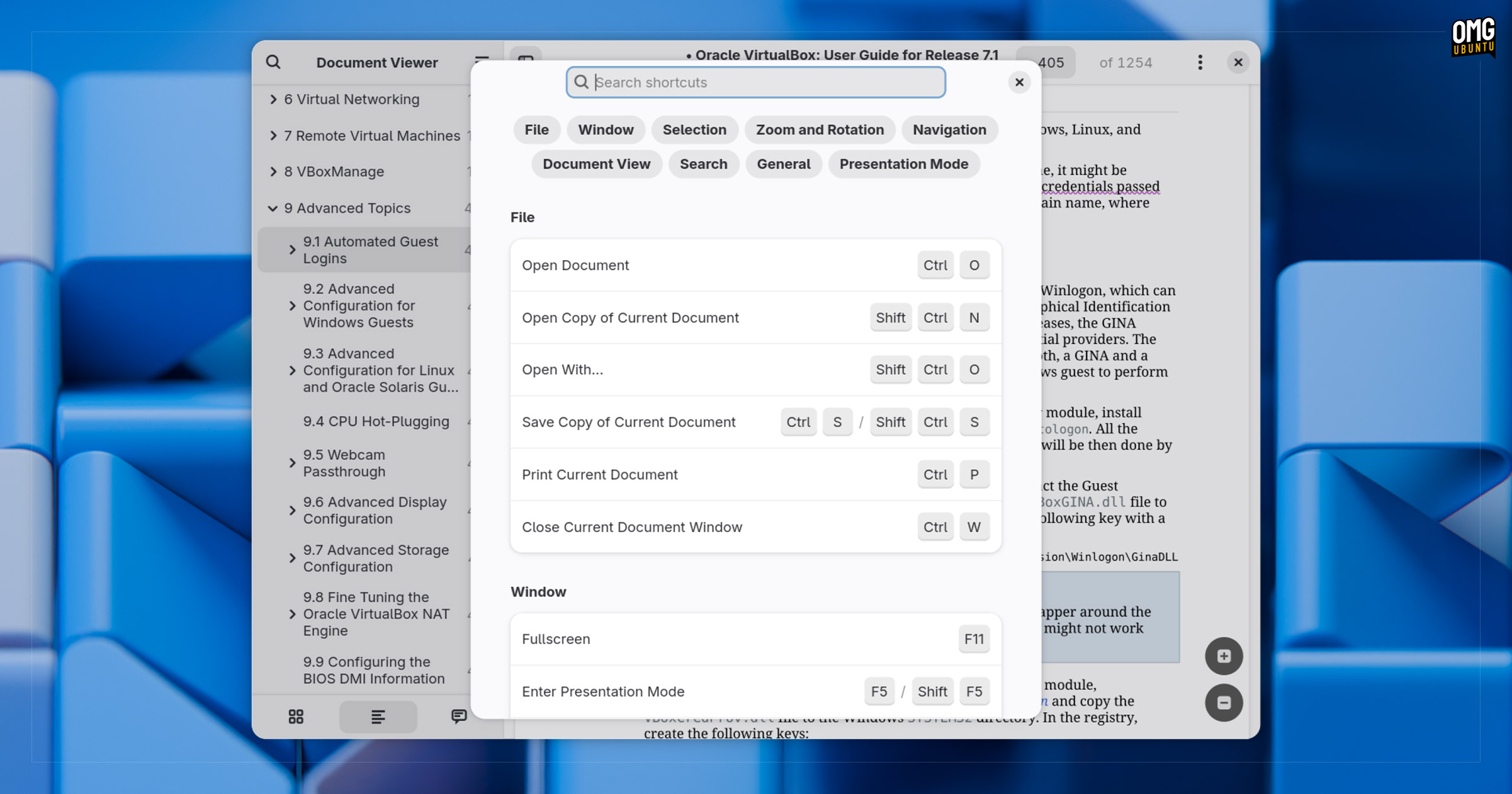
- New searchable shortcuts dialog in many applications
- Better fractional scaling calculations for sharper text and UI rendering
- Apps suspend if screen is locked
You can see the new app shortcuts dialog, the ‘do not disturb’ toggle in Quick Settings and the separate HDR brightness controls in these screenshots of GNOME 49, taken on the Fedora Workstation 43 Beta:

On the software side:
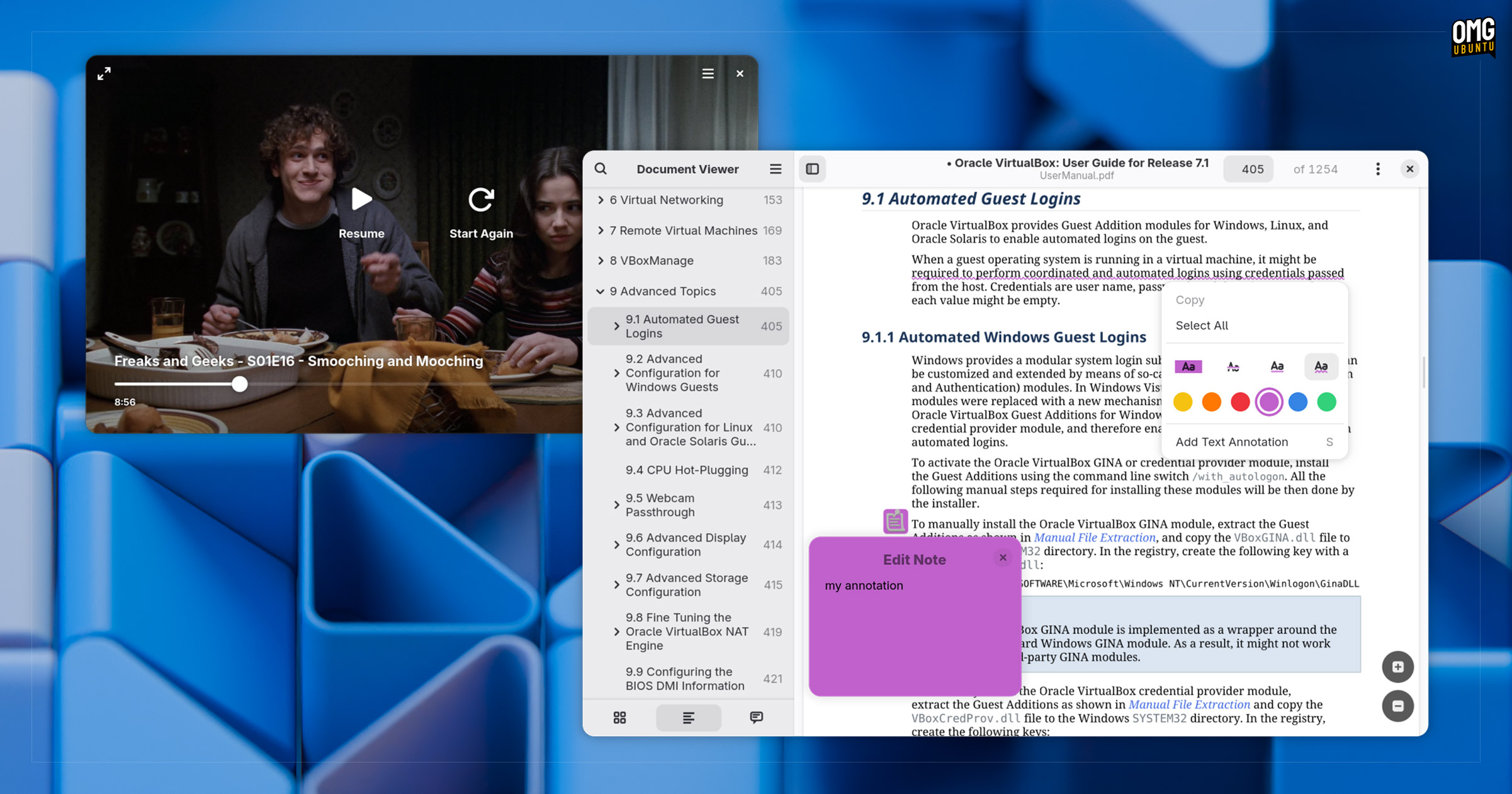
- Papers replaces Evince as ‘Document Viewer’
- Showtime replaces Totem as ‘Video Player’
- Files: Hidden and cut files use a new design treatment
- Files: Search pop over redesign with pill buttons and calendar widget
- Files: New ctrl + . shortcuts opens current folder in Terminal
- Calendar: Revamped UI with collapsible sidebar, new widgets, etc
- Connections: Touch input forwarding, relative mouse input
- Web: Address bar support inline completion, media mute button
- Web: Improved ad blocking; support for smart card security logins
- Maps: Localised icons, interactive street names, OSM pictures
- Software: Reduced memory usage, faster browsing/search
- Camera: Hardware-accelerated encoding; mirrored QR code scanning
- Settings: Dedicated Orca screen reader button
You can see the new video player and document viewer apps, and the various changes in the nautilus file manager, in these screenshots:

In all, a solid uplift.
Anyone familiar with recent versions of GNOME won’t find the latest update a dramatic change. The desktop still looks and works like GNOME always has.
The new apps match the design and technical direction GNOME is trending in, and the lower-level refinements add up to smoother and more reliable day-to-day usage — more than a match for anything offered up Google, Microsoft or Apple.
Getting GNOME 49
Linux users will find GNOME 49 shipped out-of-the-box in upcoming Linux distribution releases like Fedora Workstation 43 and Ubuntu 25.10. Availability in other distros will vary, but users on older versions of Ubuntu will not get this as an update.