


For most Ubuntu users, interacting with an AI chatbot means opening your web browser or (increasingly, your IDE). Newelle, a GTK4/libadwaita app, offers a different approach — and it just hit version 1.0.
Newelle bills itself as your “ultimate virtual assistant”, but it’s not quite as autonomous, anticipatory or flash-bang-wow as that makes it sound. You certainly can’t yell “Hey, Newelle – order me antacids to take the edge off all this hyperbole” (at least, not yet).
It’s simply a GTK GUI frontend to LLMs, be it synapse-stifling, water-guzzling broligarch hosted LLMs, like Gemini, ChatGPT, Groq (not to be confused with Grok), etc, or local open source models you run on your own hardware (in an Ollama instance, ideally).
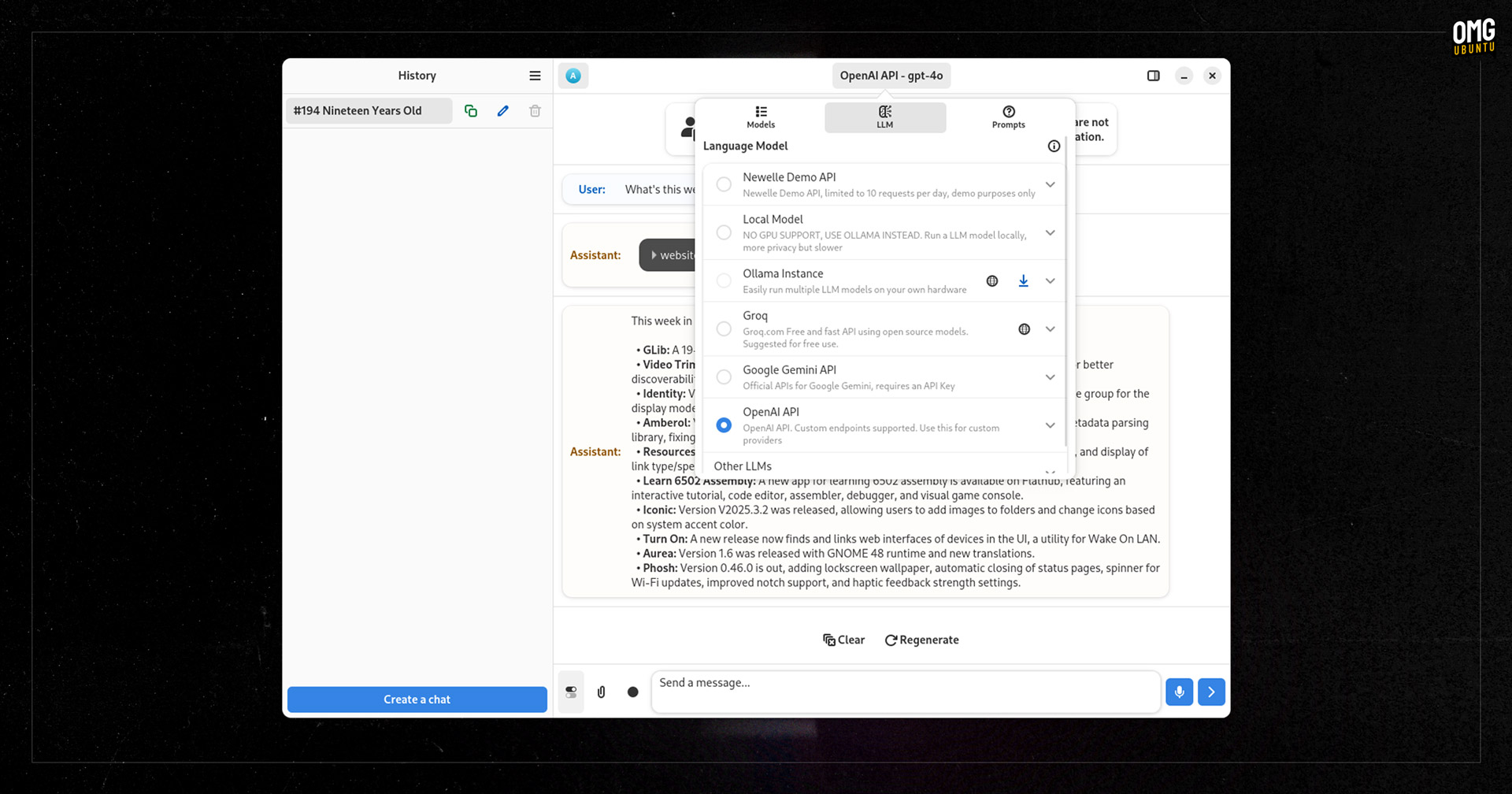
Using a local model offers upsides in relation to data privacy, model assurance, and control but a downside in speed: LLMs require beefy GPUs to run efficiently and most models are multi-gigabyte downloads.
Newelle Features
Newelle includes a number of features which help it stand apart from browser-based tools (or web wrappers around them).
It supports voice chat using Speech-to-Text and TTS models, can tackle web searches, and even run terminal commands (!) for you. You can drag documents into Newelle to “chat” with the contents, and use the built-in file manager to “manage files with the help of AI” (!!).
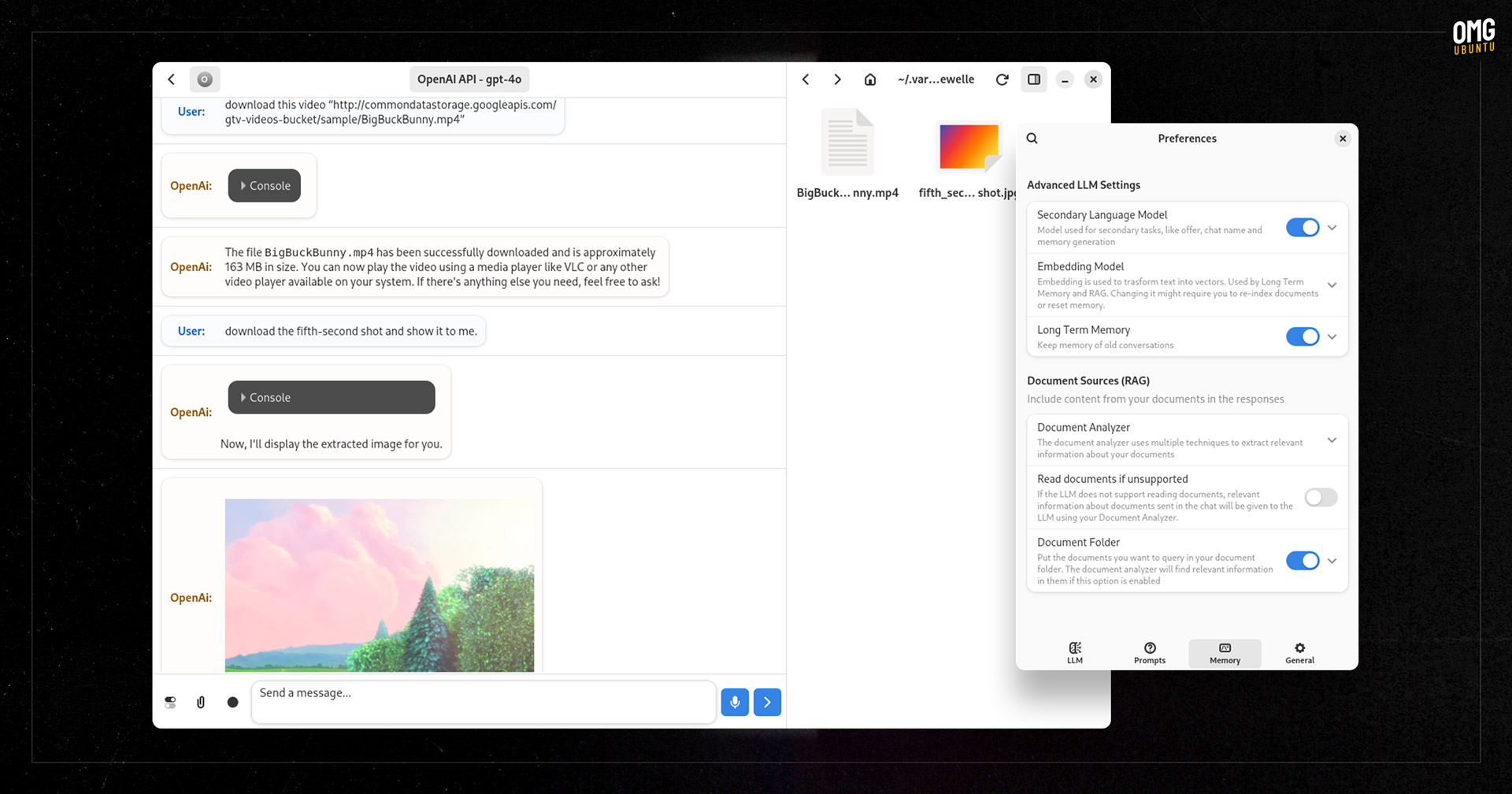
A setting to enable long-term memory to retain information is handy, especially if you hate repeating yourself or are tackling a project and want to rely on earlier context. You can also save/edit prompts to save yourself the effort of needing to manually guard-rail each new chat.
Newelle also supports ‘extensions’, which enable you can bolt on additional functionality or capabilities, like image generation through Stable Diffusion, and make use of them within your other chats. The extension system is open, and anyone can create their own.
Swapping tab-based chatbots for a standalone windowed one has some benefits, but will still command a fair amount of screen space. So it’s possible to create a custom keyboard shortcut to open Newelle’s “mini-mode” which appears in a smaller window. The project GitHub walks through the command you need to bind to your chosen shortcut to trigger it.
In all, Newelle offers solid set of capabilities, and setup is relatively straightforward for those well versed in LLMs or eager to explore the integrations provided. For novices, it’s not quite “install and use” simple the way ChatGPT or Google Gemini is.
To use an online provider, such as OpenAI’s ChatGPT, Google’s Gemini, or Anthrophic’s Claude, you mist provide your own API key. A ‘demo’ cloud model is enabled out of the box but is limited to 10 responses a day (ergo, don’t expect a psychosis-inducing chat).
Certain features, including document parsing, image generation and LaTeX rendering, only work with certain LLMs, but the included Profiles feature makes it easy to setup different configurations for different models, and quickly switch between them.
Worth using? You decide!
Alas, I didn’t get to “experience the future of AI assistance with advanced customization, flexible model support, and seamless integration” that the (obviously1 AI-generated) front-page blurb described, as Newelle’s demo server was offline (and I lack API keys to other services.)
But in light of recent comments that I should tone down the snark when I write about Linux AI tools on this blog, perhaps that lack of access might be fortunate? I get the criticism of my criticism since AI is just a tool.
However, just because AI is, say, a hammer, it doesn’t mean everything is a nail. Conversely, it doesn’t mean there aren’t nails — or strained tool-based metaphors — which will benefit from a good thwack with the AI mallet.
If you want to find out if Newelle is novel enough for your needs, it’s available on Flathub.
- ‘Seamless’ — the past year alone I’ve read that word more than any other. If we go by pre-ChatGPT verbiage, the world seemed (get it) to have been full of nothing but seams. ↩︎