



Curious about what devices are connected to your local network? Beyond your laptop and phone, there may be a fair few chattering away to each other and the web at large — each a potential point of interest, or a vulnerability.
For many system admins and curious Linux users, mapping a local network often means firing up a Terminal and using a command-line tool like nmap — a smart, capable choice for those who know what they’re doing, and why.
Not everyone likes the terminal, so plenty of GUI network scanning apps are available for Linux. Angry IP and Nmap’s official GUI, Zenmap, are two of the best known open-source tools.
But, again, those tools give info-dense readouts that casual users may find overkill and off-putting for trying to answer a simple question, like “what ports are open on which devices on my local network”.
Which is where NetPeek comes in.
NetPeek is a Nifty Network Scanning App
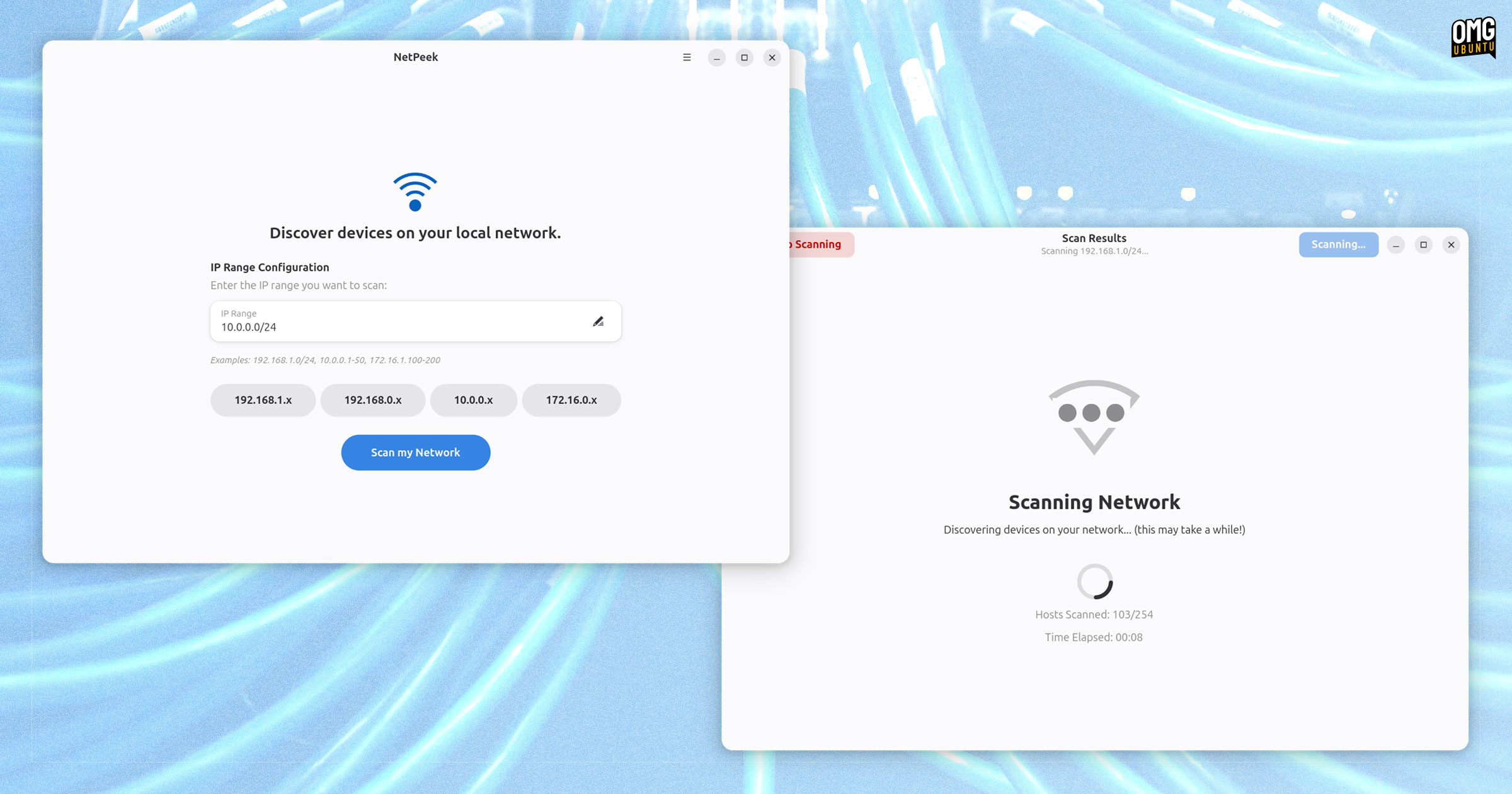
NetPeek is a modern network scanner for GNOME, built in Python with a GTK4/libadwaita interface. It is free, open-source software with code available on GitHub.
The app pairs a simple, easy-to-understand interface with an equally set of features — to wit: it isn’t out to rival nmap et al, simply handle the basics:
- Network scanning to find active devices on your network
- Port scanning to see open ports on all detected devices
- Multi-threaded for fast concurrent scanning
- Flexible input with support for CIDR notation, IP ranges, and single IPs
- Automatic IP detection to find your local IP range
The IP of each device detected by NetPeek can be quickly copied your system clipboard for pasting/use elsewhere. IP addresses are shown in ascending order, which makes it easier to see devices between scans without them jumping around.
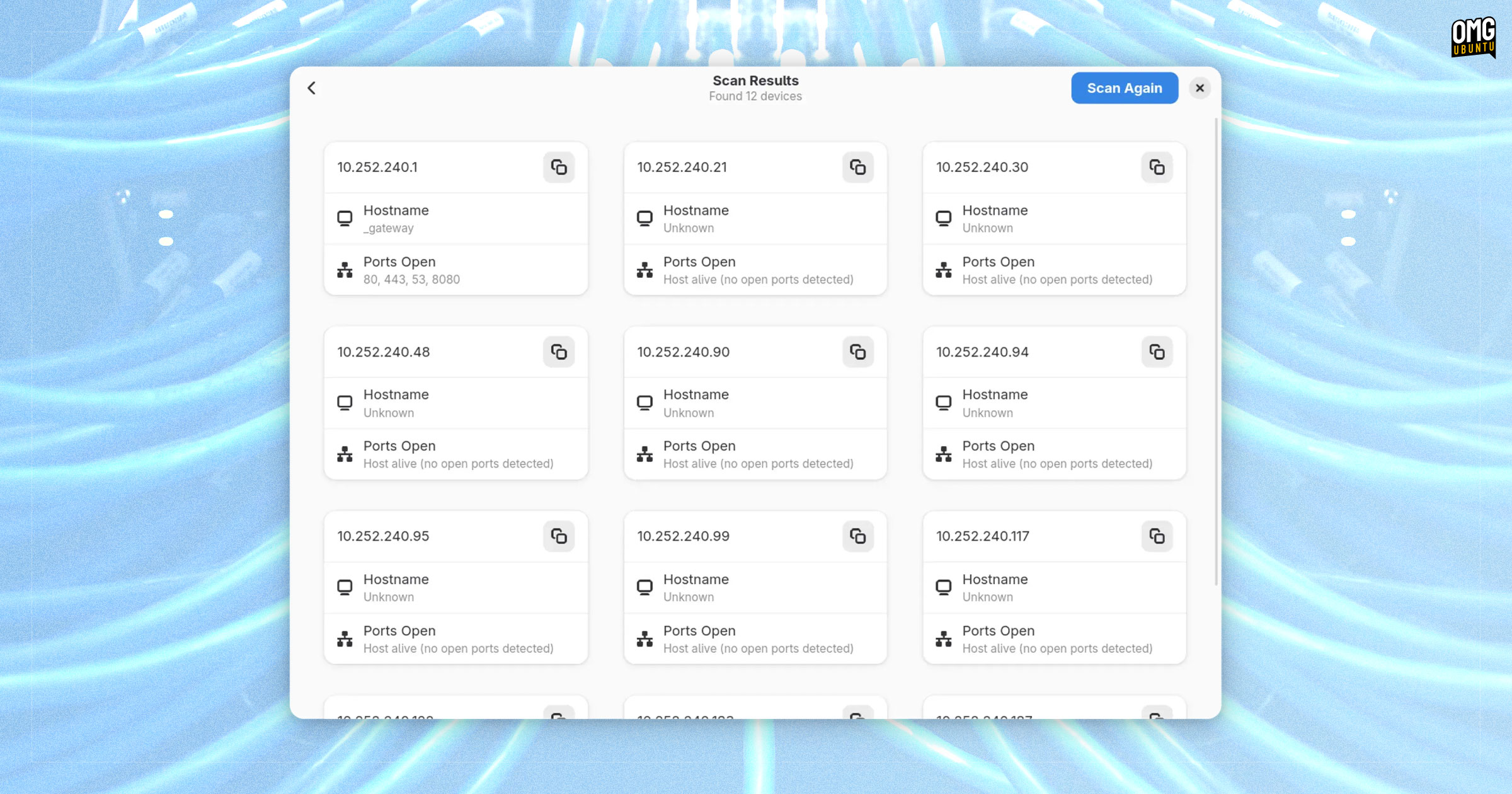
And that is all there is to it.
While network scanning apps are often used by hackers, they’re equally useful to anyone who wants to learn more about their own network to improve security, diagnose network issues, or generally nerd out doing network management in a homelab.
Though, obviously, users should only probe networks they have permission to.
Network scanning doesn’t have be a terminal-bound, terminally-intimidating task on Linux, as NetPeek shows, meaning you don’t need to use dodgy ‘free’ mobile apps or or websites to get an easy-to-parse readout of what’s connected around you.