



Modernised theme, support for fingerprint login, and a more immersive way to stream TV channels on your desktop are among the features on offer in Linux Mint 22.2, which just hit beta.
Linux Mint 22.2 “Zara” is the third update in the Linux Mint 22 series, and adds to the features in Linux Mint 22.1 “Xia”, which shipped a sizeable set of changes (including a revamped Cinnamon desktop theme) at the start of the year.
This update is be based on Ubuntu 24.04 LTS and inherits the latest Ubuntu HWE update, so Linux Mint 22.2 runs on Linux kernel 6.14, Mesa 25.0.7 (with the Mesa Amber package for older GPUs), and other assorted underlying enablement bits.
Anyone installing Linux Mint 22.2 gets near-full access to the Ubuntu 24.04 LTS repos, but as Linux Mint prevents snap installs by default — which you can re-enable — Firefox and Thunderbird are provided as regular DEB packages.
For a look at what’s new in this beta, read on.
Linux Mint 22.2: What’s New?
Visual improvements

Linux Mint 22.1 refreshed the look, feel and functionality of the Cinnamon desktop. For the follow-up, the distro’s developers have turned their attention to other aspects of the desktop experience.
The login screen in Linux Mint 22.2 now uses a blurred background behind the user/session box, giving the greeter a slick look when a colourful or busy background is beneath. The account box now displays user avatars (if one is set).
Both changes add some extra polish to a distro often hit with a stick that reads: “looks dated, mate”.
Elsewhere, Linux Mint introduces a “little bit of blue” to its default Mint-Y theme. This lends the (expansive use of) grey a subtle “metallic” sheen. Lots of apps and websites apparently use bluish greys as coldness is viewed as looking more ‘modern’.

In the Mint-Y light theme, app headers go from #e8e8e8 to #ebebed, while dark theme elements in the Cinnamon desktop shift ever-so-slightly softer. Unless you used a colour picker, I dare say you would not notice the changes. They’re subconscious cues, if anything.
Linux Mint 22.2 now plays nicer with GTK4/libadwaita apps — or is it the other way around? — as it’s patched the libadwaita stylesheet to work with the Mint-Y, Mint-X, and Mint-L themes the distro ships with.
Accent colours set in Cinnamon also now reflect across such apps, including Flatpak apps installed from Flathub (which Linux Mint already enables out-of-the-box, giving everyone a GUI frontend to Flathub in the Software Manager tool).

Mint lead Clément Lefebvre says all of these changes make themes look “more modern”, as dark mode is softer and Cinnamon panel elements become “much nicer looking”. He adds that GTK4/libadwaita apps fit in “a little bit better” as they already use the same colours.
As I reported on earlier in the year, Linux Mint forked libadwaita into libadapta, which it says “provides the same features and the same look as libadwaita by default” but will allow Mint devs and distro users to do what they want, theme-wise.
Something to watch for when Linux Mint 22.3 is released early next year.
Fingerprint support
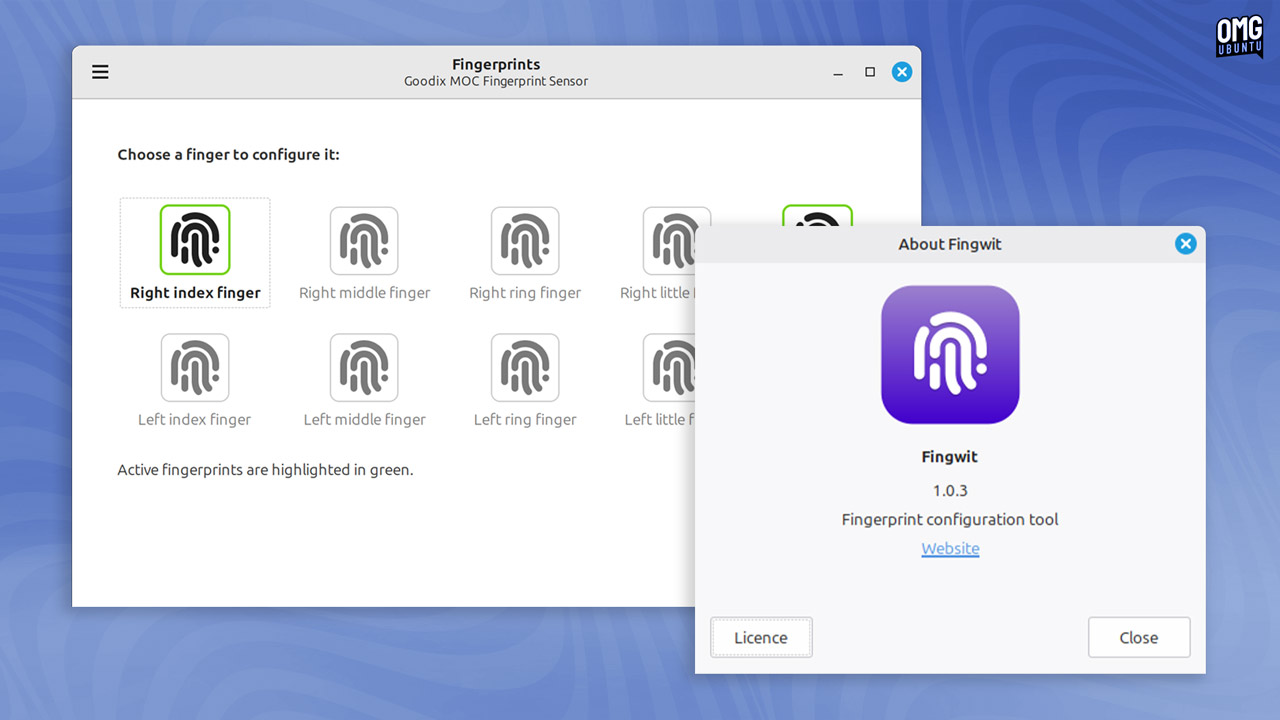
Linux Mint 22.2 includes a brand new desktop utility, Fingwit.
“Fingwot?”, you ask—good question! Fingwit is a new XApp — distro and desktop-agnostic — able to enrol, manage and configure fingerprints on laptops and PCs that have a (working) fingerprint reader under Linux.
A fingerprint can be used to authenticate and run sudo commands, admin apps (via pkexec), and log in to Linux Mint from the greeter (providing home encryption or keyring are not enabled, in which case a password will still be required).
Sticky Notes that stick
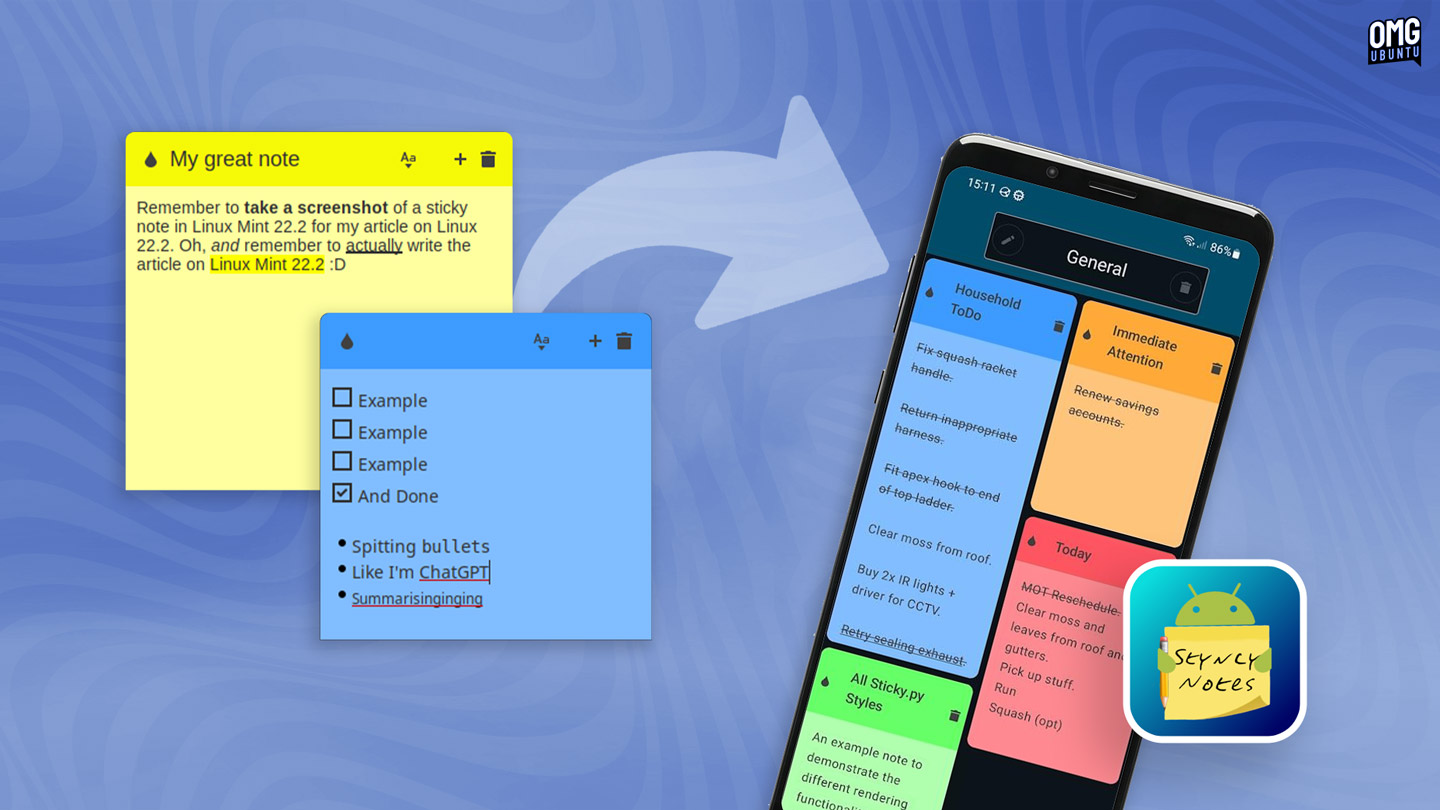
Forgetful? Forget I asked—wait, you will! But even if your recollection is fine and dandy, it doesn’t hurt to jot down notes for reminders. Linux Mint’s Notes app (aka Sticky) offers a (semi) eco-friendly alternative to gum-stripped paper notes.
Plus, you won’t need to scour the house to find a pen that works.
Notes in Linux Mint 22.2 sport rounded corners at the tops of notes, but the change worth making a note of (sorry) is Wayland support. Yup, if you want to test the Cinnamon Wayland session (which remains experimental) you can now plaster your screen in post-its.
For ardent users, Linux Mint has also announced that a new companion app for Android is available via F-Droid. This supports the same formatting features as the desktop version and enables you to sync notes between devices using SyncThing and a .json file.
Hypnotix’s new viewing modes

If you use Hypnotix, the IPTV player app, to watch TV on Linux Mint, you will appreciate the inclusion of two new ‘modes’ when watching. These are in addition to full-screen, but more useful for times you want to watch something as you work or, er, watch something else:
- Theatre (F6) hides controls and menus, keeps window borders and titlebar
- Borderless (F7) hides everything for a floating PiP-style effect
To move Hypnotix when borderless mode is active (without exiting by toggling the keyboard shortcut) press Alt and drag the player using your mouse – such as to the corner of the screen to ‘snap’ it in place!
Hypnotix sees performance improvements that make it faster to start and improve search by using a scroll listener to dynamically load channels only as needed.
The app also now inhibits screensaver and screenlock if playback is active, while the volume no longer resets each time you change channels — which will be a relief to anyone tuning in to certain types of late-night TV in a quiet house…
Other software changes
Now that the “libadwaita” issue has been semi-solved, Linux Mint 22.2 includes updated (libadwaita-toting) versions of GNOME Calendar, Simple Scan and Baobab, the disk analyser tool.
A new thumbnailer was added to show cover art for .aiff audio files through the system, namely xapp-aiff-thumbnailer. This is preinstalled in Linux Mint 22.2, but if you find AIFF files don’t show rich previews in apps, double-check.
Warpinator, the app for sharing files between devices using a local network, gains minor tweaks, but is now a little more versatile with the arrival of a Warpinator app for iOS and iPadOS. There’s already an Android version, for those wondering.
Elsewhere:
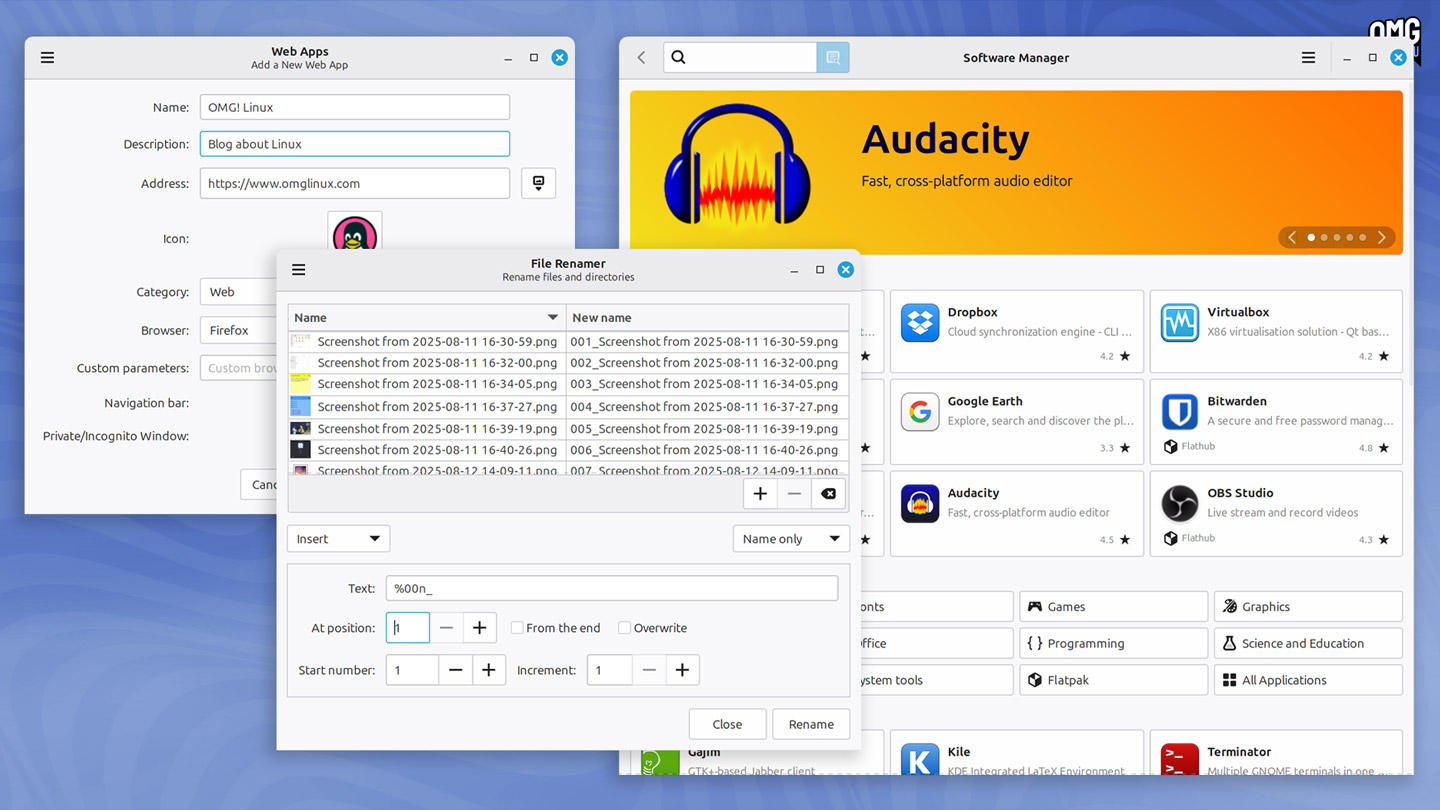
- Software Manager – improved welcome screen
- WebApp Manager – webapp description field editable
- Xviewer – EDID-based colour correction is now disabled by default
- Renamer – now supports leading zeros, enumeration and increment step
- Timeshift – various Btrfs improvements
- Mint Menu – resets application list order after a search
- Updater Manager – shows reboot button if reboot is required
Plus, lots of other smaller updates, fixes, and translation bumps throughout desktop and software stacks. Add in the foundational uplift from the underlying Ubuntu package set and you’ve got a solid update – albeit less showy than the last!
More details on the Linux Mint website.
Trying Linux Mint 22.2 Beta
Download the Linux Mint 22.2 beta from the Linux Mint website. System requirements have not changed from other 22.x series releases, so as long as you have a 64-bit Intel/AMD PC and 2GB RAM you’re good to go, though better specs = better experience, ofc.
Check over the list of known issues/problems if you do try it out. As a beta, be aware that things may continue to be a bit rough. You should report any issues you find to Linux Mint via GitHub (at that link) so things can be investigated and fixed.
If you install the beta on your laptop or PC you can upgrade to the final stable release (once it arrives) by installing all software updates that get pushed out between now and then.
Existing users can upgrade Linux Mint 22.1 to Linux Mint 22.2 shortly after the stable release, which is expected to arrive early next month (all being well, it may be a little sooner).
All releases in the Linux Mint 22.x series are supported with updates through 2029.