



The Wellbeing controls available in Ubuntu 25.04 make it easy to get periodic prompts to move your butt or look away from your screen — you might not want them enabled all the time, though.
Wellbeing controls were one of the flagship features of GNOME 48. As well as screen time monitoring (with controls to set a screen time limit, and turn the display greyscale when it’s reached), you can enable reminders to take a break and move.
Alerts telling you to get up and move may be helpful during the day, but at nighttime when you’re, say, engrossed in watching, reading or doing something, they’re probably more annoying than anything.
You can go to Settings > Wellbeing to turn them off as/when you need. Thing is, will you remember to turn them back on again?
One developer has created a mindful way to quickly turn those Wellbeing reminders on/off through a button it adds to the GNOME desktop’s Quick Settings menu:

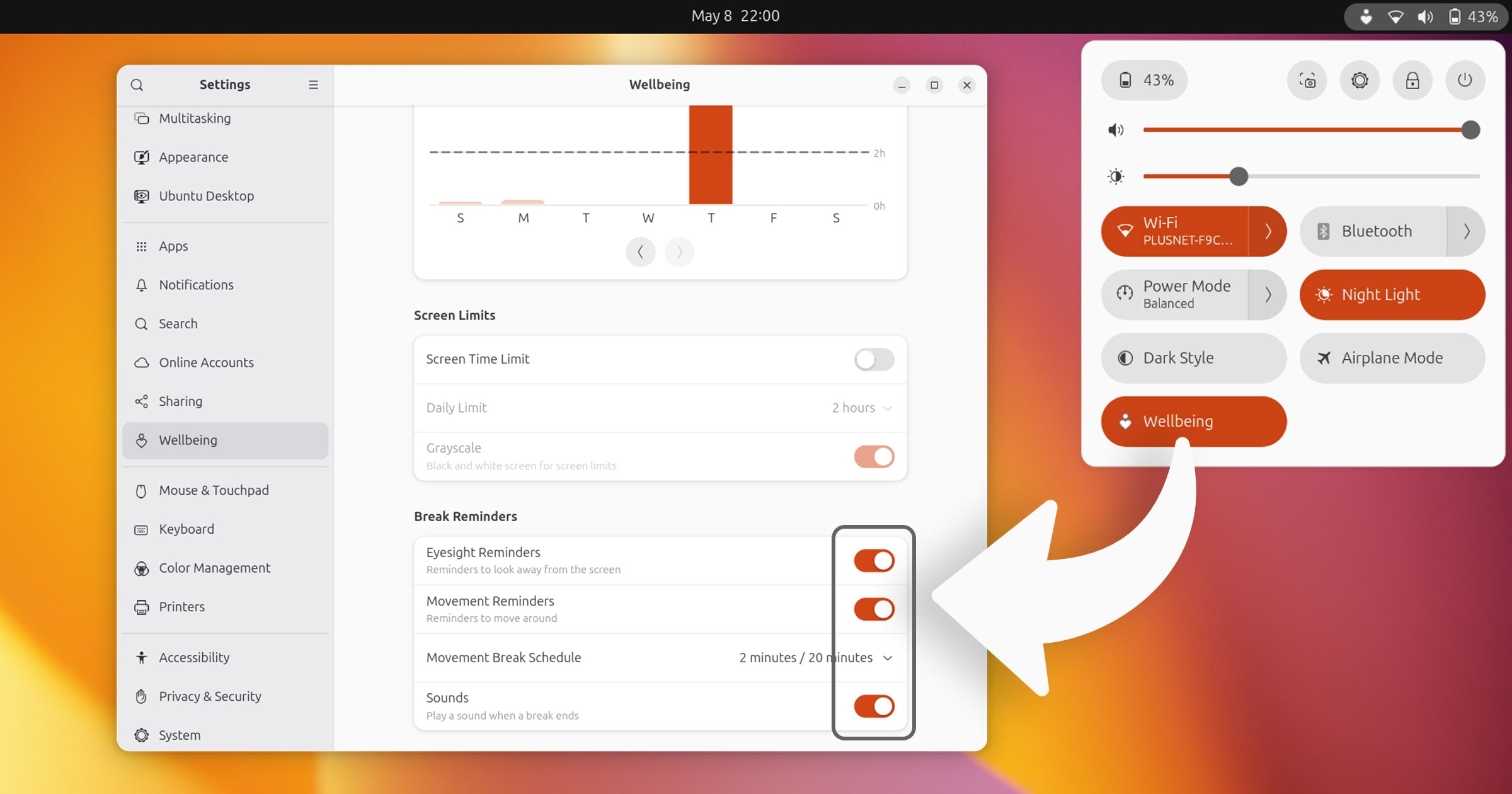
If Wellbeing reminders are active, this extension appends a small icon to the panel. That way, you’re aware you may be nagged (at some point) to get up and move. If reminders are toggled off, no icon is shown.
Admittedly, this Wellbeing Toggle extension doesn’t do anything you can’t already do yourself. You can go to Settings > Wellbeing at any time. Is this a “lazy” shortcut? I don’t think so. It’s more likely to encourage you to re-enable them since it’s a click away.
If you think it sounds useful to you and your workflow, you can install this extension from the GNOME Extensions website (but don’t futz with a web browser, use the all-in-one Extensions Manager app, which can be installed from the Ubuntu repos or Flathub).
Wellbeing Toggle (understandably) only supports GNOME 48 since the features it toggles weren’t present in earlier versions.