



The elementary OS 8.0.1 release back in March brought an appreciable set of improvements with it, including a much-improved Files app, but as ever in development: the work never stops!
Project founder, Danielle Foré, recently recapped a few smaller features that have been issued to users of the Ubuntu-based Linux distribution as software updates, including:
- Prevent Sleep button – i.e., Caffeine for elementary OS, available OOTB
- Language settings – benefits from a ‘more responsive design’
- Wacom settings – stylus detection no causes a crash if none found
- In-App purchases – AppCenter labels free apps with paid content inside
If you run elementary OS 8.x, install your updates and eat your greens, you should be benefitting from the changes listed above (if you don’t have them, go update to get ’em).
But Danielle also gave us an early-look at an exciting new app and a major user-experience change that are in development, planned for a future release.
Let’s take a look at those.
‘Monitor’ makes resource checking easier
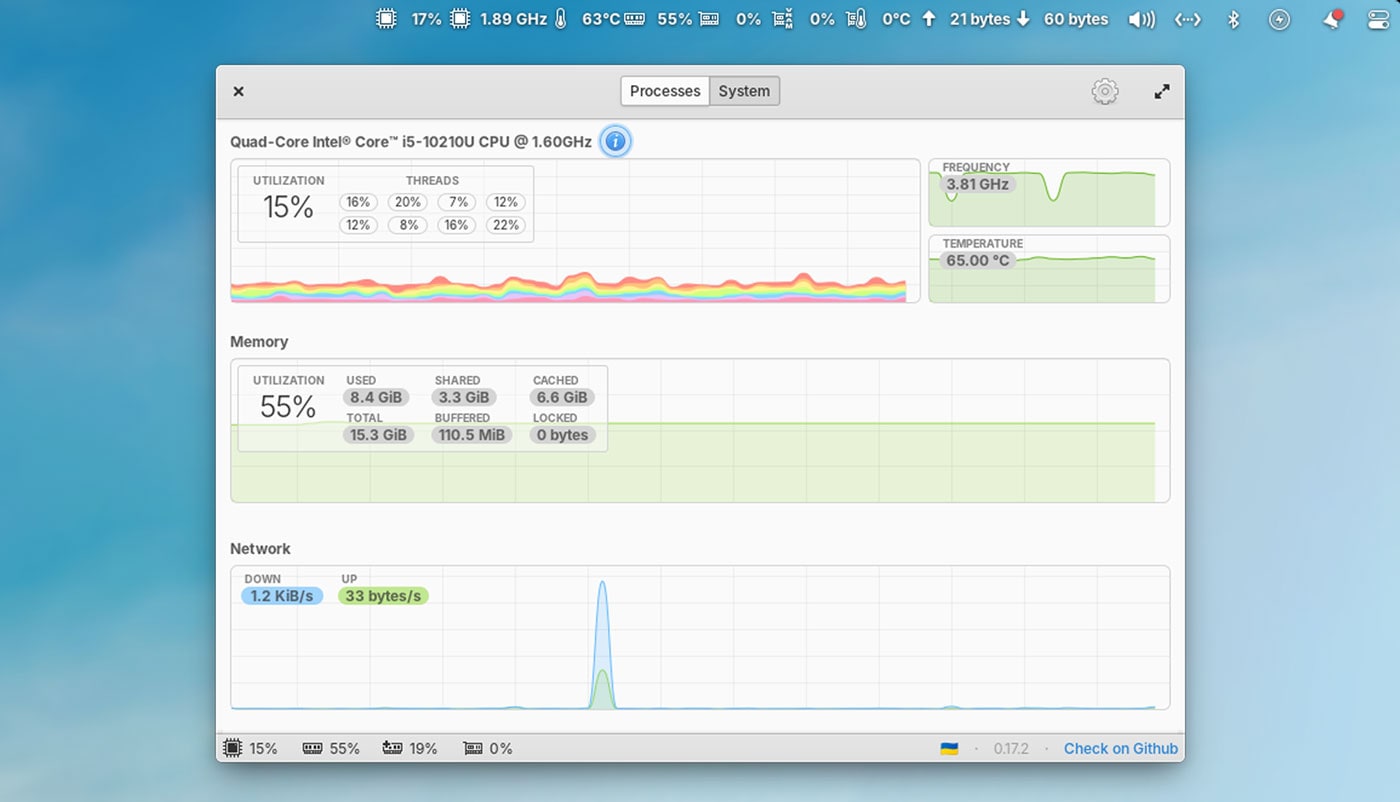
First up is something seriously cool: an improved system monitor app (‘Monitor’). As you’d expect from such a utility, it provides an overview of system hardware, with stats, graphics and charts relaying real-time info on network, CPU, RAM, GPU usage, a process list, etc.
But it’s what’s not in the app itself that is, to my eyes, a lot cooler.
The new Monitor app for elementary OS is able to (optionally) show system resource usage in the top panel, giving you glanceable stats for easy, fuss-free observation at any time:
The app itself looks great, and sponsors of elementary OS on GitHub can get ‘early access’ to the new and improved Monitor utility for testing.
An interesting change – but it’s not the only one.
Access workspaces from the dock
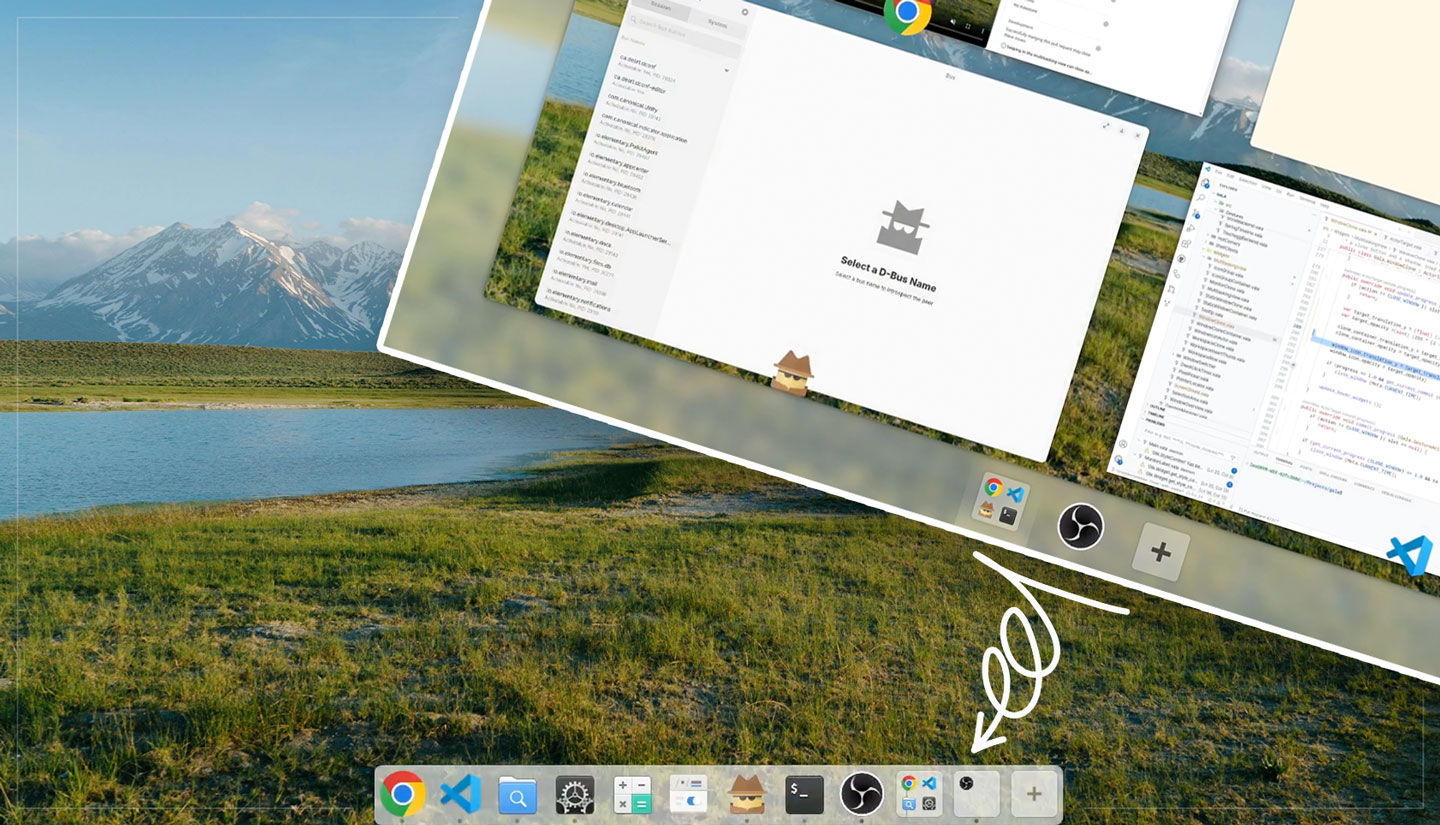
Workspace management is being added to the elementary dock.
Workspaces in the dock look like workspaces in the Multitasking View: each workspace is a tile with the icons of the apps open on it. Clicking a workspace tile takes you to the it; clicking the current workspace tile tiggers the Multitasking View.
There’s a “+” button to open a new blank workspace, and you can drag-and-drop workspaces to rearrange them – all from the dock.
Danielle describes this change as “probably the biggest change to the Pantheon shell since its early inception”, adding that it “makes it so much more accessible to multitask with just the mouse and get an overview of your workflows”.
Another workspace buff will chime with those with touchscreen devices who are used to Android and iOS workflow: swiping up on windows in the Multitasking View will close them – no need to precisely prod a tiny “x” button.
Beyond those changes, there’s further GTK4 porting work underway, screenshot notifications (with a button to open the snap in the file manager), and, as Ubuntu 25.04 has done, using beaconDB as a replacement for the axed Mozilla Location Services.
When can I get these changes?
Those running elementary OS will get these “new” features in a future release, either elementary OS 8.1 or further out, elementary OS 9.
Can’t wait until then to sample the newness? If you don’t mind braving bugs, development quirks, and other potential instabilities, you can sponsor elementary on GitHub to get “early access” to daily and month development releases for testing.