



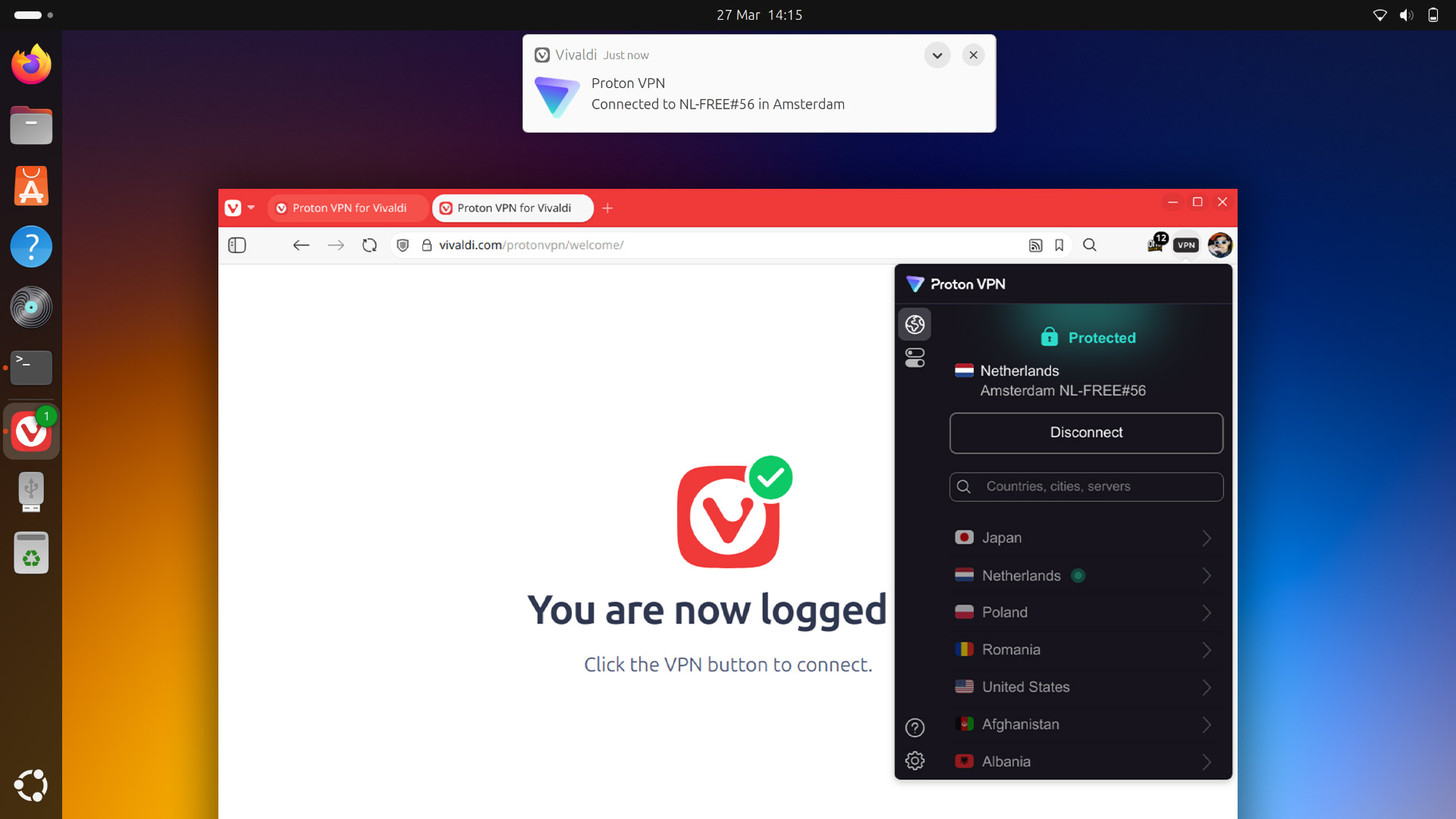
The Vivaldi web browser is famed for offering a plethora of options, settings and features that cater to all kinds of use-cases and needs — today it added a new one: an integrated VPN.
Proton VPN for Vivaldi is exactly what it says it is: Proton VPN in Vivaldi – as in, no need to download an app or configure anything on a system level since you click a button and, bam, it’s there in browser, ready to use when/if you need.
Vivaldi isn’t blazing new ground here since other web browsers either include a built-in VPN (like Opera) or have a first-party one (Mozilla VPN) that can be installed with a couple of clicks.
But Vivaldi CEO Jon von Tetzchner says his company’s decision to partner with the Swiss-based Proton is about something deeper than product synergy: it’s about values.
“We’re both European companies, proudly outside the orbit of Silicon Valley’s extractive playbook or China’s state-driven oversight. We don’t believe your personal data should be a bargaining chip,” writes Tetzchner.
“With this partnership, we’re uniting two forces in tech that build for people, not investors. It’s not about growth hacks or shareholder slides. It’s about protecting the web for the people who use it.“
I’d imagine most Linux users have at least heard of Proton—like many VPN providers, they sponsor a lot of YouTube channels and social media ‘influencers’1—if not use some of their ‘free’ products, including the existing free tier of Proton VPN or Proton Mail.
Being governed by a Swiss non-profit2, Proton says it has no explicit political leaning—though Proton’s CEO induced ire by praising the current American government’s FTC picks—which vibes with Vivaldi, also politically neutral.
Enable Proton VPN for Vivaldi
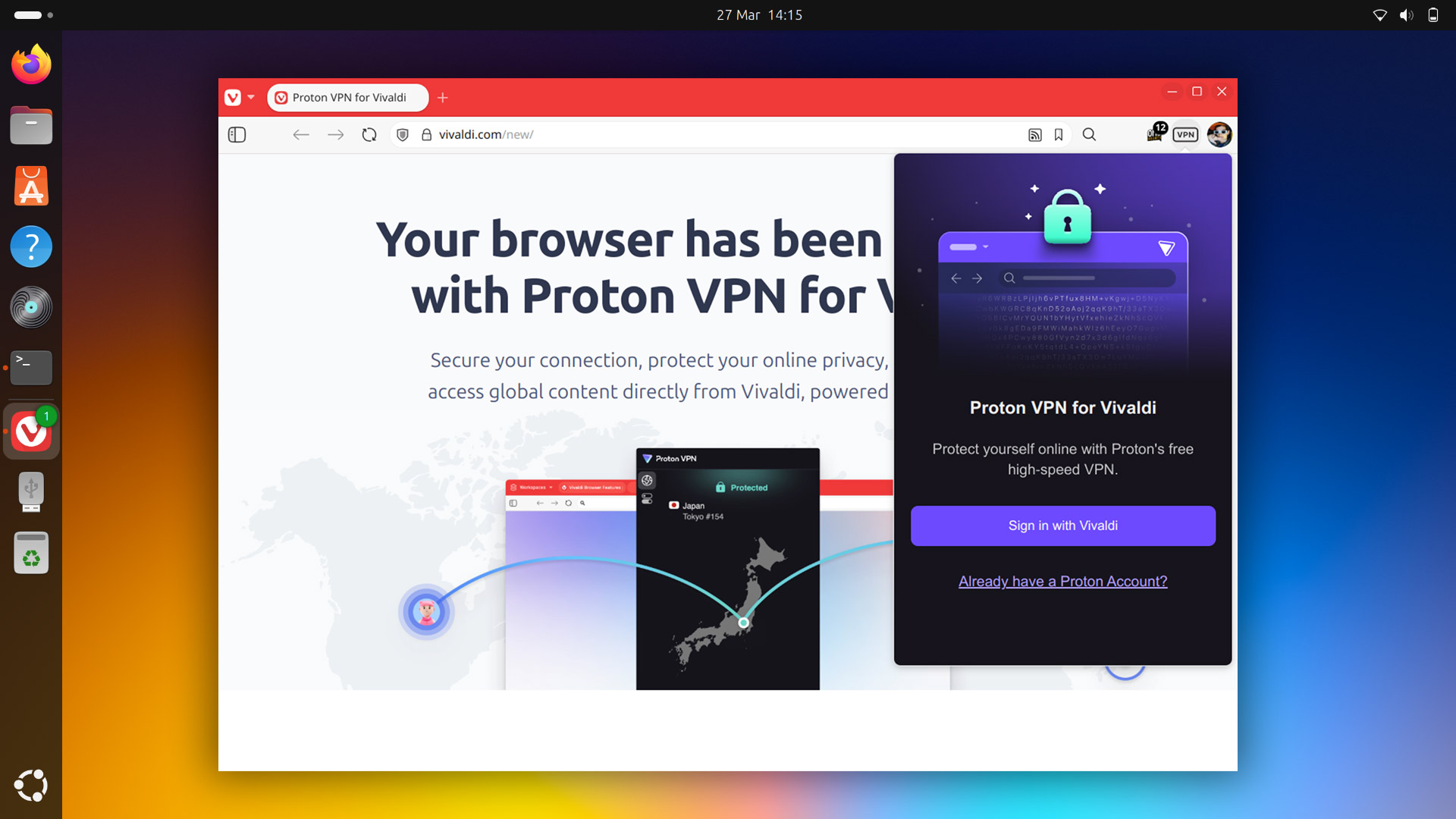
Proton VPN for Vivaldi is available out-of-the-box in the latest desktop build of Vivaldi on Windows, macOS and Linux.
To enable it:
- Click the VPN button in the toolbar
- Log in with your Vivaldi account3
- Click ‘Connect’ to enable the VPN
Already have Vivaldi installed but don’t see the new VPN button? Run an update check and install any pending update (if you use the Vivaldi snap go to App Center > Manage > Refresh to check for an update, or run sudo snap refresh in Terminal).
Remove Proton VPN for Vivaldi
If you don’t want or plan to use Proton VPN for Vivaldi (because you don’t need a VPN, don’t trust Proton, or use a different provider) you can “remove” the feature easily enough: right-click the VPN button in the toolbar and click ‘remove’.
However, if you click the icon (even if you don’t login) the Proton VPN web extension is downloaded and installed in Vivaldi. If you’ve clicked the VPN icon (even once) you can open vivaldi:extensions in a new tab and remove the extension from there.
Worth Using?
In terms of UI, Proton VPN for Vivaldi is the Proton VPN Chrome extension (see above; it gets downloaded the first time you click the button). If you use Proton’s VPN extension there’s nothing different here per se, other than you get to sign in with a Vivaldi account.
In terms of features, again, it’s the same as what’s provided from the Proton VPN Chrome Extension under the free tier. Many features, like selecting a server in a specific country, require a paid plan so the UI has lots of upsell nags, greyed-out options, etc.
Proton VPN’s free tier is very generous, with no data or bandwidth limits, no ads, no slow-downs, etc. It cannot be used for some activities (like torrenting) so keep that in mind. Paid Proton VPN plans to unlock more features start at $10/m4.
Vivaldi don’t say if they get an affiliate kick-back when users of Proton VPN for Vivaldi sign-up to a paid Proton VPN subscription.
Whilst using a proper VPN client or setup will be more secure than relying on a browser-based VPN, this is far less fuss: it’s already there, free, and easy to enable – if you want to, of course.
- One of the reasons I settled on Mullvad VPN–not that I expect anyone to care about my choice of VPN—is they explicitly do not pay for reviews, sponsor influencers, or offer an affiliate scheme that incentivises positive recommendations on the web. It’s also one of the few VPNs outside of US jurisdiction, if that matters. ↩︎
- On a broader point, some people read “non-profit” and assume “must be virtuous”—I’m not suggesting Proton isn’t, fwiw—which isn’t a given. As I’ve seen it put: “Non-profit” is a tax exemption, not a moral code”. ↩︎
- You can sign in with an existing Proton account too, fwiw. ↩︎
- Not shilling Mullvad VPN (much) but it’s cheaper at ~£4.50/$5.50 a month PAYG so no subscriptions or recurring plans you’ll forget to cancel, you don’t have to give an e-mail to sign up, and you can even pay in literal cash if you want. ↩︎