



A new beta release of open source graphics editing app Pinta is available for testing.
Pinta 3.0 (beta) gives fans of this cross-platform raster image editor, which is directly inspired by the iconic Paint.NET Windows app, an early opportunity to try out the changes it brings — and there’s a fair few!
The most impactful change in Pinta 3.0 is the most obvious one: it’s revamped UI.
Newly ported to GTK4 and libadwaita, Pinta 3.0 swaps a traditional window frame and text-based menu bar for a button-based header bar.
Long-time users may might themselves taking a bit of time to adjust to the new layout, but it’s logically ordered and, from a poke around, doesn’t appear to have lost any options in the switch – though some new ones have been added (more in a mo’).
The GTK4 port does change how the File > New Screenshot option works. On Linux, it uses the XDG screenshot portal (which in Ubuntu is the GNOME Shell screenshot overlay), while macOS users see the native screenshot overlay.

Pinta 3.0 sees “add-ins” return, having disabled the feature in the Pinta 2.0 GTK 3.0 port. This also filters out (doesn’t show) add-ins which are incompatible with the current version of Pinta, which is handy.
There’s a new preference to manually switch between dark and light colour scheme irrespective of system setting (Pinta works across DEs and OSes, remember), and brush size and line width settings for various tools can now be stepped with [ and ] keys.
It’s now possible to collapse the Layers and History panels on the right-hand side of the app down to buttons, and access the options within via a pop-over. This is great when you need more canvas space on show.
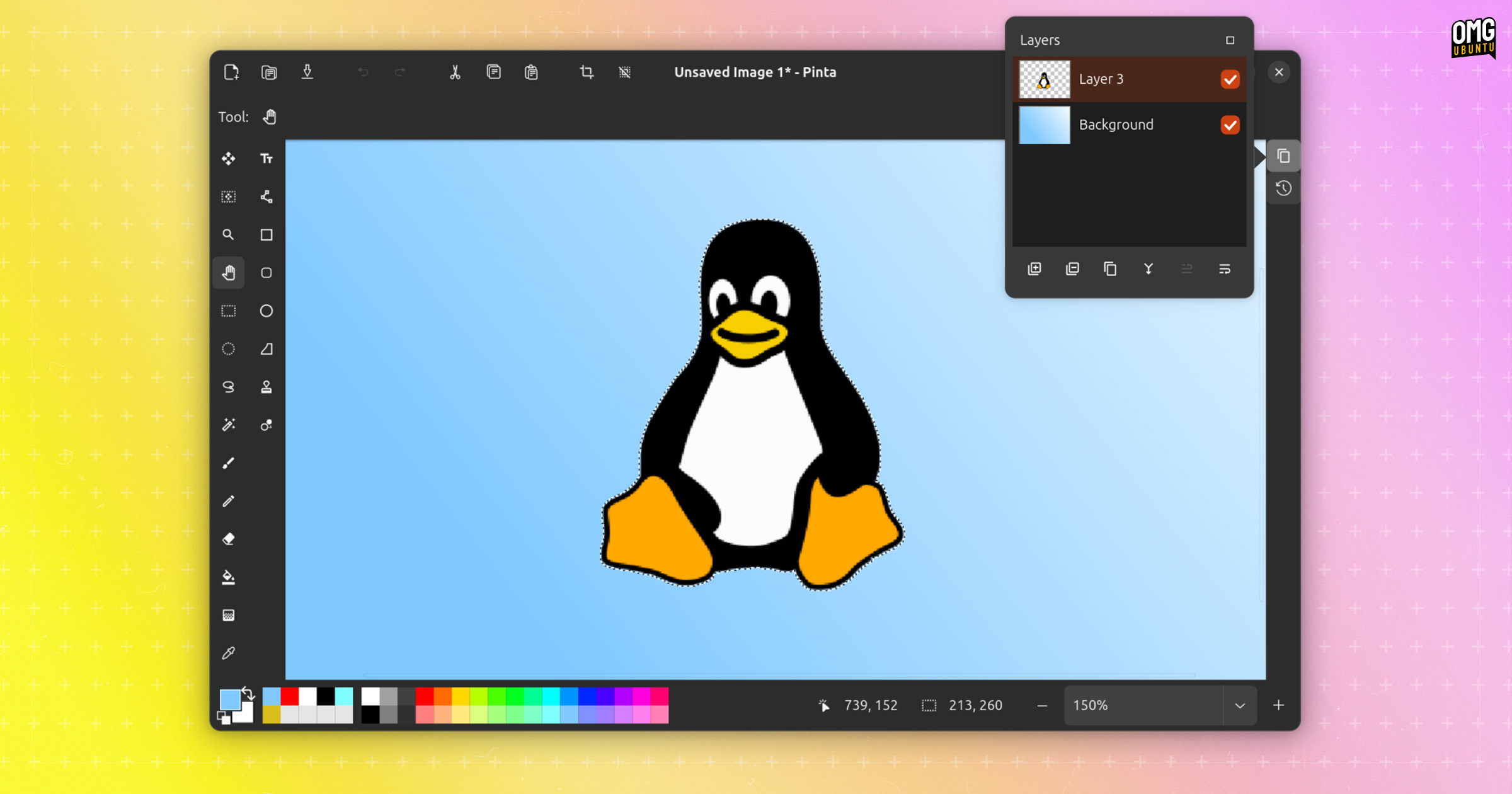
When saving an image from a file format which supports multiple layers to one which does not Pinta 3.0 advises to flatten the image first, rather than going ahead to flatten it with you unaware.
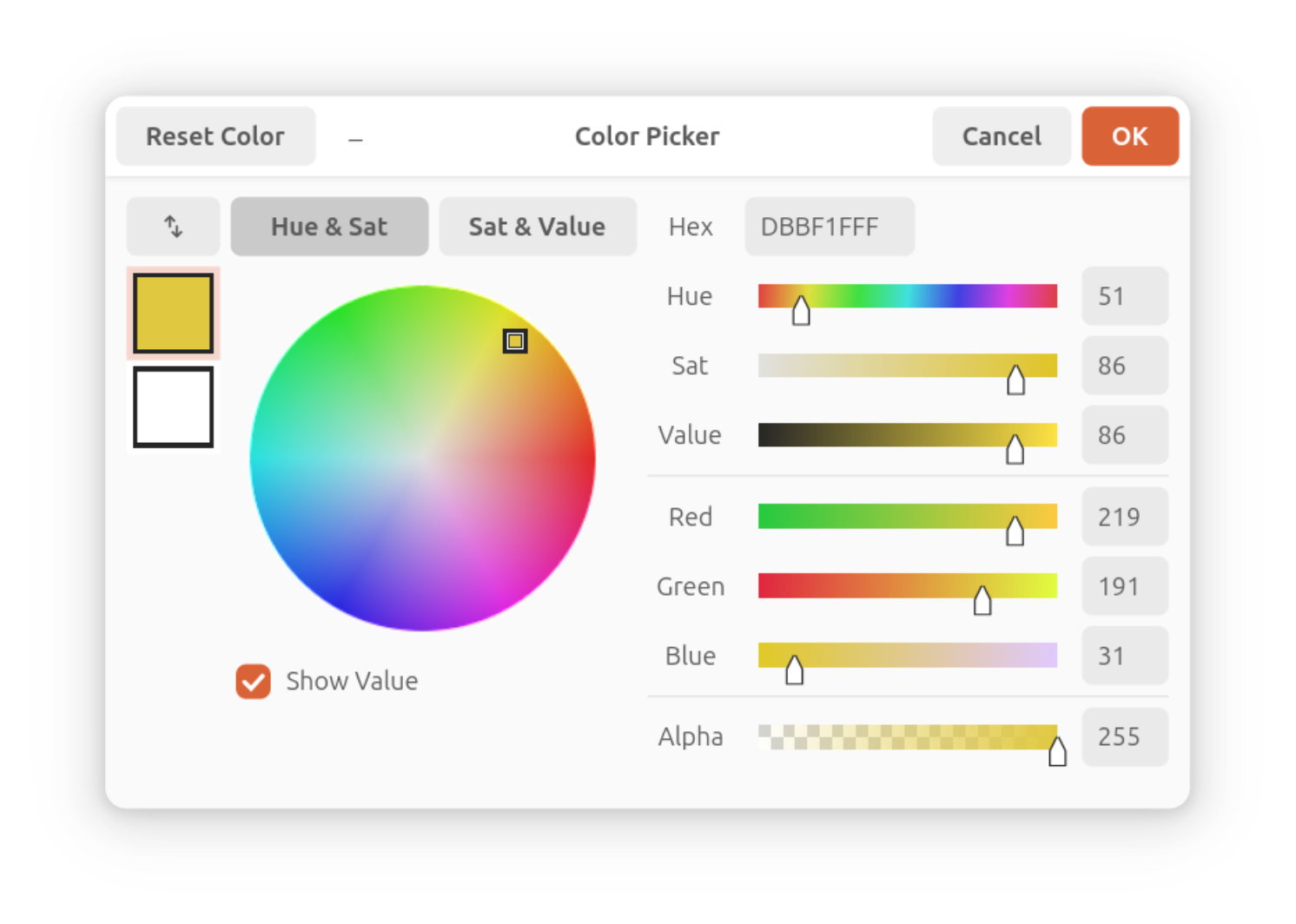
A new colour picker dialog is also included, resolving a long-standing pain-point for long-time Pinta users.
Much improved over the one Pinta 2.1 with sliders, values, and pagination – there’s even a toggle for a compact mode, which is neat!
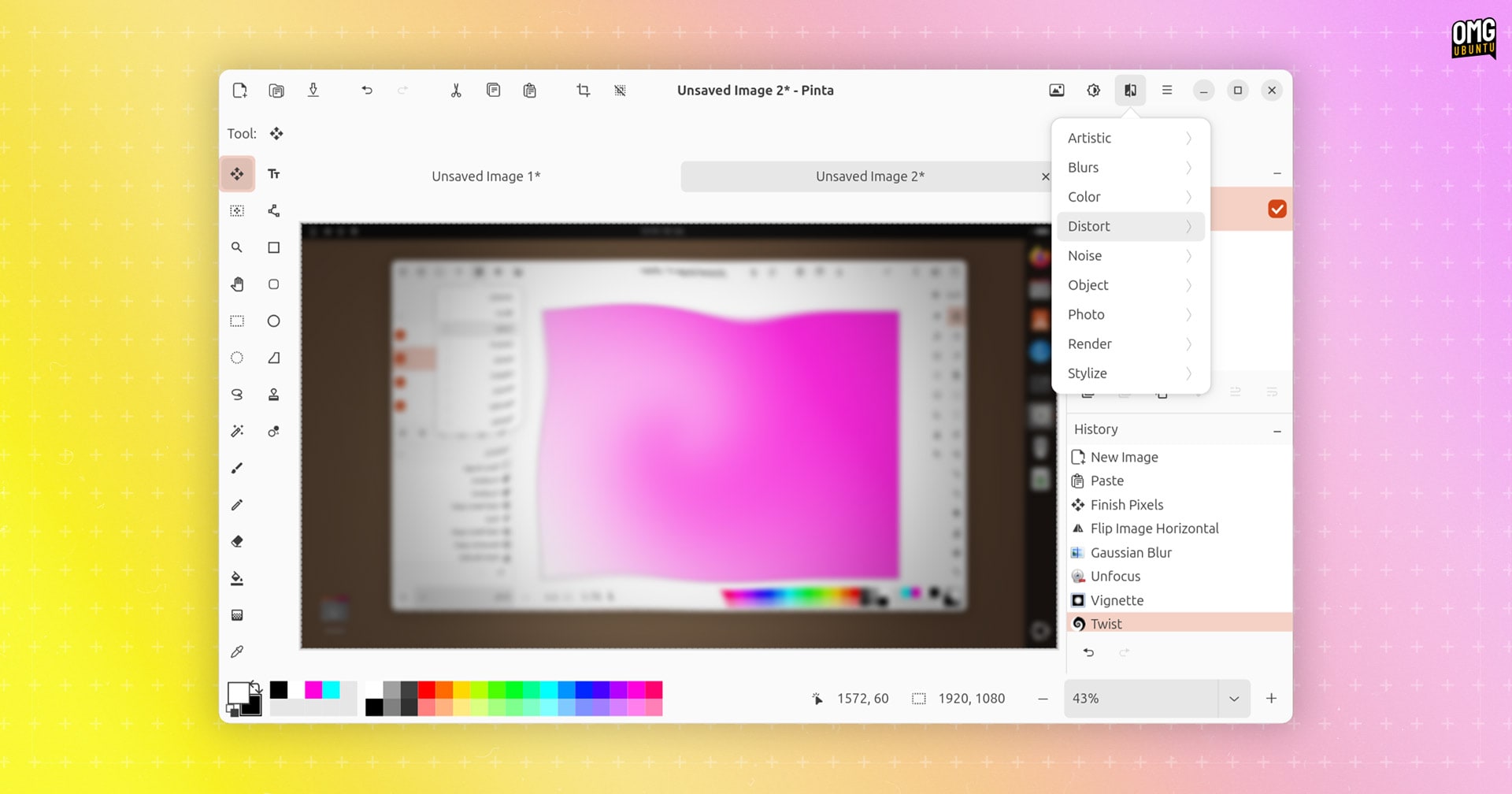
Elsewhere, Pinta 3.0 delivers a bunch of new and improved effects to toy around with, including:
- New Dithering effect
- New Voronoi Diagram effect
- Vignette and Dents effects ported over from Paint.NET 3.36
- New Feather Object effect
- New Align Object effect
- New Outline Object effect
- Tile Reflection effect makes tile type and edge configurable
- Fractal and clouds effects now support gradient customisation
- Button to randomise noise pattern for some effects (e.g., Add Noise)
- Twist effect now applied to selection not entire image
- Zoom blur effect now only zooms within the image bounds
As before, almost all of Pinta’s effects are configurable, offering real-time on-canvas previews during adjustment (albeit in the background so often obscured by the dialog on DEs where modals are attached to parents by default, like on Ubuntu).
Beyond those changes, and a battalion of bug fixes which improve Pinta 3.0’s overall performance, stability, and usability, other noteworthy changes in the Pinta 3.0 beta include:
- .NET 8.0 now minimum required
- Tool windows on right side of dock layout can be completely hidden
- Add-in manager filters out versions incompatible with current version
- Support for ‘pinch to zoom’ gestures on trackpads
- Canvas grid with customisable size (replaces pixel grid)
- Ability to export to portable pixmap (
.ppm) files - Nearest-neighbour resampling mode available for image resizing
- Offset Selection option to expand/contract active selection
- Pinta Windows build now supports
.webpimages - Windows installer is now signed
- macOS ARM64 builds (Apple Silicon)
Want to try it out?
Download Pinta 3.0 (beta)
Pinta 3.0 beta is an early-preview of the next stable build. It’s not finished, feature-complete, or free of bugs so if you plan to try it out, don’t be irked if issues arise!
Pre-built packages of Pinta 3.0 beta for Windows and macOS are linked in the Pinta GitHub assets, along with a Linux binary build (download ZIP, extract, enter, then double-click on the pinta runtime inside to launch1).
Anyone wishing to stick with the latest stable build can install the Pinta from the Snap store, from Flathub, or grab the source code on GitHub. Pinta is no longer carried in the Ubuntu archives so there’s no apt install ability post 22.04 LTS.
In all, a really promising update to this raster graphics editor. Pinta continues to serve those looking for a capable image editor that’s a step above basic tools but not as complex as a fully-fledged graphics editor like The GIMP.
Let me know what you think in the comments!
- If the binary doesn’t run you may have to install some dependencies first:
sudo apt install autoconf-archive gettext intltool libadwaita-1-dev↩︎