


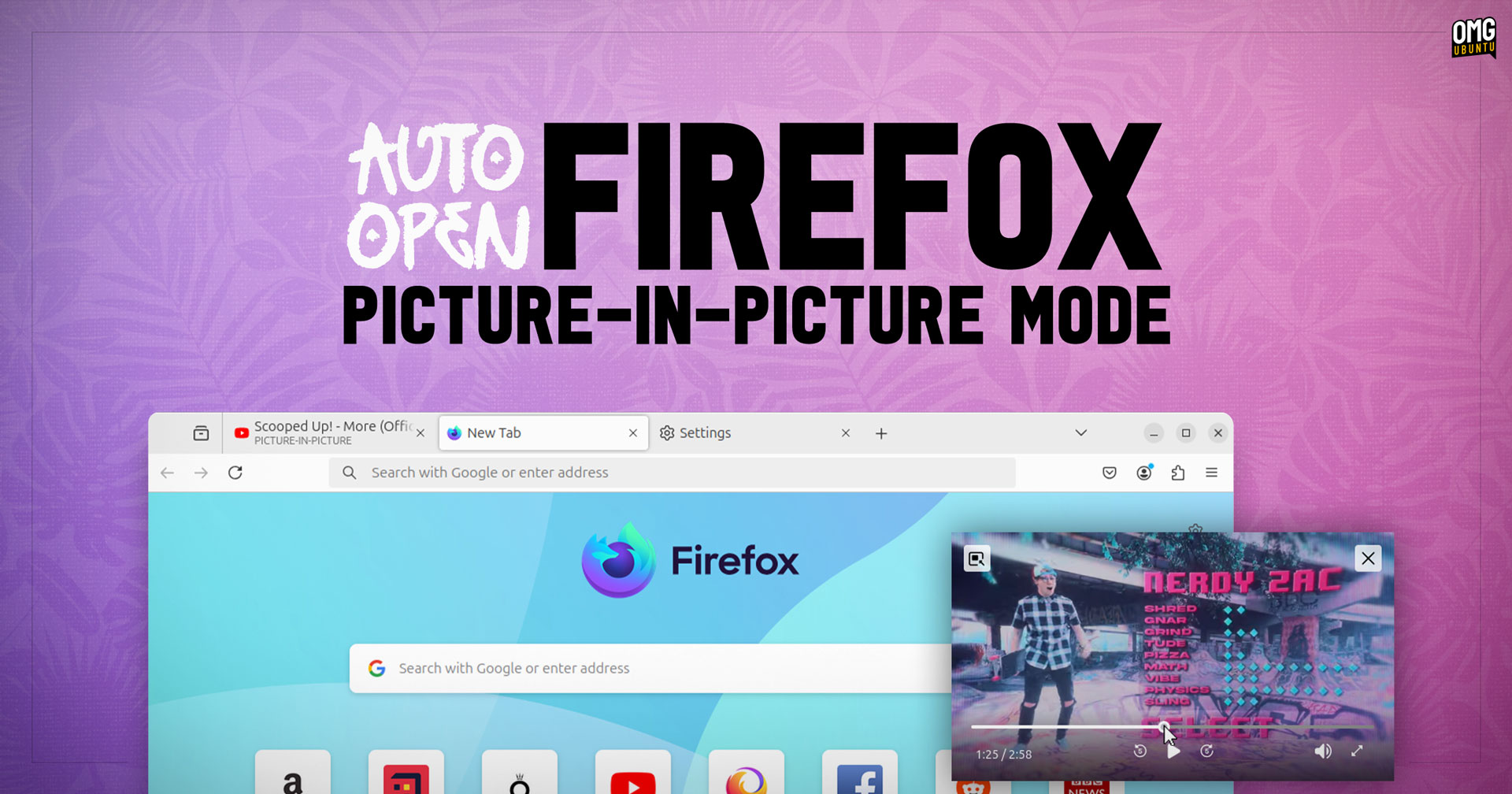


The latest Firefox Nightly build provides a feature that dramatically improves how its picture-in-picture (PIP) feature works — and I’m totally digging it!
In current stable versions of Firefox you pop-out video content from (supported) websites like YouTube and Amazon Prime manually, by clicking a button. Doing this enables you to continue watching content in a small, floating window while you switch tabs, minimise the browser, etc.
Picture-in-picture mode also allows you to pause/resume playback, see a progress bar, mute audio, enter full-screen, and even view subtitles — some features are streaming site/service dependant.
I find this feature super handy, and use it often when following along with a YouTube tutorial in an app or process (y’know, as I actually do it).
But the latest Firefox 130 Nightly build peps PIP up.
It has an option to automatically pop-out (supported) video content in picture-in-picture mode when you switch from the tab the content is playing it. This means you don’t have to click the PIP button on the video embed first, then switch tab – just switch tab and it out it pops.
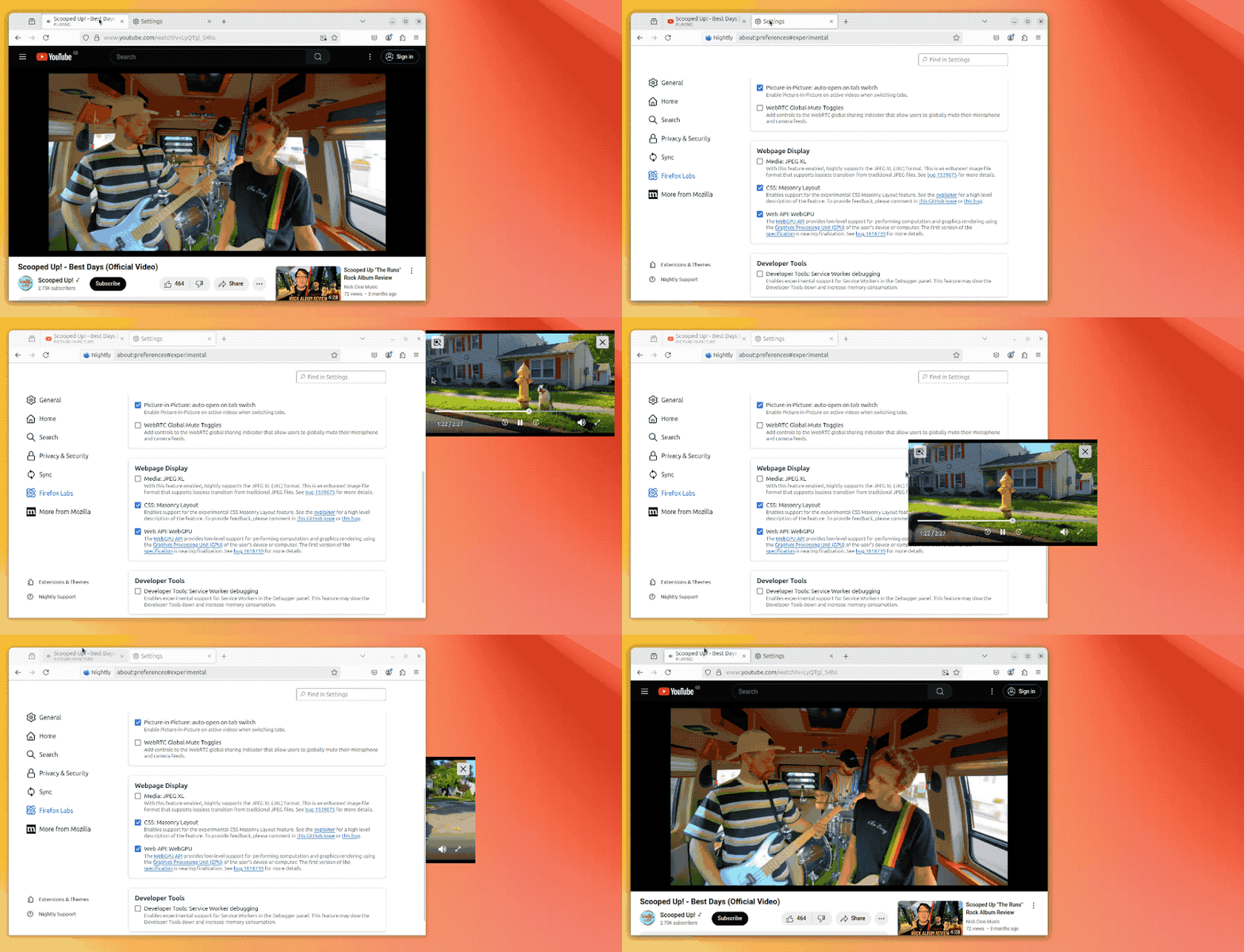
Then, when you go back to the original tab, the video snaps back-in to the player embed on the web page, and continues playing without a missing a beat.
I find this a beautifully efficient approach, although not one everyone is going to be as enthusiastic about it as I am. I guess that’s why this is an opt-in labs feature and not a default behaviour — for now.
Just wish I could set the default position for the PIP window to spawn at.
If you fancy checking it out you can download the latest Firefox nightly build for Linux (or macOS or Windows, if you’re on those) from the Mozilla website.
Ubuntu users can also install Firefox Nightly from the Snap Store (requires switching to the --edge channel), or by adding the official Mozilla APT repo and installing it from there, or download the latest nightly DEB from the Mozilla FTP server instead.
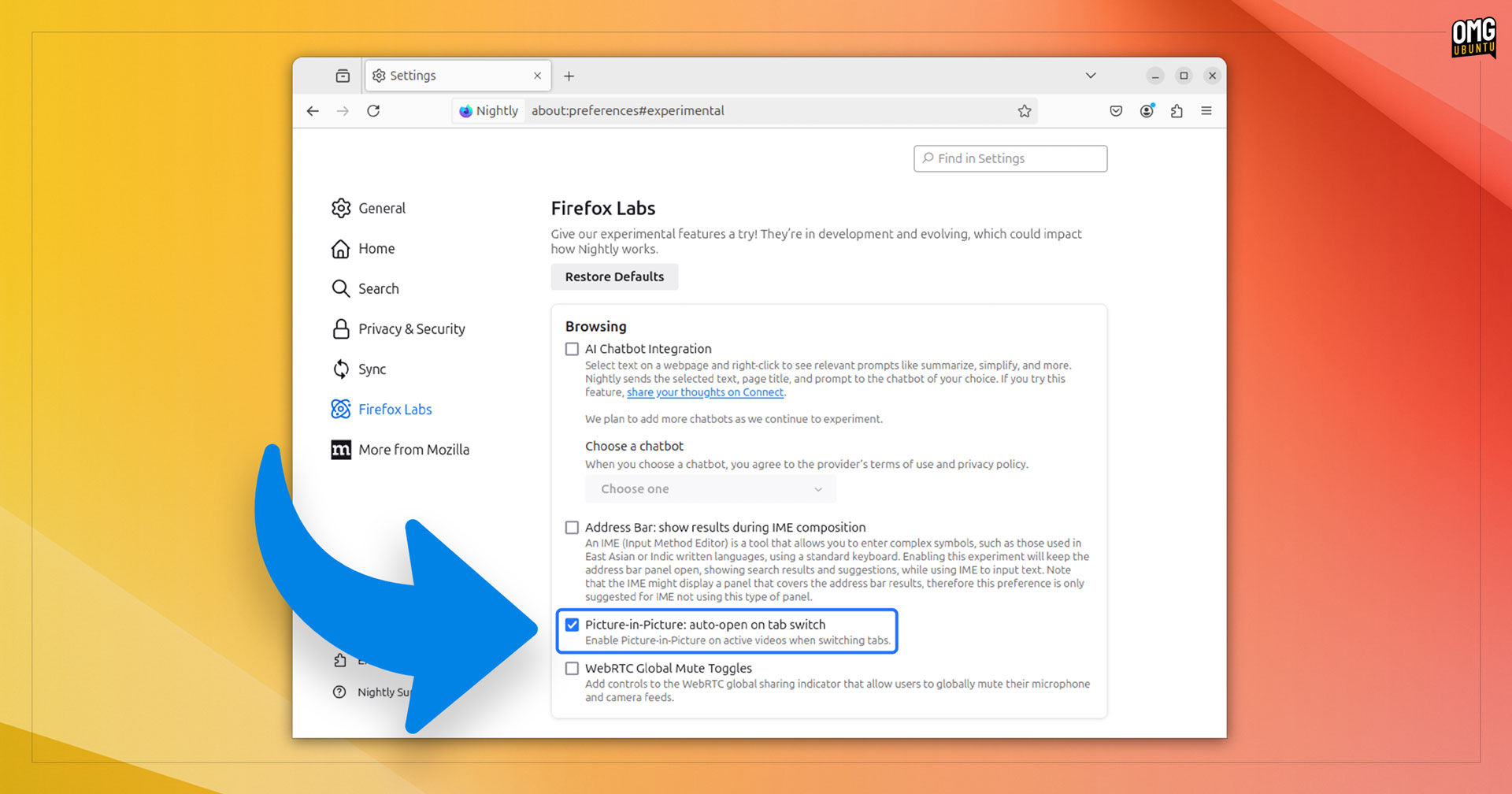
To try it, open Firefox Nightly, go to Settings, go the Labs section, locate the new ‘Picture-in-Picture: auto-open on tab switch’ option, check the box, and—bam: you’re good to go.
As with many nightly feature tests, there’s no guarantee this new option will make it in to a stable build, or, if it does, which version it’ll land in – we’ve seen plenty of promising Firefox features end up adrift in a sea of other priorities.
Let me know what you think of this – good? bad? annoying? time saving? – in the comments!