


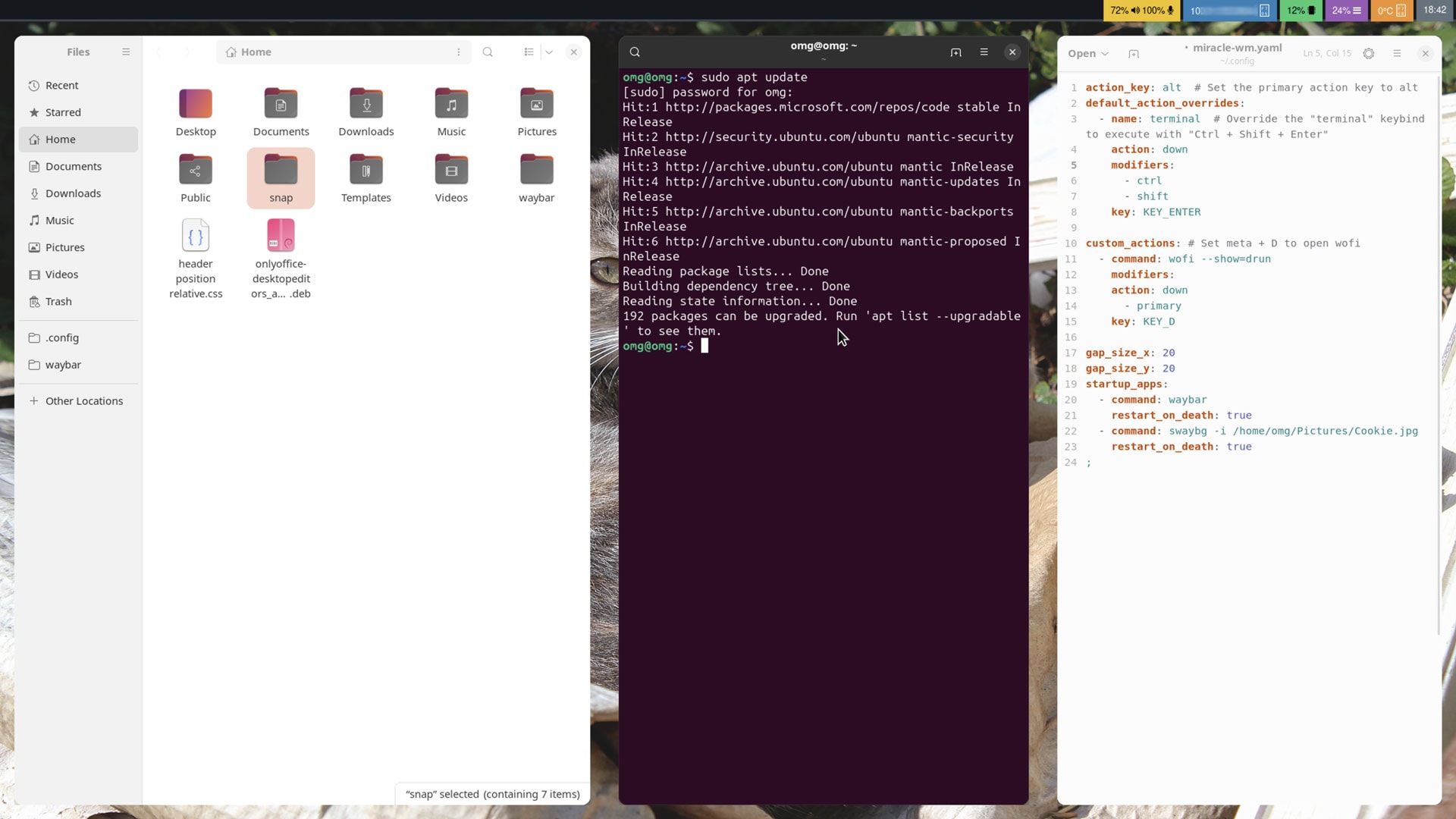


If you’re yet to try Miracle-WM, a new tiling window manager made for the Mir Wayland compositor, the latest version, released today, would be a stellar place to start.
Made by Canonical engineer Matthew Kosarek (in his free time; it’s not an official Canonical project), miracle-wm aims to pair the efficiency that tiling window managers like i3 and Sway offer with “flashier graphics […] full of smooth transitions and colors”.
And where previous releases of miracle-wm tackled the fundamentals the former of the aforementioned aims needs, the new miracle-wm 0.3.0 release begins the work of adding the “bling” required to realise the latter aspect.
Slick animations have been added when opening applications, moving windows, and resizing windows when tiling. Switching workspaces also uses an animation. As you’d expect, all of these new animations included are configurable and can be disabled.
But reading about “animations” is worthless; seeing them in action counts. The following video from Matthew Kosarek (who cautions it’s ‘hastily made’ and that better videos will follow in future) demo the additions ably:

An overview of miracle-wm 0.3.0 new features and changes:
- Animated window opening, moving, and resizing
- Animated workspace switching
- Borders can be shown around windows
- Focused window border can use a different colour
- Improved support for i3 IPC, including
focus,split&sticky - Workspaces can set default layout rule (“tiled” or “floating”)
- Snap upgraded to use Core24
- Misc bug fixes for XWayland, fullscreen behaviour + more
Additionally, this release is said to be in a better ‘daily-driver’ state than previous version, with Matthew saying, bar a few hiccups, he can use it full-time.
Still, the entire endeavour remains a WIP and until the first 1.0 release lands miracle-wm is classed as pre-release software. If you plan on trying it out (see below for how) do keep that in mind.
Install Miracle-WM on Ubuntu
You can install miracle-wm on Ubuntu from the Snap Store by opening a Terminal window and running the following command: –
sudo snap install miracle-wm --classic
Once it has fully downloaded, uncompressed, and installed you need to log out of your current session, choose Miracle from the session menu (lower right-hand corner cog menu), and log in again.
Nothing much will show on screen after you log in to miracle-wm, bar a minimal waybar panel. This is because miracle-wm is a window manager and not a fully-featured desktop environment.
Edit the miracle-wm config file (~/.config/miracle-wm.yaml) to customise miracle-wm’s settings (e.g., set keyboard shortcuts, adjust gap size, etc) and load up the apps/utilities you want to use for a richer end-user experience.
Alternatively, you can also run miracle-wm in a window on the standard Ubuntu desktop. This way can edit the configuration file and see changes without needing to log out, in, out, in, etc.
WAYLAND_DISPLAY=wayland-98 miracle-wm
The official project wiki covers this detail, so check that out.
Do drop the names of any apps/tools you like to use in similar minimal wm setups down in the comments. Is rofi still the best app launcher? Is feh still in fashion for backgrounds? Let me know!