



A new version of the Audacious music player popped out a few weeks back, but I totally missed hearing about until today (when sifting through my GitHub stars to make sure no other apps I like have joined the FOSS graveyard).
Audacious 4.4 is a sizeable update which existing fans of this feature-packed, lightweight audio app are sure to appreciate, whether they run it on Linux, macOS, Windows, or a *BSD of some description.
The biggest change? Audacious now defaults to GTK3 or Qt6 (depending on preference). Neither toolkit bumps changes the look of the app, but will mean the app works better with modern Linux desktops and technologies, like Wayland.

GTK 2 and Qt5 support remains available, but only if configured at build-time (so if you need/want to stick with those you may need to compile this update from source, or find a pre-packaged build providing those options).
Wayland support is improved in the GTK version, though the included WinAmp skin doesn’t work well under Wayland. As a workaround, the advice is to run the player through Xwayland instead.
Audacious 4.4 also plays better with PipeWire, by avoiding needless resampling, and using a linear volume scale.
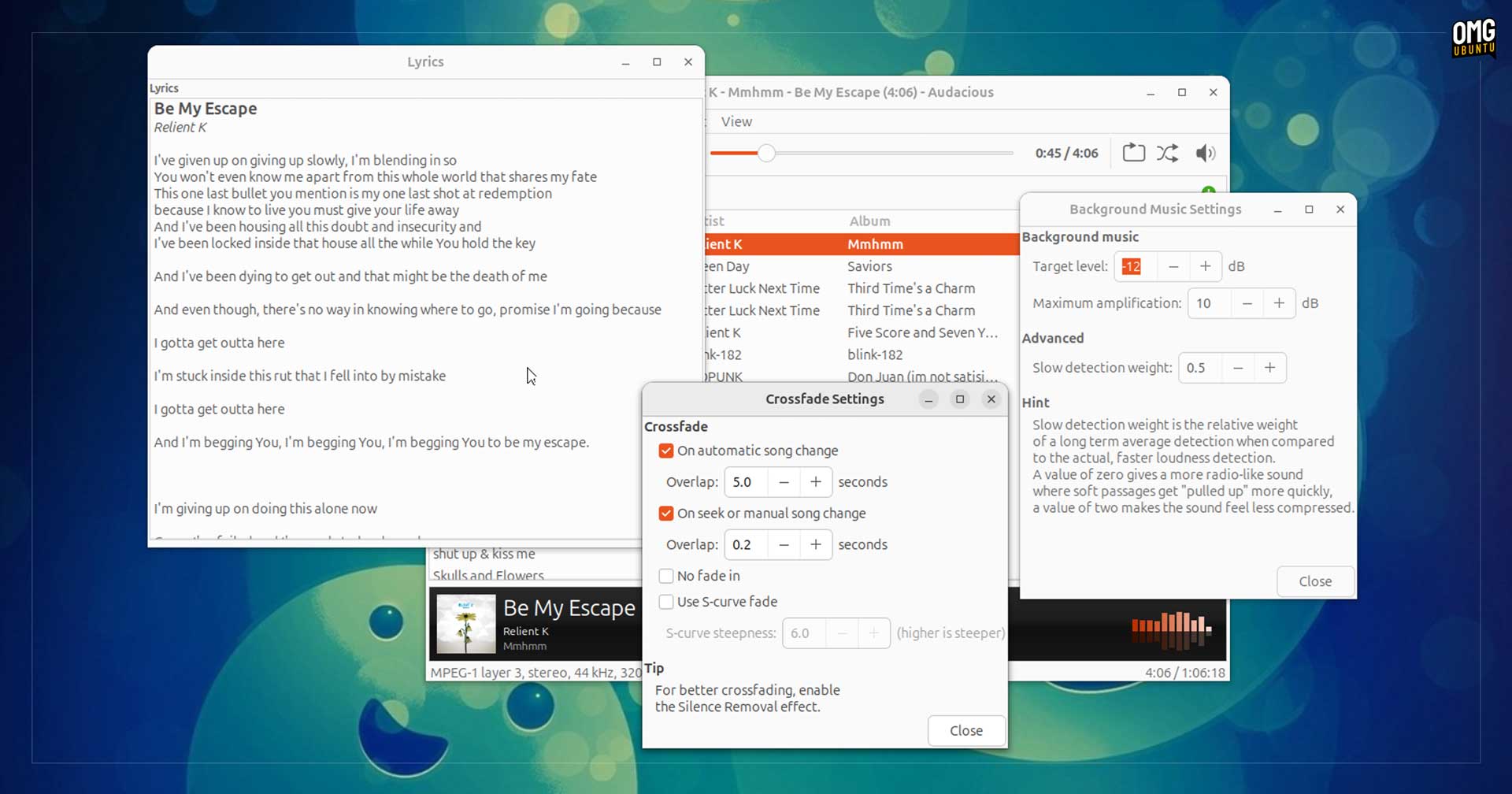
Those who like to croon along to their choons will be stoked to hear this release sees the return of the lyrics plugin for the GTK interface, now configured to fetch words to songs from the chartlyrics.com website (assuming they have them, of course).
A new ‘Background Music’ plugin has been added. When this is enabled it can ‘make the sound equally loud within and between tracks’. How this differs to volume normalisation, I don’t know – if you do, please fill me in (oo-er) in the comments.
The ‘Song Change’ plugin now lets you specify a command to run when a song is stopped, in addition to simply changing, while the ‘Crossfade’ plugin provides a slew of extra configuration options.
Other changes in the Audacious v4.4 release:
- Last.fm scrobbling plugin works again
- Disc Number support
- Option to disable column header sorting
- ReplayGain values in Opus files can be read from R128 tags
- Quickly mute/unmute by middle-clicking on volume button
- New shift + enter shortcut for Jump-to-Song dialog
- Fixed memory leak caused by Opus files with embedded images
- Full stereo separation in OpenMPT plugin
- Improved handling of MP3 files with multiple image tags
In all, a solid update to this long-time staple of the open-source audio scene.
You can install Audacious 4.4 on Ubuntu from Flathub or the Snap Store, although neither of those builds are “official” or “verified”. You can also build it from source.
If you don’t need any of the improvements covered in this article you can also install Audacious from the Ubuntu repos, using sudo apt install audacious.
Windows builds are available to download from the Audacious website, and work on Windows 10 (64-bit) and Windows 11. macOS users will need to get it from Homebrew as no standalone package is provided.