




Those using Ubuntu on Windows through the Windows Subsystem for Linux (WSL) may be interested to know that ‘significant updates’ are on the way.
In a blog post to recap things discussed as the recent Microsoft BUILD event the company’s senior product manager for the Windows developer platform Craig Loewen runs though what’s coming down the pipe for WSL users.
Several experimental WSL features Microsoft announced last year have started to make their way to stable/default builds.
Among them, automatically releasing stored memory in WSL back to Windows. Device with limited memory will benefit most from this, but so too will systems with lots of memory undertaking memory-heavy workloads under WSL.
DNS tunnelling is also now enabled by default on Windows 11 to improve networking handling, especially when things like VPNs are enabled on Windows.
Other experimental features will be promoted to stable builds over the coming months, like automatic disk reclaiming, and mirrored networking mode (with IPv6 support) — available as experimental, opt-in features for those interesting to play/try/make use of them now.
New WSL Settings App Coming
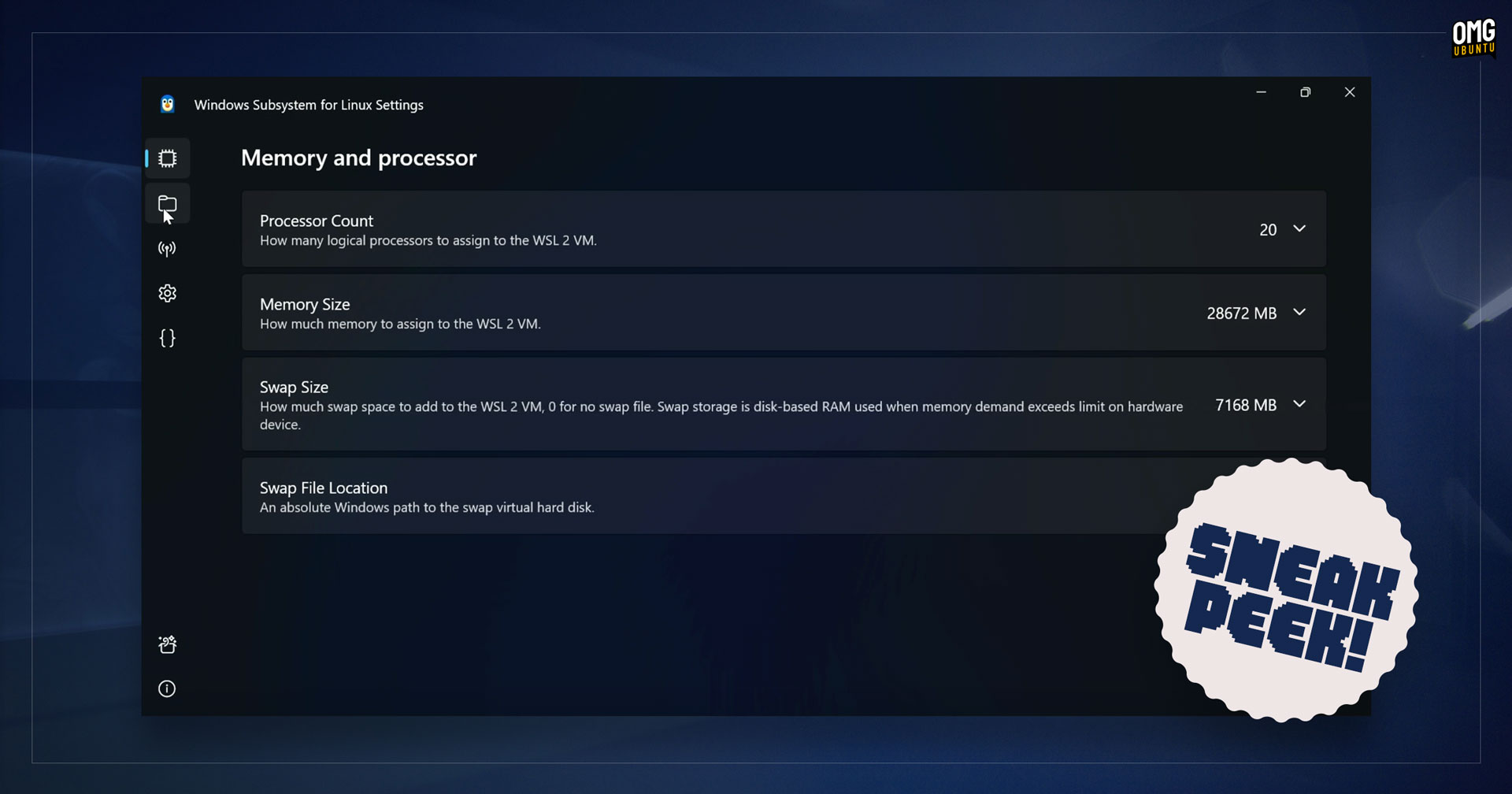
For me, the most exciting update revealed to be in the works is a brand new graphical settings app for WSL. This will be released as part of a future WSL stable update.
Graphical configuration will be a big help. At present users need to manually edit the .wslconfig text file to adjust and configure settings. That assumes they know which settings to edit, which values to enter, and the correct syntax to use.
“The WSL Settings app addresses this by breaking out WSL settings into labeled categories, and indicating which ones are available on your machine” Loewen explains, noting that it will be compatible with the .wslconfig text file — it’s possible to edit via both!
WSL integration is coming to the Dev Home control center too through a new ‘Environments’ feature. From here users will be able to “manage, launch, and create new development environments like Hyper-V machines, dev boxes and […] interact with WSL distros”.
In all a nice set of updates.
I don’t use WSL regularly at all (because I don’t use Windows regularly at all) but I can appreciate that the enhancements Microsoft’s announced are going to be well received by those who do. They will enhance the usefulness of this already-useful feature further.
More details on the Windows Command Line blog.
And if you use Windows (be it out of choice, preference or work/study requirement) and don’t yet use WSL you can install Ubuntu 24.04 LTS from the Microsoft Store, which (on Windows 11) should do the heavy lifting of enabling WSL for you.