



The open-source text editor Notepad++ is celebrating its 20th anniversary with a new release filled with some neat new features.
In Notepad++ 8.6 (the 238th release since 2003, for those keeping count) the Windows-based code tool adds to its extensive feature set with an improved multi-edit feature.
Now, I’m not a developer. I do a bit of basic PHP tweaking for the omg! sites, but that doesn’t require a bespoke coding environment or any advanced feature. So I don’t know how multi-edit adds to or adjust what was (apparently) available in earlier builds of this app.
A do know a few 3rd-party Notepad++ plugins have offered similar functionality for a while, including BetterMultiSelection. And a bug report requesting to ability to “transform the column mode to multi-caret on HOME/END/Arrow keys” led to this native addition.
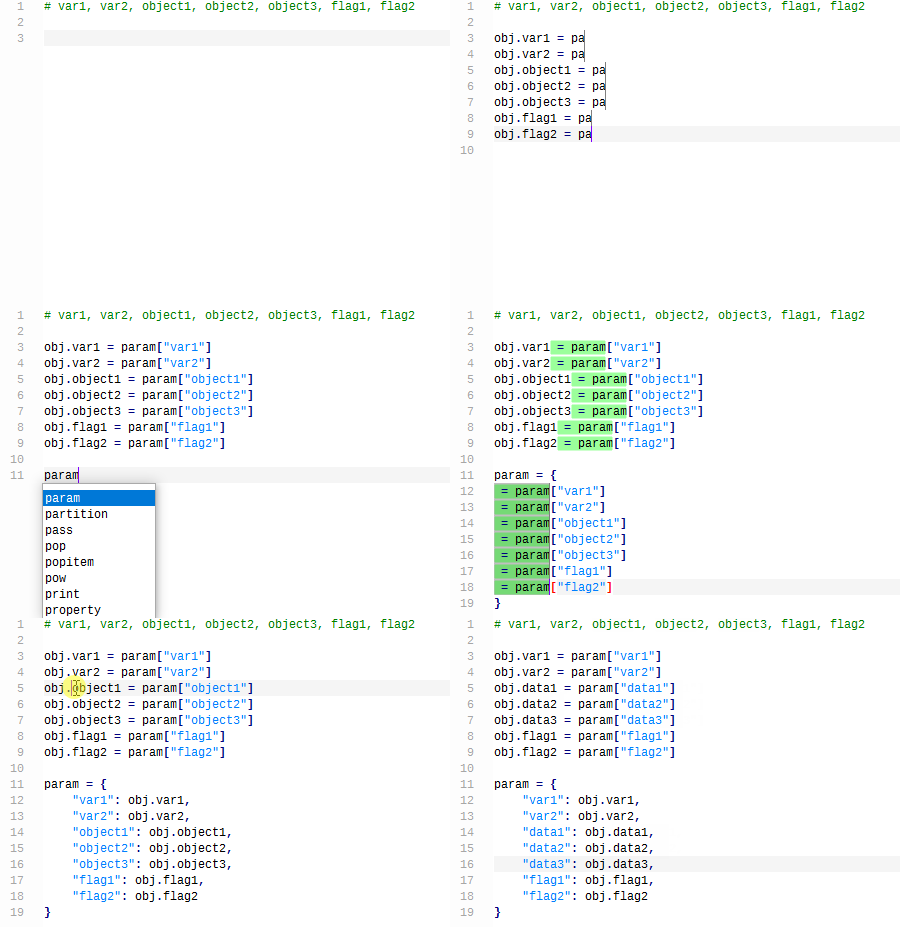
Anyway, here’s an animated GIF of Notepad++ multi-edit in action:
Notepad++ 8.6 is also able to ‘remember inaccessible files across the sessions, by using empty & read-only documents as placeholders’. To enable, head to Preferences > Backup and enabled the ‘Remember inaccessible files from past session’ option.
These and other changes in Notepad++ 8.6:
- Multi-edit
- Session inaccessible files now remembered
- Customise multi-select background & caret colours
- Scintilla & Lexilla updated to v5.3.8
- 3 line operation (delete, copy & cut) shortcuts
- Find/Replace shows extra info in status bar to avoid PEBKAC
- Misc bug & crash fixes
Notepad++ is free, open-source software designed for Windows, and available to download as a normal installer or a portable edition from the application’s official website or GitHub.
Don’t let that fool you though as you can use Notepad++ on Linux!
You can install Notepad++ on Ubuntu straight from the Ubuntu Software/App Center app (it’s a Snap Store). Alternatively, install the Windows build via WINE/CrossOver or, if you got the l33t skillz, build it by hand, from source.