



The Ubuntu Software Centre gained star-ratings and reviews for application selections in a recent update to the current development release, Ubuntu 10.04.
Well, sorta. I’ll explain.

Although you can see the star ratings and number of “reviews” within the software centre, you can’t actually rate anything yet. The ability to rate applications will be implemented over the course of Lucids’ development.
How rating will work in Lucid
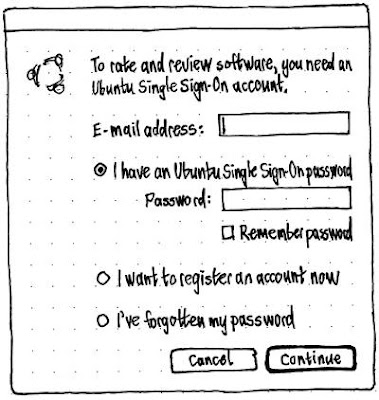
To rate an application in Lucid you will be asked to sign in with your Ubuntu ‘Single Sign-On’ account – better known currently known as a Launchpad account. (This account will have uses further along the line with the Ubuntu Music Store. Stay tuned!)
Once signed in you will be presented with the following pop-up window: –

Once you’re neatly signed in you will then be able to enter your review in a window like so: –

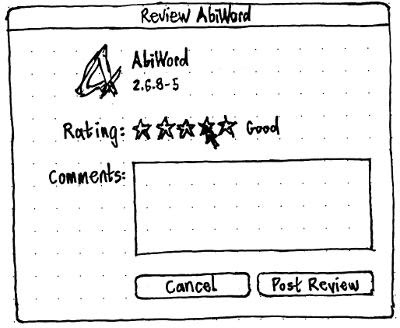
As for the reviews themselves, it seems they are intended to appear beneath the ‘install’ buttons within the app-preview window.

Fellow bloggers: If you first find out about a story via omg!ubuntu! it’d be smashing if you could reference the fact in your own posts.