
Here you can discover the latest Linux apps, software and system utilities to use on Ubuntu, Linux Mint, and related distributions, from office suites and music players to dev tools and CLI scripts for getting things done.
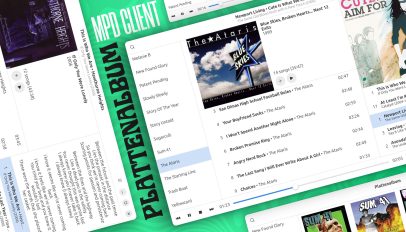
This week I came across Plattenalbum, a modern GTK4/libadwaita frontend for the Music Player Daemon (MPD) built in Python. MPD remains a popular way to make music stored on a server or a computer available on […]
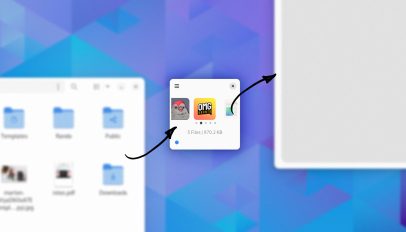
If you’re looking for a way to more efficient way copy files on Linux be sure to check out new GTK/libadwaita app Collector. Collector functions as a temporary holding space on which you drag and […]
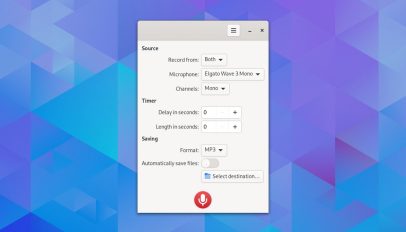
Looking to record system sounds and your microphone at the same time on Ubuntu, and save it to a single audio file? Reco is a free, open-source audio recording app for Linux, written in Vala […]
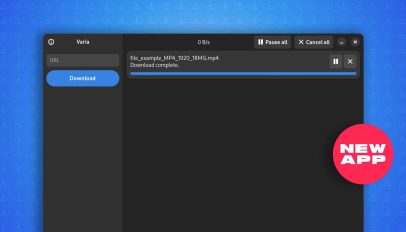
Varia is a new, open-source download manager for Linux based on Aria2, a powerful command-line download utility. The application’s user interface is built using GTK 4 and libadwaita, meaning Varia looks perfectly in-keeping with other […]

Ubuntu, like other Linux distributions uses the GNOME Display Manager (GDM) as its, well, display manager, though most of us tend to think of or refer to it as the login screen. To customise the […]

Want to playback a lecture recording, transcribe an interview, or listen to a podcast episode without adding it to your music library? Check out Decibels, a novel new audio player for Linux written in Typescript […]

Mozilla has announced a new APT repository to make it easier to install Firefox Nightly builds on Debian-based Linux distros, including Ubuntu.
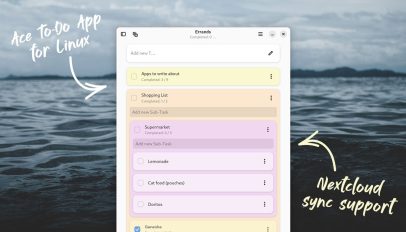
If you want to get stuff done, you have to get organised, and using a dedicated to-do app is an invaluable way to do that. Linux users have access to tons of terrific to-do list […]
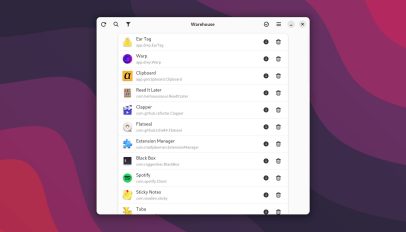
Flatpak fans will want to check out Warehouse. Warehouse is new GTK4/libadwaita tool that makes it easy to manage Flatpak apps and Flatpak remotes (e.g., Flathub, GNOME Nightly, etc) on Linux desktops. What makes it […]

Right now, when I run apt update on my Ubuntu laptop a stream of errors about W: target packages/repos/DEP-11 being ‘configured multiple times’ appear. These errors don’t prevent apt from working (so it’s not an […]
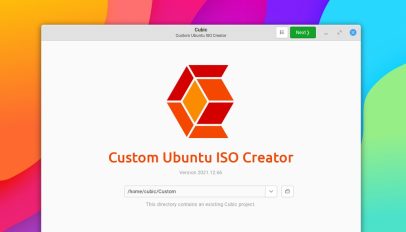
Create a custom Ubuntu ISO using Cubic, an open-source GTK app with an easy-to-use interface. The app works on Ubuntu 18.04 and up.

Want fresh wallpapers, daily? Try Damask for Linux, recently added to Flathub. This GTK app can set daily background from Bing, NASA, Unsplash, & Wallhaven.